Social Media Archives | Page 2 of 2 | Spectrum Net Designs

Whats new for 2018 Social Media Marketing?

Social Media is constantly changing, therefore, so is social media marketing.

It is important for your business to stay ahead of the game and know what’s coming up for important marketing strategies. Here, we try to help you improve you social media marketing before it’s too late.

Videos

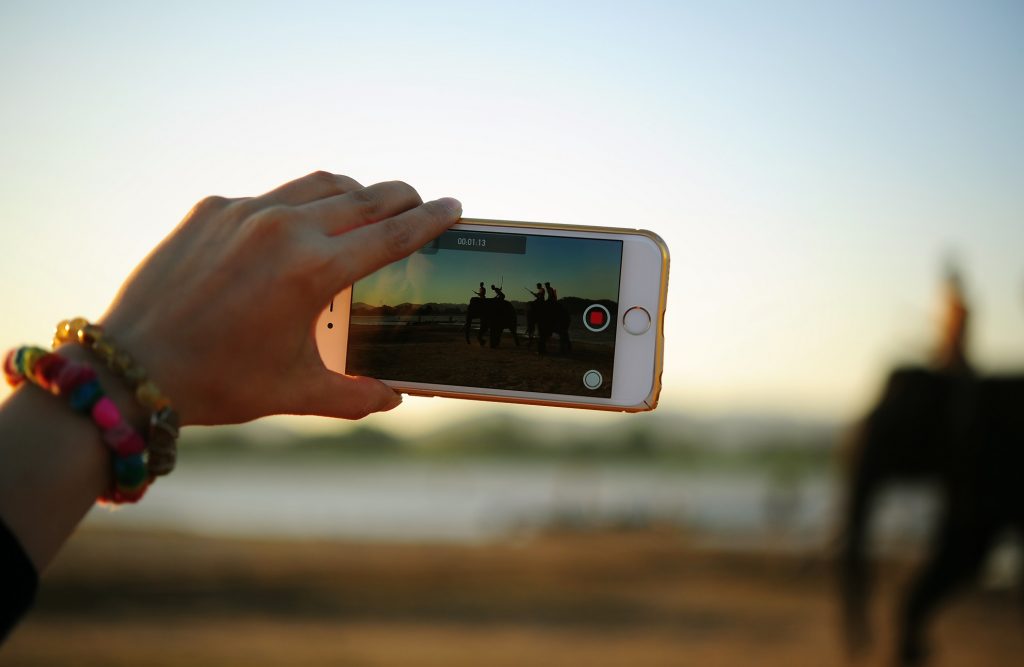
Videos have been growing in importance for marketing purposes. The popularity growth has been increased because of its ability to engage the visitors. Videos have been shown to receive higher engagement, including things like more likes, retweets, comments, and shares. Live streaming has also made videos for marketing popular, especially on facebook and even Instagram.
pexels-photo-88476

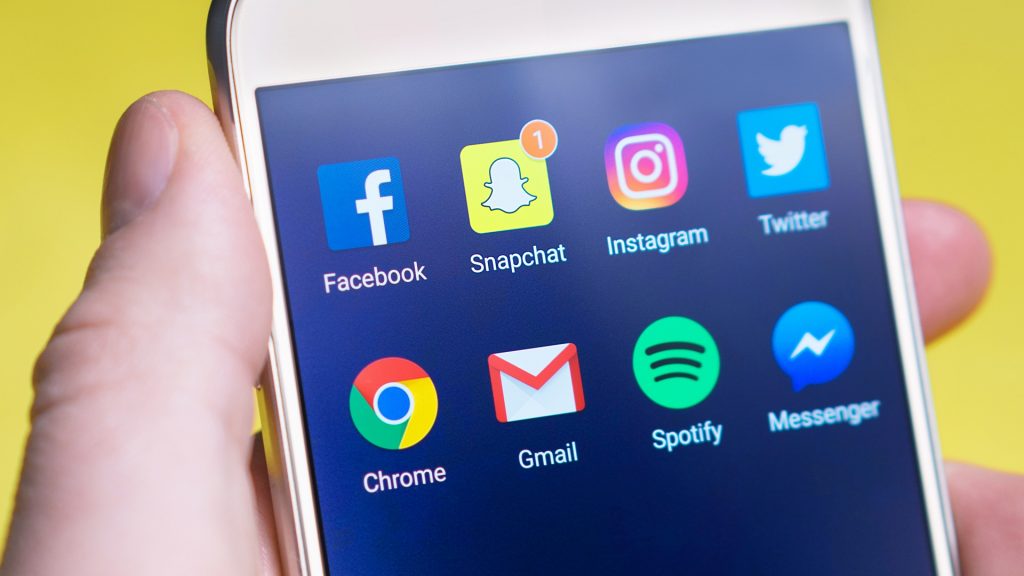
Instagram and Snapshat stories are examples of video importance. It is easy to share these videos with followers and receive engagement back. Instagram stories are becoming way more popular than snapchat stories, with over 50 million more users than Snapchat. Instagram stories are only one year old. At this rate, more than half of all Instagram users will be using Instagram stories. This is one-way businesses can showcase their business.

The important strategy behind video marketing is to tie it to your writing content. This is a critical part of marketing strategy in 2018.
snapchat

Short viewing of content

Like stated above, Instagram and Snapchat stories are very popular. The content goes away after the viewer looks at it or a period of 24 hours. This content is most popular with Millennials and Generation Z, who are growing up and are now part of the business world. If your audience is of this age, focus your energy on this type of marketing.

Customers see it as more authentic than sponsored ads.

Content disappears in a matter of hours, so audiences take a fast reaction for fear of missing out.

Users can easily access content

Customer service via social media (Chatbox)

With this software application, customers no longer have to wait for an answer to their question. With social media, customers can receive an immediate answer. Remember to still always be polite though, even on social media.
short content marketing

With these small ideas, you social media marketing game can improve drastically. Remember, it is always important to know your target audience, as this can impact your marketing strategy. Contact us today for social media marketing help!
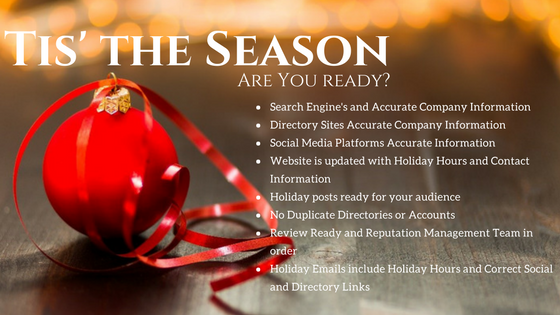
The Local SEO Holiday Checklist

Holiday Checklist for Local Listings

Tis’ the season! Are you ready? Now that the holiday season is rolling in, it is important to keep that seo holiday checklist in mind for local listings. Below, we have highlighted the main points to keep your SEO up-to-date, especially during the holiday season.

seo holiday

Search Engine’s and Accurate Company Information

Review Your Search Engine listings for your local clients. Here are a few you might be on. Don’t forget to add those special hours on top of your regular hours. Keep these updated because they are the main traffic for lead conversions. If these main search engines are not kept updated, your chance to capture your focus audience might be missed.

Google– Google+, MyBusiness account, YouTube and your Maps listing information
Bing – BingPlaces, Maps, and more
Do you have one of these accounts and don’t know how to recover them? Contact us, and we can help you!

Directory Sites Accurate Company Information

Review Your Listings on all your Local Sites.  Here are a few you might be on:

Yelp

Manta

Merchant Circle

FourSquare

CitySearch

Yellow Pages

Being up to date on these local sites will help local clients and future customers know your company’s information and how to get a hold of you. You can also share a little about your company. During the holidays, be sure to keep all these updated!

Let us help you create an account on these local sites!


Social Media Platforms Accurate Information

Review your social media accounts and make sure they are up to date. Being up to date with social media means posting regularly and knowing the ins and outs of social media use and marketing. Keep up with your followers and those following you. Even a “like” here and there can keep your account up to date. Here are a few social media sites you might be on:

Facebook

LinkedIn

Instagram

Pinterest

Need a social media account? Let us help you get started!

social media

Website is updated with holiday hours and contact information

It’s easy to forget about your website as the holiday season nears, but it is crucial to keep it updated. Many companies have fluctuating hours during the holiday season, the hours changing weekly. Even if the hours look crazy, keeping them updated will lessen frustration from customers and clients.

Make sure you are covered across the whole spectrum of the website. Don’t just focus on the “Contact Us” page, but check the footer, company information, internal landing pages, and more.

Contact us to update your account!

Holiday Posts ready for your audience

Don’t skip out on posts just because it’s the holidays! This is the perfect time to post, either on social media or a blog. Show clients and visitors new products you are selling, information about your company, or even wish them happy holidays. Every post is important, even if it is something small. Audiences are most active during the holiday season, so this is the time to advance your posts.

No Duplicate Directories or Accounts

Many people and companies forget either their passwords or what email they use. There can be a lot of confusion if one creates duplicate accounts. Questions like, What’s my password? and Which email did I use? can be frustrating. Do you know how to reset your password? We can help along the process of recovering your account! Contact us today!

Review Ready and Reputation Management Team in order

During the holiday season, many people take off work and have other people covering for them. This includes a reputation management team. People can be frustrated during the holidays and might leave some negative reviews. Examples include:

  • Return Policy for stores
  • Prices
  • Parking
  • Hours

Having a team ready to give thoughtful, respectful responses is quite important during the holiday season. Have the responses ready, even if no one has complained yet. Don’t leave reviews unattended. We strongly encourage someone to take care of that. Otherwise, frustration levels will rise.

Holiday Emails include holiday hours and correct social and directory links

Review your email signature and make sure it is up to date. Some companies have different holiday hours per person. Are the correct hours and links in the signature? Some people in the holidays have an automatic reply with information about the holiday hours. If this is something you’re interested in, make sure to include forward links to either a website or social media.

 This holiday checklist will ease the frustration of customers and help keep customer loyalty.

Make sure to cover all bases to have the best local SEO possible. If you need any help, contact us today and we will love to give you a hand!

Up Your Game for Everyday Social Media Design & Management

social media design and management

Up Your Game for Everyday Social Media Design & Management

Do you need help managing, organizing, or need some creative inspiration for Social Media?

Social media is an important part of all businesses. It has become a way to engage customers and build a brand, among other things. Social media tools can help you out so much and make things easier. If you’re looking to increase engagement, keep updated on trends, and track performance? We can show you some tools to help you up your game for social media! These eight websites can be extremely helpful to make you a professional at social media.

Hootsuite

hootsuite

Hootsuite is a great scheduling and management tool. It is one of the most efficient tools to help pre-schedule your social media. You can also update and post to any social media page, whether that be Facebook, Twitter, LinkedIn, Google+, or Instagram, from the Hootsuite dashboard. It can be a full time job managing social media profiles, especially when there is more than one, and Hootsuite can be a huge help.

Bitly

bitly

Bitly can shorten the URL of any website. Why would you want this? If you have a social media account that counts characters per post, you want the shortest URL to fit in your post. Also, many people pre-judge a website based only on the URL. Can they understand what your site is about purely based on the URL? Is your URL confusing, filled with nonsense and unnecessary characters? Bitly is the place to go. Bitly makes the most out of online references. It is the best tool for optimization, helping your SEO as well as your clients.

ScreenShare

screenshare

Talking with clients can be a serious business, so instead of struggling to explain something on the computer, you can connect with customers on a personal level by sharing a screen. ScreenShare helps companies that must show processes on the computer screen or show how to do something. This helps gain a better understanding of the topic with a visual aid.

Buzzsumo

buzzsumo

Are you searching for popular content that you can post for a client or even yourself? Buzzsumo is the place to go to. This is not a management tool, but instead a tool to help find better writing/posting content. Key influencers have the most reliable content, and Buzzsumo gives you those key influencers. Buzzsumo analyzes what content performs best so that there is less testing for you.

Canva

canva

Canva is a graphic design tool for social media marketing campaigns. This is a great tool for those who are too busy or have little to no experience with graphic design. The tools from Canva are as follows: free-of-charge graphics, fonts, amazing software, etc. Canva also has designs for almost any type of document, including cards, logos, brochures, and even tickets.

Pexels/Pixabay

pexels

These websites, Pexels and Pixabay, have HD photos for free. They are creative commons, which means that you can do whatever you so desire with the pictures with no restrictions. Edit, manipulate, and use these HD pictures free of charge!

Edgerank Checker

edgerank

This website, Edgerank Checker, shows you how to know if your social media is working (getting traffic). It shows the algorithm for Facebook and therefore checks your page’s exposure within Facebook.

Rawshorts

rawshorts

This website, Rawshorts, is almost identical to the website Canva, but it is in video format. It is text and graphic based. Do you want a video to explain your company and its features? Rawshorts is the way to go. Easy to use and free of charge, even a beginner could use it!

All these websites can help you step up your game in social media, whether that be management of all your sites, organization, or creative inspiration and help. They all provide great tools for the busy, on-the-go worker. Step up your game and become an expert on social media management!

Providing All The Services You Will Ever Need

Marketing Services

We Are Your All-In-One Service Provider in All Things Digital

Full-service, graphic identity and marketing collateral shop!

Spectrum Net Designs is your one-stop website development and creative firm that can start with your website design and development, then move
 on to provide all your printed graphics, from business cards, large yard signs, letterhead, brochures, and anything else you might need. Spectrum
can help you take the stress and time constraints out of website design with WordPress development and hundreds of plug-ins that can be customized for your business needs.

What’s the Correct Facebook Page Image Sizes? Your Facebook Cheat Sheet

What’s the Correct Facebook Page Image Sizes?

Your Facebook Page Cheat Sheet

If you’ve ever managed a Facebook page or any social media platform for business or personal you know that the sizing of the cover images, banners, post images, and profile image sizes and links are all different.  There is not one that is the same size or resolution.

How frustrating and time-consuming on top of that.

Even more the extra features such as events and promotions are different sizing too! Be prepared and keep up with the latest updates as soon as they come out or you could risk looking silly when your customers visit your page and nothing is the correct size.  It doesn’t look professional.

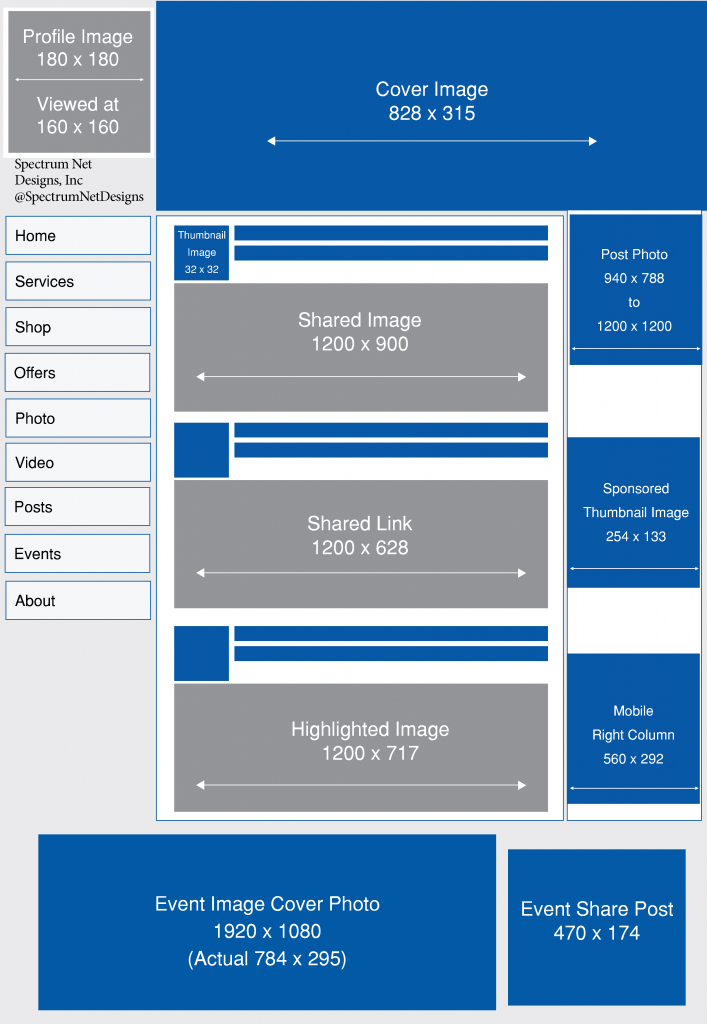
Your cover image is now 828 x 315 from the earlier 851 x 315 size, so be prepared and have new images ready to go as soon as you can for better audience response to cut off images and elements.

Other items, such as your Facebook profile image, must be at least 180×180 pixels but will appear on the page as 160×160 pixels.  Your photo thumbnail on Facebook will appear at 32×32 pixels throughout the site.

When you are planning an event, those sizes are also different.  Your event image is 1920 pixels x 1080 pixels, and your photos on the event page wall will be seen at 470 pixels wide, up to 470 pixels tall, depending on the shape photo you upload.

As for the rest of your sizing, the guide below should help you figure out the rest.

Facebook Sizing