Mobile Responsive Design Archives | Spectrum Net Designs

Graphic Design & Marketing: Why Good Graphic Design is Important

importance of graphic design blog post

Why Good Graphic Design is Important For Marketing

What do you think of when you hear the words “graphic design”? Is it an elaborate, artsy piece or something simple and abstract? Most people tend to think their businesses are too small for graphic design or that they cannot benefit from graphic design. Some only think that graphic design is for large companies with huge budgets. But the truth is, graphic design is for everyone. No matter if your business is big or small, with thousands of employees or just one, you can benefit from good graphic design. Read on to discover why graphic design is important and what good graphic design can do for your company!

Good graphic design = good first impressions

While the look of a company shouldn’t be the only thing that matters, it will strongly influence what a user or potential customer thinks the first time they look at your website or are introduced to your brand. The first look of your company could come in many different places at many different times: on a business card, on a paid ad, through a commercial or social media post, your product packaging, or even directly on your website. While your branding and website don’t have to be outrageous and over-the-top, they should be nice to look at and clear to read and understand.

two hands clasped in handshake

Users and potential customers will trust you more

It may seem silly, but if you have a brand and overall look that is put together and professional, potential customers will trust you more compared to a messy, unorganized-looking brand. In addition to just not looking great, poorly designed and visually unappealing websites are harder to read and glean information from, making the user less likely to come back to your site, as they are less likely to understand the information on it.

People remember brands that look better

Think of a logo of any company or organization. Picture it in your head. What does it look like? Does it look nice? Similar to how we can picture certain logos in our minds, people tend to remember better-looking brands over brands that don’t look as nice. People are also usually able to recall the image of a brand/logo in their head if they can’t remember the name. The better looking your brand is, the easier it will be to recall!

Check out this article about 50 Incredibly Creative Logos With Hidden Meanings

Good design will help your business stand out from the crowd

While many businesses and organizations sell similar products and services, how they portray and brand those products and services can make all the difference when it comes to a customer choosing one over the other. Looking good can also help when it comes to social media and digital marketing as well. On social media platforms, design and visuals play a large part in people’s decisions to interact with a post or a brand.

Long story short: if your brand looks good, you will feel good about your business, and your customers and potential customers will feel good as well. Your brand will be easier to remember, and consumers will trust you more.

Need more convincing? Let us show you how much of a difference graphic design can make for your business! Contact us today to get started! Or, see for yourself and check out some of our work!

What are Conversion Rates and What Do They Mean?

How You Can Properly Use Conversion Rates In Marketing

In the world of marketing, many professionals throw around loads of technical terms that might not mean a whole lot to the rest of the world. Click-through rate, impressions, organic distribution, conversion rates, and more…Maybe we will have time another day to write down some information for you on the rest of those terms, but for today, let’s focus on conversion rates, what are conversion rates? How do they affect your sales? What makes a high conversion rate good? Where do they connect to your marketing?

These might be a few questions that you are asking as you assess your business’s marketing efforts as well as try to find ways to improve your “conversion rates”. Conversion rates can be broken down into various types of conversion rates including page-level conversion rate, campaign conversion rate, keyword conversion rate, and more. But on a very general overall side of it, the conversion rate is the percentage of visitors that take a specific action (that you choose). For example, if your goal is that your visitors fill out a contact form to receive more information, then, the percentage of visitors to your website that fill out your contact form is your contact form conversion rate. You can have unlimited amounts of conversion rates, all based on the goals that you have set for your website! Any action that a visitor can take on your site, can be converted into a conversion rate. Examples include, clicking on a certain button, filling out a contact form, reaching a certain website page, and engaging with an interactive portion of your site, the possibilities are truly endless. Likely, you will not want to track ALL of your conversion rates, because that would just be too much data to keep track of. As a business, you will want to set specific goals as far as conversions go. Determine what conversions you want to track, and which ones you would like to see increase (most likely all of them!). Start by tracking and calculating the few conversion rates that you want to see increase.

conversion rate

How Do You Calculate Conversion Rate?

Calculating your conversion rate is fairly simple, you will have to establish the time frame that you are calculating, this could be anywhere from a few days up to a few years or more. We suggest calculating your conversion rate at least for 2 weeks to ensure that you are getting a wide variety of data. You will take the number of conversions from your time frame and divide that number by the total number of website visitors that you had for that time frame. Once you have that number, you will multiply it by 100%. This will be your new conversion rate for said action on your website. Yay! You just calculated your very first conversion rate! Now you can go ahead and calculate all of the various conversions that you’ve been tracking, and then start figuring out how you can increase each conversion rate!

How Are Conversion Rate, Marketing, & Sales Related?

Now you know what a conversion rate is, you know how to calculate it, and you know what conversion rates you want to track for your specific company and goals. But how does your conversion rate relate to your marketing efforts, that relate to your sales? Although bringing it to completion might be more challenging, the idea is quite simple really…better marketing = higher conversions = more sales. When you go through and begin to start tracking some of your conversions, you can start implementing different, better marketing tactics. This will likely take some time, and trial and error to find what works for your audience, what they respond to, and what encourages them in the best way to take that specific action that you want them to. This in turn will tend to lead to more sales, more connections, and more opportunities to reach out and connect with your audience.
Higher conversion rates are often a sign of a successful business, but what is normal? According to research done by our friends over at Wordstream, When considering landing pages, the goal is to achieve a conversion rate of 11.45% or higher. This would put your landing page in the top 10%

How To Increase Your Conversion Rate Today!

If you’re wondering how to increase conversion rate on your e-commerce website, social media campaign, or newsletter sign-up you’re not alone. So many businesses wonder where to first begin! You can go about increasing your conversion rate in many different ways. Try to set specific goals as far as raising your rates according to where you are currently, setting realistic goals as well as brainstorming various ways to get there is a good place to start. Some of the ways that you can increase your conversion rates are through paid advertising such as Google Ads, Facebook ads, or other various paid social media advertising. Another way that you can work on increasing your conversion rate is through organic marketing such as Search Engine Optimization. When your site is optimized for Google properly, more visitors will find your site as well as take action on your pages.

how to increase conversion rate

We hope that this little bit of information is helpful for you to understand conversion rates and what they tell you about your website. If you have questions regarding conversion rates or what marketing approaches you can take in order to increase yours, please contact us today! Our team of marketing professionals is happy to help you!

Need help starting up your social media marketing?

Why Choose WordPress For Your New Website

10 REASONS TO CHOOSE WORDPRESS FOR YOUR NEW WEBSITE

So you’ve decided you need a new website, your old one is on its way out…or possibly already been out for months now, it doesn’t have the functionality you want & your current site just isn’t keeping up with your competitors…but where to begin? Most people generally do not get excited about the time, expense & research that goes into a website redesign. So, where do you begin? Generally, the first and foremost order of business is deciding with what platform are going to use for your new website, with so many “easy to use” website builders, such as WordPress, Wix, Gator, BigCommerce, Shopify, Webbly, Squarespace & more, we have laid out 10 reasons why we believe WordPress is the platform you should use for your new website, or website redesign.
Many people think of WordPress as a blogging platform only, this is how WordPress started out and got its reputation, but really, WordPress has drastically evolved throughout many years to be so much more than just a blogging platform, now you can host websites, build custom themes, and upload personal plugins to make sure your website is the best that it can be for your users. We decided it would be helpful for you to see why we support WordPress and why we suggest it for your new website, so here are 10 reasons why you should choose the WordPress platform for your new site…

content marketing ideas

1. Many people who are using WordPress for their website are not necessarily web developers or website designers. WordPress is a great option for these people, they have various already built “themes” and “plugins” that will help you build a professional website without needing prior web development or design knowledge. There are easy-to-use options for all of our non “tech savvy” folk out there.

2. WordPress is completely versatile. You can create anything from a blog to an e-commerce site, a product-based site, a membership website, and pretty much anything else you can think of. It’s customizable for your desires and wishes

3. WordPress is SEO friendly – SEO is an important part of marketing today. Making sure that your website is being found & indexed by search engines is important, and according to Google, WordPress is 99% SEO friendly. So, if you are looking to bring your SEO to the next level, WordPress is a great tool to use for your website.

4. WordPress is a FREE & Open Source- there’s got to be a catch, right? Well, in the spirit of all things out in the open, you will need to buy your domain and pay for hosting and various other costs, but the actual software, WordPress, is free.

5. Themes & Plugins give you complete customizable options – if you can dream it, you can bring it to completion. Not only does WordPress provide you with various pre-built themes & plugins, but you also have options to build your customized theme & plugins for whatever you could think of. To read about 24 WordPress plugins for your business website, check out this article: https://www.wpbeginner.com/showcase/24-must-have-wordpress-plugins-for-business-websites/

6. Safe & Secure – WordPress is supreme in the level of security measures that they take for their customers. They have staff that is updating CMS consistently, along with all the plugins that go hand in hand. Of course, to protect yourself, it’s best to only download plugins from WordPress itself or trusted sources. Read more about WordPress security here.


7. Mobile Friendly – This is a HUGE advantage today. In a world where most people have cell phones & surf the web constantly, your mobile online presence is crucial! You have to make sure that your website is not only available to your mobile users but also that they have a good mobile experience, that they can see the important pieces & parts, that images aren’t cut off or covering important text & so on & so forth. Being mobile-friendly is more important than ever. Read about it here: https://www.augustash.com/our-blog/mobile-friendly-websites-2019

8. Easy Social Media Integration – WordPress offers a simple way for your users & website visitors to interact with & be a part of your social media. This is especially great if you have a previously established online presence or a previously established social media presence. Feeding one off the other is a great way to build your company & business.

9. Scheduling makes blogging easy – not everyone has time to sit down 3 times a week to bust out a blog…we get it. So sit down for one day, bust out 3 blogs & schedule them for 3 different days! WordPress makes it easy to do that. You can schedule posts as far out in advance as you want to make sure you don’t fall behind in keeping your readers updated. Take a look at how to create the perfect blog schedule for your company here.

10. One of the BEST parts about WordPress is that it just keeps improving. With the community of users that are currently a part of WordPress, the site just keeps improving. It’s a great platform that only keeps getting better.


So you know why WordPress is great, but still don’t have the time, energy, or resources to make it happen? Spectrum Net Designs offers great custom WordPress development for your website. Contact us today to learn how you can update your website to make sure you are keeping up with your competitors.

Still Don't Want To Face A New Website - Much Less WordPress Alone? We Understand...

we also handle hosting & domain registration

Like this article?

Share on Facebook
Share on Twitter
Share on Linkdin
Share on Pinterest

Is Your Site Mobile Responsive for 2019 Web Traffic?

Why This Should Be A Priority....

Do you have a phone? How about a tablet? Nearly everyone in today’s day and age carry around a smart phone and have some sort of tablet. The mobile device is always near them throughout the whole day. This kind of lifestyle is predicted not to change. People use their mobile device for everything: communication, searches, social media, etc.  Maybe too much reliance on mobile devices will have irreversible affects, but for now website owners are recognizing this direction of technology, and are frantically trying to catch up. The new year is upon us and coming quickly, and we want you prepared for the new 2019 web traffic that will be coming your way.

So I just have one question, is your site mobile responsive?

What is a Mobile Responsive Site?

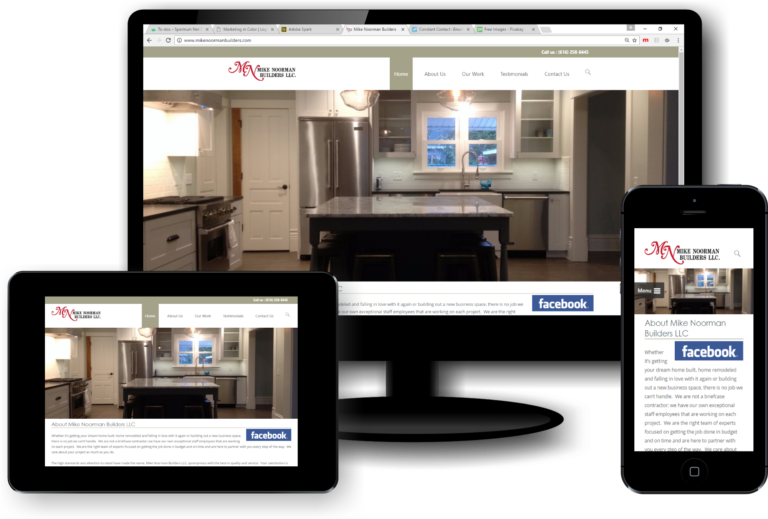
Today, phones, tablets, and desktops are all made in different sizes. Website designs need to change and adapt fluidly to whatever screen it is appearing on. A responsive website is one that changes based on the needs of the users and the device they are viewing the site on. For example, a website with a three-column layout would change to a single column display on a phone.

Some key features for a mobile responsive site include:

  1. Dynamic content that changes
  2. Navigation is condensed
  3. Optimized images
  4. Correct padding and spacing
  5. Relies on mobile operating systems to function
site mobile responsive

What is the difference between a Mobile Responsive Site and Mobile Friendly Site?

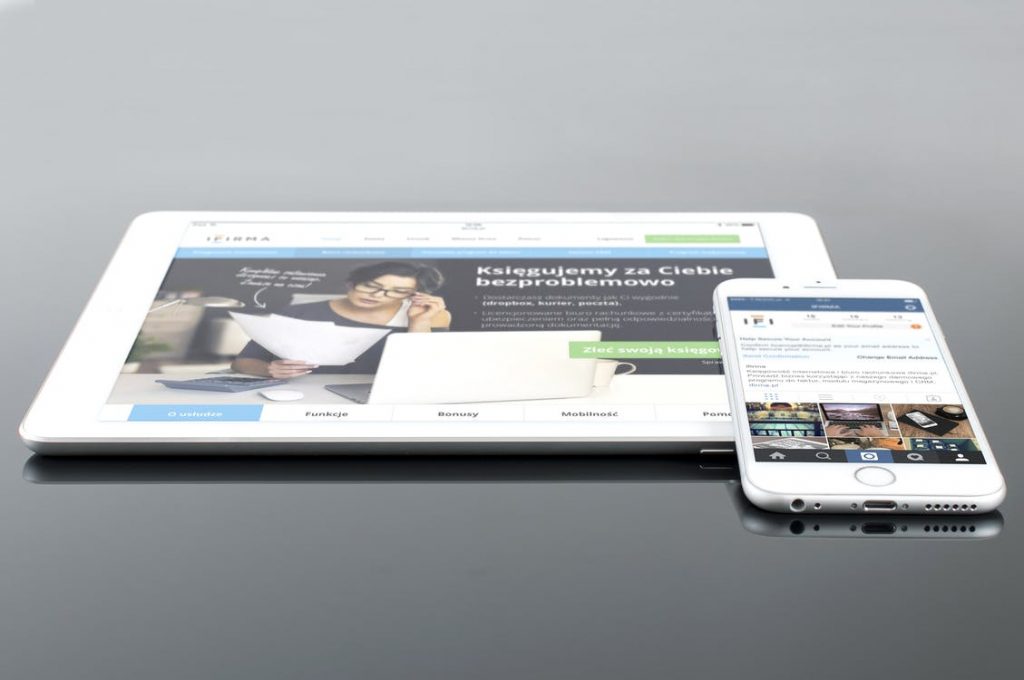
mobile friendly devices

A mobile friendly site is one that is designed to work the same exact way across all devices. It has no changes. Features are limited, and can be very difficult to use on mobile devices. A Mobile Responsive Site is a bit different, a mobile responsive site automatically adjusts sizing, layouts, and features based on the device it is being used on. This design provides a better user experience by providing easy-to-read text and easy-to-use features.

So, why should having a Mobile Responsive Site be a priority?

It has been proven over and over again by several different independent organizations through extensive testing that Google has updated their algorithm, but that is nothing new, but now Google favors websites that provide mobile users with a responsive and favorable experience.  This is huge to ranking factors and what business owners are currently implementing.  This should be a concern to businesses that thrive on selling products online. Mobile traffic in 2017 was 52.64%, meaning, more internet usage is through mobile devices than a desktop. By the end of 2018, it is predicted that mobile devices will reach 79% of internet usage over desktop. This is why it is so necessary for having a mobile responsive site.

If you do not have a mobile responsive site, you are losing website traffic, and therefore, potential customers and clients. 

site mobile responsive

Providing All The Services You Will Ever Need

Marketing Services

We Are Your All-In-One Service Provider in All Things Digital

Full-service, graphic identity and marketing collateral shop!

Spectrum Net Designs is your one-stop website development and creative firm that can start with your website design and development, then move
 on to provide all your printed graphics, from business cards, large yard signs, letterhead, brochures, and anything else you might need. Spectrum
can help you take the stress and time constraints out of website design with WordPress development and hundreds of plug-ins that can be customized for your business needs.

Monthly Website Maintenance, What You Need to Know

Website maintenance

Is a monthly website maintenance plan essential each month?

The answer to that is yes! There is so much more to the monthly maintenance of your website than text changes. Which is why it’s helpful to create a website maintenance plan to help keep changes organized. It isn’t necessarily enough to read through and change the website text each month; it is more than that.  Your brand includes all media and channels through which you are represented.  It makes sense that if you update one, you are more likely to have updates to more than just your website.  Your channels can include, but are not limited to, social media, blogs, newsletters, and email blasts. These are just as important as your monthly website maintenance.

Have You...

Don't Let Outdated Info Hurt Your Business

There are many reasons that you would want to include monthly maintenance in your normal website development.  If you have recently moved, added, or even shut down locations, then you could have the wrong location information.  You will want to update the business address and phone number that are inaccurate across the web.  That information needs to be changed on all websites that you have your website is listed as well.  If you have a local website and a corporate website, remember to change the information on both.  Plus, your social media channels and email newsletters as well.

Now, Google services are an entirely different ball of changes. But the beauty is that there is only one place you need to go to make those changes. There is no longer a need to find 5 different places where your business is listed. You have to log into your business account and go to the MyBusiness page to change any company details, phone number, hours of operation, services, etc. It’s that easy!

Don’t forget all of the directory sites that your company has a profile under, such as Manta, Angie’s List, Yelp, Houzz, etc. Those directory sites normally rank higher and are listed first most of the time, so they are powerful channels of information you want to keep up-to-date.

Website Maintenance Plan

Now, those examples might not be needed every month for maintenance, but here are a few things that might come up that you will need to have a website maintenance plan in place.

New addition to the portfolio/gallery at the completion of a project

Spelling errors that weren’t seen or proofed earlier

Page corrections and updates to previous content corrections

New products you are now offering or discontinuing

New service you are now offering or discontinuing

Recognition of an employee in the company or removal of one who has left

E-commerce Shopping Cart: if you have product and pricing updates

When you do have corrections, what are the chances that you will only have to deal with the website? Not likely, most content, images, links, etc. They are linked together in one way or another.  Especially, if the change involves a product or service you offer or are discontinuing. New employees have left, or are for other circumstances that arise.   Your social media channels are linked everywhere, and you wouldn’t want bad or incorrect information supplied to your clients.

Always include the following in your monthly maintenance….

  • Blog management
  • Email newsletters
  • Social media management
  • Google servicesfacebook google instagram linkedin pinterest Snapchat twitter YoutubeTumblr
  • Client Testimonials
  • Portfolio / Gallery
  • Company Page
  • Online directory’s
  • Online Shopping Cart / E-commerce

Can you think of anything else?

Website maintenance isn’t meant to be just another checklist every month. It is a lifeline for your brand and the business image. It is what you worked on to get your business to where it is today.  Monthly maintenance is an important factor if you are taking on an online approach to your business. Make sure you include everything that ensures that your website evolves with the changing demands of your audience.  Remember to not leave it at monthly maintenance, plan an annual strategic plan as well.

One last thought for you to think about. When you are changing content in your website and performing monthly maintenance, be sure to recognize that your search engine optimization or seo can be dramatically affected, so get with the professional who performs this service and ensure your changes aren’t messing up any of the business search results.

Google’s Mobile First Indexing is Coming

Google’s mobile first indexing of your websites mobile version

Evolution of indexing mobile websites will take priority over desktop versions.

You have probably been hearing about a new feature that Google has been buzzing around the internet called Mobile First Indexing. Today it was announced and it is officially going to be migrated slowly into their system in the close future. “most people are searching on Google using a mobile device.  However, our ranking systems still typically look at the desktop version of a page’s content to evaluate its relevance to the user. This can cause issues when the mobile page has less content than the desktop page because our algorithms are not evaluating the actual page that is seen by a mobile searcher.” (Google)

Here are a few recommendations to help webmasters prepare as Google moves towards a more mobile-focused index.

  1. If you have a responsive site or a dynamic serving site where the primary content and markup is equivalent across mobile and desktop, you shouldn’t have to change anything.
  2. If you have a site configuration where the primary content and markup is different across mobile and desktop, you should consider making some changes to your site.
  3. Make sure to serve structured markup for both the desktop and mobile version.
  4. Sites can verify the equivalence of their structured markup across desktop and mobile by typing the URLs of both versions into the Structured Data Testing Tool and comparing the output.
  5. When adding structured data to a mobile site, avoid adding large amounts of markup that isn’t relevant to the specific information content of each document.
  6. Use the txt testing tool to verify that your mobile version is accessible to Googlebot.
  7. Sites do not have to make changes to their canonical links; we’ll continue to use these links as guides to serve the appropriate results to a user searching on desktop or mobile.
  8. If you are a site owner who has only verified their desktop site in Search Console, please add and verify your mobile version.
  9. If you only have a desktop site, we’ll continue to index your desktop site just fine, even if we’re using a mobile user agent to view your site.

Read the entire article here.