
Website Security Archives | Spectrum Net Designs

How to Adapt to Google’s Helpful Content Update

How to Adapt to Google’s Helpful Content Update

The mission of Google’s helpful content updates has always been to provide valuable and trustworthy content to users. The whole idea behind helpful content was to create the best and easiest way to find dependable information. If your content can meet the needs of users, then it will be rewarded with a higher ranking. The quality of content will determine the performance of your website and its content. Major core updates challenge how well your content aligns with the changes that come from Google.

Understanding the Purpose of an Update:

The first Google Core Update was introduced in August 2022. This was the turning point where “built-to-rank” pages now started to require value. The whole point of this core update was to look for low-quality content and lower its ranking. If the content was written for the sole purpose of ranking rather than providing quality content to your users, then it was negatively affected. Content that lacks substance, originality, or has too many ads will likely get filtered out of the rankings. All updates are made to enhance the user’s experience and ensure that they have access to the content that will provide them the most value. You must always stay updated on your content and ensure that it is of quality, as new updates always refine and comb through content.

Timeline of Notable Core Updates:

December 2022 - Quality, Quality, Quality:

This core update was focused on rewarding sites that ,make valuable content that is useful to the audience and meets their needs. Information should also demonstrate understanding and first-hand experience as well as have a clear focus. Specifically making content engaging, which will help with gaining and keeping traffic and  visibility for your site. This was the beginning of following core updates, to keep up with new changes. The helpful content system also introduced another practice called the “classifier,” applied to websites with unhelpful content, which also caused a lot of rankings to go down. 

September 2023 - Prioritize User Experience

Google launched a major helpful content update, which led to another extreme decline of many websites- many lost up to 50% of their SEO visibility throughout the year. 

Key trends showed these declines. Sites that lost their visibility are ones that had excessive ads that affect the user’s experience, if they have excessive affiliate links, or insufficient E-E-A-T sites that often lacked names of authors, any indication of author bios, ETC

March 2024 - AI-generated content is not the same

Although AI is not “off limits,” Google does prefer quality work and always puts a personalized spin on the information you are using. AI doesn’t always provide or create original information, so create content that serves to answer real human questions. This is one of the first core updates to directly target AI -since AI has been accessible to everyone, companies have taken advantage of AI to create content. Many companies ended up doing this,which negatively affected content because it began compromising accuracy and depth. Before creating this algorithm update and standard, a lot of the content found was low quality and offered very little value. If those sites’ articles and content get the spotlight or ranking, how is anyone supposed to find the real quality info?

If you are using AI, you need to make sure it has the quality of an individual author. Edit the content so that it is informative, accurate, engaging, and offers a unique perspective. Google also cracked down on scaled content abuse – pages are primarily generated to manipulate search rankings and not to help people.

March 2025 - Updates To All

This was the most volatile period that a core update has had so far, and it took 2 weeks to roll out. The core update caused a lot of volatility in search rankings, which affected all sectors; no industry was spared. 

Google had been rewarding forum websites up until this point. Due to the “hidden gems” portion of the 2023 update, forums had increased visibility. Now, forum sites have experienced a big drop in visibility and steep declines, except for Reddit. Sites creating large volumes of programmatic content using AI to get the content out quickly are negatively affected, especially when they are designed just for SEO. All sites should focus on improving content quality, removing programmatic/low-value pages, and ensuring that content addresses user needs rather than only for search engines.

How to Adapt and Rank

Audit Current Content

Read over your content and see where there could be room for improvement. You can use Google Search Console and Google Analytics to see what pages aren’t ranking like they should be. While going through the site, ask yourself a few questions 

Can this information solve an issue the user may have?

Is the content current? 

Does it cover E-E-A-T?

Helpful Content update

Revisit and Add to E-E-A-T (Experience, Expertise, Authority, Trustworthiness)

Make sure that the article includes the author’s name, bio, and credentials. Cite your sources to add to credibility.

Diversify Your Content

Try adding videos, graphics, or more images this can help add to your content and make it more unique. Anticipate questions that your users may ask so that you are already ahead of the game in solving. This will keep users interested and help build loyalty as well.

Final Thoughts: Adapt

Core updates now happen multiple times a year, which may feel like a shock to the system. It’s best to keep updated on content changes and stay in Google’s good graces. If your site takes a hit from these changes, take some time to assess what the site is missing and where improvements can be made. Prepare for future updates, as they are a regular occurrence, and stay ahead of SEO trends to adapt to algorithm changes. In conclusion, focus on creating popular and trending content that can solve or inform users.

Need Help Adjusting Your Content To Meet Google's Standards? Give Us A Call Today! Our Marketing Team Would Be Happy To Help You With Your Site and Content!

The Power of Brand Color: Why Your Brand’s Look Says More Than You Think

The Power of Brand Color: Why Your Brand's Look Says More Than You Think

Can a color really convince someone to buy something? Spoiler: yep, it totally can!

Color alone can influence about 85% of customers’ purchasing decisions. So, picking out the proper color palette is important because it can connect and enhance your relationship with customers. 90% of consumers make purchasing decisions on visuals alone, making the psychology of colors an important step for brands. This is why it’s important to encompass the brand’s values, mission, and story.

Color often determines a consumer’s first impression, and users will attach feelings they have with certain colors. These associations can then influence their perception of your brand. Our brains enjoy connecting colors and brands right away, which is why it is so important to pick out a good color. Try to stand out from your competitors, and always remember the “isolation effect”. Which means an item that stands out is more likely to be remembered.

Psychology of Colors:

Blue:

Blue is the world’s favorite color! 57% of men and 35% of women ranked it as their top choice, and brands feel the same way! It provides a calming tone, which is why 33% of top brands feature it in their logo. It promotes security, dependability, and trust; for that reason, companies that store a lot of data use blue in their brand. Although blue has many positives, it can also have a few downsides, as it suppresses our appetites, since there are very few blue foods. It can also come across as clod or unfriendly, like when people say they are feeling blue, it means that they are feeling down or sad.

Purple:

Purple represents royalty and superiority, which is due to ancient associations with purple being held for people of high power. It also provides a wise and wealthy aura. When brands use purple, they are signifying it’s a superior service, product, or experience. It can also represent decadence, moodiness, and excess. Since purple has a more feminine association, keep a balance within the brand. This is also not a color that companies regularly use in their brands, so it can make you stand out.

Purple

Orange:

Confidence, creativity, and courage are all associated with the color orange. It has a fun vibe, so it is mostly used in non-corporate brands to promote a fun, warm feeling. Although it can also have a negative connotation, which would be frustration and sluggishness, orange could also come across as immature. When creating your brand color template, make sure to keep in mind that 29% of people say that orange is their least favorite color. It works perfectly for Nickelodeon, representing an immature and creative brand.

Orange

Red:

Red offers excitement, energy, power, fearlessness, and passion. Most brands use red to create a sense of urgency, like signs or buttons that say sale or clearance. Red is also a color that tends to make people feel hungry, think of McDonald’s- the building will grab your attention. The negative sides of red are anger, warnings, danger, or aggression. As long as it is used in the right context, it will convey the appropriate emotions.

Red

Green:

Green represents life, nature, health, prosperity, hope, and freshness. However, it can also elicit emotions like boredom, stagnation, and blandness. Therefore, it is often used in companies that value growth, health, or sustainability. 

Yellow:

Similar to orange, yellow offers youthfulness and happiness, smiley faces, and sunflowers, as well as rubber ducks are all tapping into creativity, warmth, and optimism. Yellow also happens to foster feelings of fear, irrationality, and anxiety.

Pink:

Pink strongly represents femininity and adds a youthful and quirky vibe to a brand. Nevertheless, it can also be seen as childish, youthful, or rebellious. It seems that as shoppers get used to this color, they are not as interested in the brand or purchase. Barbie is a great example of using pink to represent the feminine side as well as the youthful side! 

Pink

Black:

This is a staple color that can make a brand appear sophisticated and powerful. On the other hand, it can represent coldness and oppression, and could even be seen as evil. This is why the color black works well in fashion but not in healthcare, as it can also be seen to represent death or mourning.

White:

Clean and simplistic, often paired with black to create a modern feel. Also comes off as clean and pure. The negatives of using the color white are that it can feel plain or boring, but it depends on what it is paired with. Apple and Tesla are the most well-known brands for using white as the main color of their brand.

White

When choosing a Color Palette, think about the Following,

Brand Recognition:

    • When you think of the brand AT&T, what color do you think of? Blue, which has become officially associated with the brand. What color would make people think of your own brand?

Mood:

    • Colors affect mood. Green brings out peace, pink is playful, and white can bring out purity. What is the mood that your business could evoke?

Perception:

    •  Each shade of a color has its own vibe, and individual judgment about this can shape perspective. How do you want your brand to be perceived?

Consistency- Set a Palette:

    • Create Brand Colors
      • Analogous- Next to each other on the color wheel
      • Complementary- Opposite colors with high contrast
      • Monochromatic- Different shades and tones of the same color

A well-chosen color palette can sway customer emotions, thoughts, and actions. Brands that align their colors with how they impact people create a well-aligned, memorable color scheme. It’s also important to create a personality that connects to both the color and the brand. This will help recognize distinct and unique brands and get people to come back. Keep consistent with the logo as well, and ensure it matches the brand’s message. If you need help with creating a palette, Spectrum Net Designs would be more than happy to help.

Let’s create a color palette that makes your brand shine. Contact us today!

How to Find Trending SEO Keywords

Trending Keywords

How to Find Trending SEO Keywords

Trending keywords can give an advantage over the competition and increase the potential for content that makes use of the keywords. Trending keywords go through a change and gain popularity, which mainly relates to current events. Seasonal keywords are not considered trending, so anything like “Christmas gifts” or “Halloween costumes for groups” is not going to be considered as trending. Creating content that uses trending information and expanding on it will result in the ability to boost website ranking and visibility, which will improve SEO. Trending keywords can also lose popularity fairly quickly, so when you find a keyword that would rank well for your specific niche, try to act on it quickly and match content to it so that you can rank properly while it is still relevant. This is why it’s also important to have a good balance between trending and evergreen keywords. Evergreen keywords don’t have an expiration date, and they will retain value, which helps keep a site at consistent visibility and ranking. Below are some tools to help you get started! 

SEMRush

SEMRush is a great tool to use when analyzing possible keywords. It’s the best way to research keywords that are going to lead more people to your page and help your site gain more traffic. SEMRush has many different areas of SEO that it can help out with, and each of those extra tools has its strengths as well. 

Keyword Overview

This is exactly like it sounds; it shows you the visibility, volume, and search amount, which can help to find out if the word is currently trending. It’s also very similar to a Bulk Analysis, the only difference being that the overview takes care of 1 word at a time, and a bulk analysis can do up to 100 words.

Magic Tool

Creates a compilation of similar results that are based on trending words. This helps expand on the original keywords and opens up to more choices that can have good results. These keywords can be filtered by how closely they match, how easy or difficult they are to rank for, and the level of volume. If the keyword has a high search volume, it could mean that it is trending. 

Organic Research

Helps find keywords based on what your competitors are using. By typing in the domains of different competitors, it will show you what they are ranking for and how much volume they receive from it, how popular it is, and by checking the dates, it’s easier to tell if it’s a current trend and working for them. 

Google's SEO Tools

Google has many tools to pick from that give insight on what people search, how they search it, and what information is currently very popular among users. Using Google to find new trending keywords will be a great benefit to boost your ranking and keep up with competitors. 

Auto Complete Tool

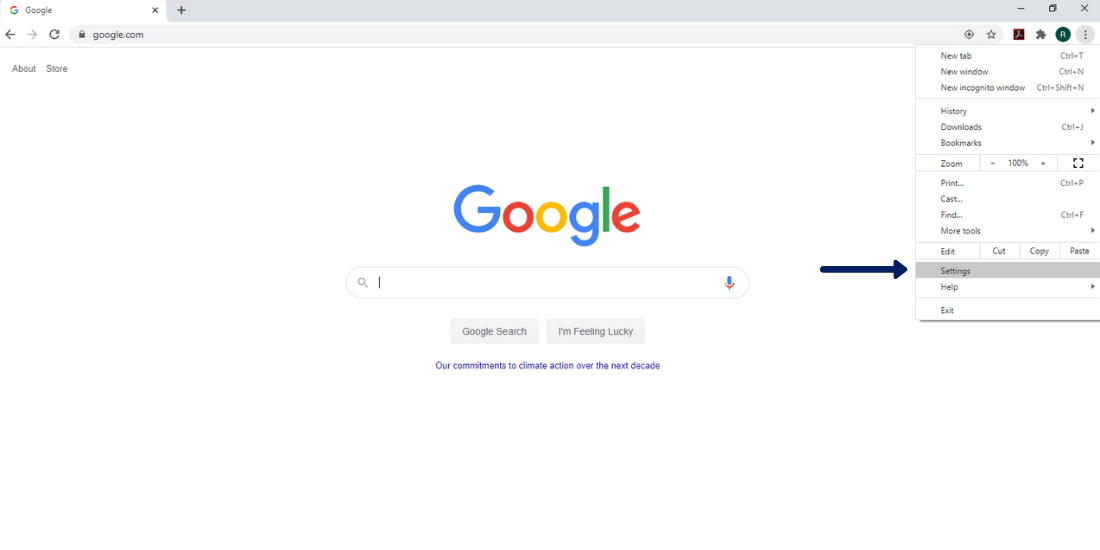
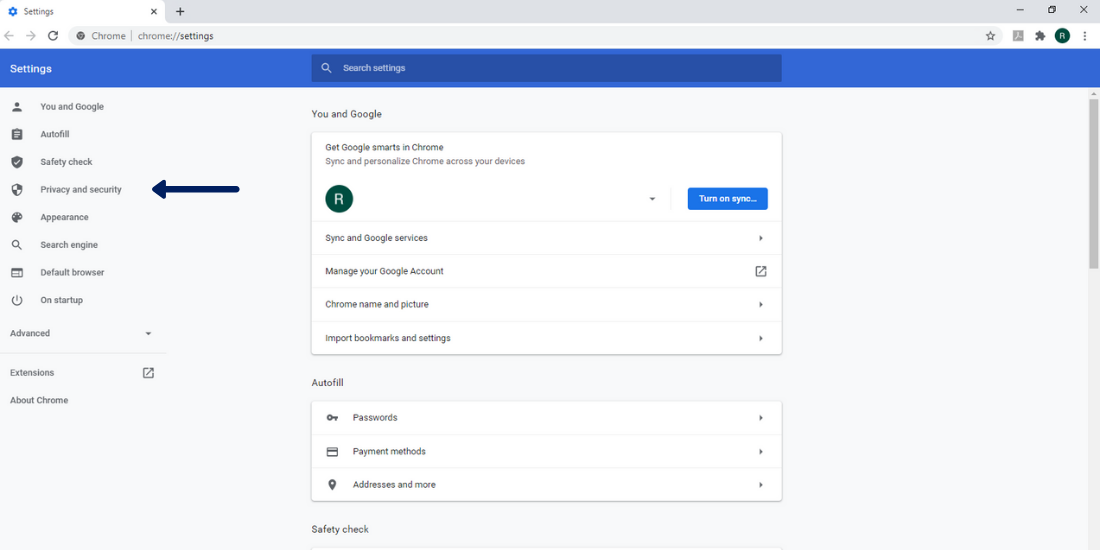
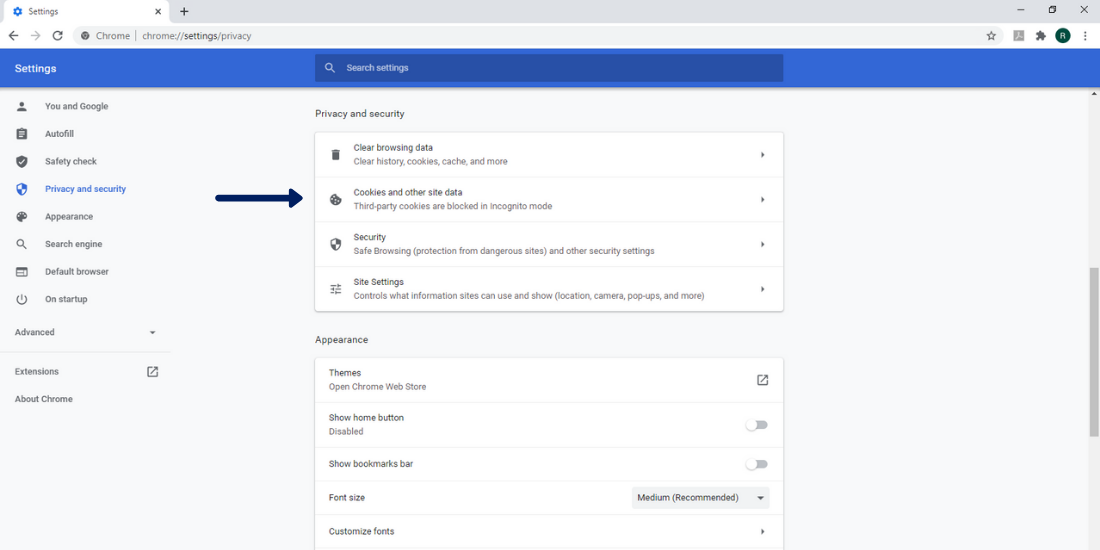
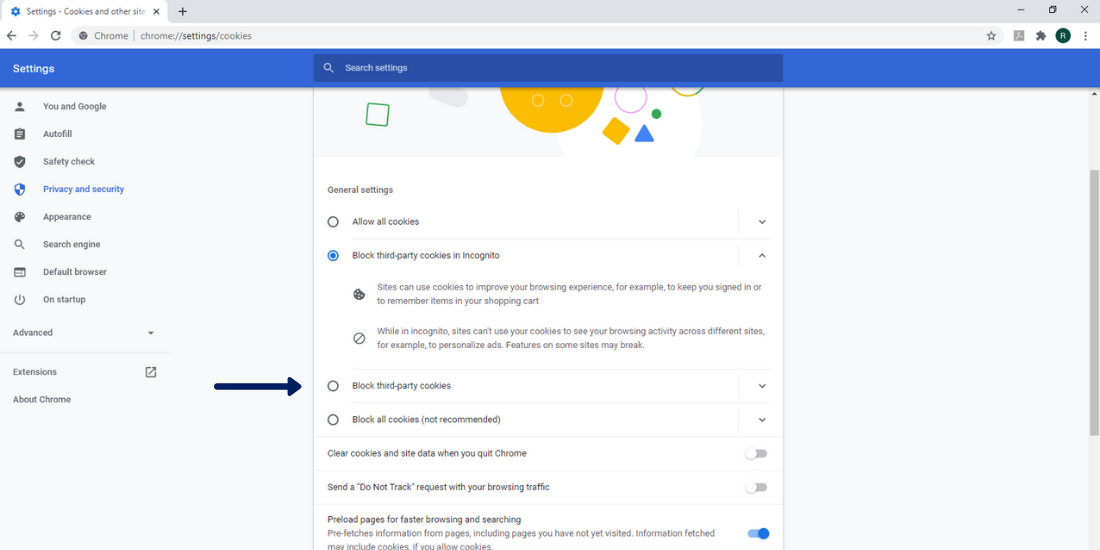
When you search for something on Google, it will show up with similar searches to auto-complete the question. Using this will give insight into what is being searched for when you look for things that are associated with your brand or business. Using incognito mode in your browser when doing this will help results become clearer and less influenced by your previous searches. 

People Also Ask

This is such a wonderful tool to lead down the same path of questions that users are looking for answers to. It is usually on the google page after results pop up for the question that is asked. It connects the original question to questions that people also often ask, which leads to great long-tail keywords. 

Google Trends

This free Google tool is perfect for finding trending SEO keywords. It shows search data over time, so it’s easy to look and see what trends have been growing over time. It will also lead to more related versions of those trends. The drop-down menu will allow the queries to be sorted by top queries, rising queries, and breakout queries, which are most important because they are brand-new queries that are gaining popularity. 

Google Planner

 To use Google Planner, a Google Ads account is required. Start with keywords that relate to your business, and then lots of options and recommendations will be made by Google. The change column will help to specifically find keywords that are gaining popularity. It will also show what kind of competition they have, and volume as well. Take the list that you create from Google Planner, and put them in whatever keyword program you use, like SEMRush or AHREFS, etc., to find out how well they will fit your brand and business. 

Social Media

This is a great resource for real-time updated trends, keywords, and conversations. There is the opportunity to research and reflect upon what is currently popular, what people are using in posts,  what kinds of hashtags are being used, and what is stealing everyone’s attention. Monitoring these will give insight into what draws your audience in and what kind of content can be created using that information that will pique the user’s interest. 

SEO Trends

Reddit

Reddit is a great resource that is generated and expanded on by users. Similar to social media, it is real-time discussions, opinions, and questions. It is somewhere to share thoughts, ask questions, complain, seek advice, etc. Which is the perfect environment for discovering what’s being talked about, what is popular, and what is going on with your specific niche or topic. 

Trending keywords may not always have a great deal of history, but that allows room for growth! Getting to a trend early allows you to make a voice for that topic and get your business to the top of the search page, which means that users will connect that topic with your business. Trending keywords are a perfect way to get ahead and improve SEO while finding out about what people are really searching for. It allows for new content to be developed and to gain traffic, opening up more opportunities for users to find more of your content. Always continue to update and make improvements to your SEO strategy, as well as stay on top of frequently changing trends.

Why is Website Security so Important?

website security

Why is Website Security So Important?

As technology continues to change, the challenge for businesses to keep their personal and customer information on the web secure continues to increase.

Web security is extremely important because it keeps hackers and cyber thieves from accessing sensitive information. By not having a proactive security strategy, businesses risk the spread and escalation of malware, and attacks on other websites, networks, and other IT infrastructures. Once a hacker is successful, the attacks can spread from computer to computer, making it difficult to find the origin.

How To Tell If a Website is Secure

There are many avenues you can take to tell if a website is secure, including implementing HTTPS on your website. In addition to HTTPS, you can also tell if a website is secure and trustworthy by asking yourself a couple of questions:

  • Is the website an established authority institution?
  • Does the site provide expert value?
  • Does the website look spammy or broken?
  • When I hover over links does the link look spammy?

Is Your Website Secure? Find out if your website has the proper SSL certification to be considered secure by Google. Check your website security here

How Can I Make My Information On The Web More Secure?

User awareness is the best line of defense on the web! Avoid the risk of web security attacks with these 5 security tips.

Use Strong Passwords

Before it was 3-to-4-character passwords that would keep your information the safest. However, as technology has advanced, so can crack passwords.

Now, the best practice for your password is to make it at least 8 characters with a mixture of lower case letters, capital letters, numbers, and a special character. Don’t make your password a familiar phrase. It might be easier to remember but a password cracking software can break that in no time. An idea is to take the first letter of a phrase you will remember and use, like this:

“I love my Dogs Charlie, Emma, and Drake” would be “ILm3d-cE&D”.

Also, remember to not use a password twice. If someone hacks into one of your accounts they could access your bank accounts, online purchasing accounts, and any other important information.

Always Use Secure Networks

When logging into financial or other personal websites, check the address bar before logging in to ensure it is secure. If the address starts with HTTPS, then you know it Is secure rather than not having the “S” at the end of HTTP. If it is HTTP, then you either have the wrong login page or it is possibly a spoof (fake) website.

You should never click on a link in an email that looks suspicious. You should actually never click on a link that comes from any personal website such as your bank. You’ll want to head straight to your bank website that you trust or give them a call regarding suspicious activity in your email.

Connect With Us

Facebook
Twitter
YouTube
Pinterest
LinkedIn
Instagram

Categories

Recent Posts

Archives

Use More Than One Email Address

You can make your personal banking email more secure if you use a different email for things like Facebook, Instagram, and even Amazon. If someone were to hack into one, then they would not automatically have access to all the others.

Be Cautious About Posting Your Email Address Online

This is asking for spam if nothing else, but it also opens a message of “Hey, hack me. Here’s my email address.” Avoid posting your email address on any forums, review sites, and messaging boards where spammers can easily access your address.

Are You Looking For Help With Your Website Security?

Website security is extremely important to protect your online identity, personal information & brand reputation. If you are concerned about the website security for your business, or other network issues, Spectrum Net Designs can help! Feel free to contact us to learn more about our affordable website solutions. We also provide website design services, marketing services, SEO services & so much more!

Learn More About What Our Team Can Help You Out With

Exploring Facebook Business Messenger: Communicating with Customers

Facebook Business Messenger

Exploring Facebook Business Messenger

Improve your customer experience by communicating with them in real time!

Do you utilize Facebook Messenger for your business? If not, it is a great new way to connect with your customers and prospects on Facebook. Messenger for business pages allows you to have an easier, instant one-on-one customer service experience while also keeping record of your conversations. Profile owners can respond to anyone who has commented on their content, privately or publicly. You are also capable of direct messaging your audience, which is extremely powerful—most people access Facebook from their mobile devices about 14 times a day!

How can Messenger help your business?

Acquire Customers

Facebook Messenger will help you simplify your customer acquisition process by providing you with a direct and conversational way for people to take action where they already spend most of their time.

Enable Transactions

Messenger allows you to provide an in-store experience of speaking to a salesperson with the convenience of shopping online. You can respond to inquiries and recommend relevant products to build trust in your business and increase your sales.

Drive Awareness

The opportunity to build an experience on Messenger aids in promoting your business, product, or service in front of more qualified people. Whether you are launching a new product or driving brand awareness, conversations with your audience will create a meaningful connection with your business.

Show Customers You Care

Integrating Messenger into your customer service strategy allows your customers to communicate with your business on their terms. They do not have to wait on hold or keep their website window open. The conversations will stay in Messenger, an easily accessible spot for questions and re-engagement.

How To Set Up Your Business Messenger

Step 1: Enable Messages on Your Page

You will need to enable Messenger on your business profile to accept and send messages. To turn this on for your page, go to Messages under General Settings and click Edit. You will want to select the option to allow messages to your page and click Save Changes. Make sure that you have some time set aside to engage and answer with your messages or you have the option to use the ‘Away’ setting.

Step 2: Configure Your Message Settings

Next, configure settings for Response Time and Instant Replies. To edit these, you will go to Settings and then Messaging.

Display a Response Time– this is the average response time it takes your business to reply to a particular message. This will be shown on your page in the About box on the left side of your page- “Typically replies within ____”. To set your response time for your page, you will go to Settings and Messaging. Then, click Automatically Show Your Average Response Time for Messages or select a better-fitting option. You will be able to set your messaging status to Away during your off hours, so it does not reflect your response time stats. To enable this feature, go to your page’s Messages and toggle on Away in the upper left corner. This will remain off for 12 hours, but you have the flexibility to turn it back on sooner if you’d like.

business messenger

Send Instant Replies– another great feature for Business Messenger is that you can set instant replies to go to people the first time they message your page. You can find this and edit right below the Response Time under Messaging. You have up to 250 characters. Save it and then click Use Instant Replies to enable.

*Note here is that if your status is set to Away, the autoreply will not send.

Step 3: Create Saved Replies

A way to help save you some time is to write your messages ahead of time and save them. It helps you look professional and timely. Also, it allows you and anyone on your team to quickly and easily reply to anyone who contacts your business via Business Messenger. To streamline your Facebook communication strategy, write and save a multitude of responses so that even if you are busy, you can click and send a message quickly. If you notice you are getting the same questions over and over, you can create a personalized form response. To use one of your saved replies, click the message you want to reply to and click on the dialog bubble at the bottom right, and then click a saved reply to add it to your conversation.

Step 4: Learn About the Users Who Message You

Facebook has made it super simple to personalize your communication by providing personal details of the people who are messaging you, located to the right of their message. It provides links to their profile and tells you if / when the person has engaged with your profile, any previous communication, where they work, went to school, and live. How cool is that!?

See what ways you can to make an extra connection through a personalized message by utilizing the information provided to you. Maybe they live in the same city, went to the same school, or you have a friend who works at their company. This is where you can differentiate yourself and improve your customer experience.

Good SEO vs Bad SEO

Step 5: Add Notes and Keywords to Conversations

The capabilities do not stop there! You are allowed to add keywords so you can easily manage your conversation. Click on Enter a Keyword, then either choose ‘Important’, ‘Follow Up’, or add your keywords as identifiers. You are also allowed to Add Notes to help keep track of your conversation details and interactions. Once you insert your information and confirm, they will show up in that section.

The Notes and Keywords are great for multiple admins managing customer care and troubleshooting issues. They allow you to list what problems a customer has had before and show detailed notes to ensure a seamless experience for a customer across multiple admins.

Now you are ready to improve your customer experience by implementing this fun new marketing strategy! This tool is great for instant contact and connection with your prospects and customers. Make sure to keep an eye out for a new comment tab that allows you to flag comments that need follow-up!

Are you Looking for Other Creative Marketing Strategies to Help Drive Sales? Contact Our Marketing Team to See if We Can Help Out in Any Way!

Connect With Us

Facebook
Twitter
YouTube
Pinterest
LinkedIn
Instagram

Categories

Recent Posts

Archives

What Good Customer Reviews Can Do for Your Small Business

Good Customer Reviews

What Good Customer Reviews Can Do for Your Small Business

How to grow your small business by leveraging good customer reviews

Having a solid reputation online is not just a luxury anymore; it is a necessity. When you earn good customer reviews, it reassures your potential new customers that you are a reliable and credible company. You want customers to know that you offer quality products, services, and customer experience! Knowing how to keep your existing customers satisfied will help your bottom line.

With the increase in popularity of Yelp and Google Reviews, consumers read online reviews of local businesses in order to determine if they are good or not. If you don’t demonstrate positive reviews, then consumers will move on to the next option- stressing the importance of receiving good reviews!

But, how exactly can online reviews help grow your small business?

Builds Confidence in Your Brand

Unlike those well-known and established brands, customers are unsure what to expect from your small business. They might be hesitant to turn away from a more established brand and choose you- that is where your reviews come in handy!

The reviews will help legitimize your business and give potential customers a better understanding of what you do, what sets you apart, and why people choose you over others.

In short, the online reviews help build confidence in your brand.

Good Customer Reviews

Helps You Find Out Areas That Need Improvement

Online reviews, both the negative and positive, can be used to identify any areas of your business process that could use improvement, such as customer service, delivery options, shipping options, etc. By keeping your customers happy, you can convert them into loyal, long-lasting customers, which means they will be sticking around, supporting your small business and telling others.

You can also use your online reviews to win back lost clients. Understanding why they left gives you the opportunity to fix the problem, make amends, and convince them to come back.

Welcomes Feedback on Products, Services, or Initiatives

If you have launched a new product service, or initiative, like a marketing campaign- online reviews will help clue you in on what is working and what is not working, so you can then go and make adjustments.

Helps Find Your Strengths

These online reviews are a great tool to discover exactly what you are doing great in and where you excel-or not. This may not change your day-to-day operations, but it gives you a great competitive advantage to boast about when marketing your business to others.

For example, if you continuously see people raving about your customer service, then you can use that as one of your selling points.

How to Get Good Customer Reviews

We have gone over that online reviews are extremely important in helping grow your small business. But how do you go about receiving a positive review?

• Make it a habit to engage and interact with your customers on social media and respond to questions, comments, and concerns on time.
• Respond professionally and positively to all reviews of your business- even the negative! Thank them for taking the time to leave a review or feedback and offer solutions to those who left a negative review, like offering a refund, an exchange, or even apology, will do!
• Invite customers to post testimonials on your blog and always ask for them to leave a review on sites like Yelp or Google.
• Strive to offer an excellent service or an incredible product.
• Go above and beyond when it comes to your customer service- you’d be surprised how far this will take you!

Now that you understand the benefits of good reviews for your small business you can develop a strategy and implement to start earning your own great customer reviews.

Looking to Build Your Small Business Through Social Media Marketing? 

Connect With Us

Facebook
Twitter
YouTube
Pinterest
LinkedIn
Instagram

Categories

Recent Posts

Archives

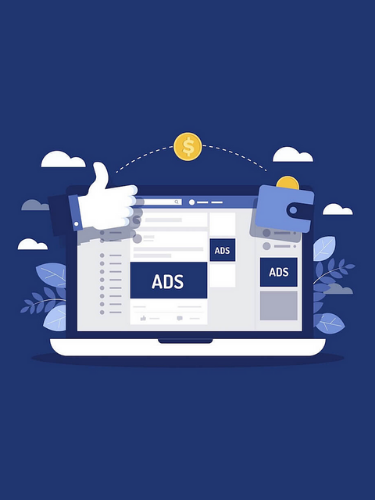
Guide to Facebook Ads Manager

fb ads manager blog post

Guide to Facebook Ads Manager

So you’re on Facebook and have a business Page that represents your company, but you’re not seeing the results you thought you would with organic social posts? That’s where paid ads come in! Advertising with Paid Ads on Facebook is a great way to expand your reach and potentially discover new audiences! While Facebook Ads are simple to create and implement, navigating the intimidating world of Facebook Ads can be a bit tricky at first. Read on to discover our helpful guide to Facebook Ads Manager.  

What is Facebook Ads Manager?

First things first, to create paid ads, you’ll have to access your Facebook Ads Manager account. You don’t have to worry about signing up for an account, as every Business Page comes with one! Learn how to access and set up your Ads Manager account for the first time.

Facebook Ads Manager is a great tool to utilize if you want to

  • Quickly duplicate your ad, ad sets, and ad campaigns
  • Edit all your ad settings, such as targeting and budget, from one place
  • See all the metrics that matter to you, right from one consolidated view
  • Analyze results and make informed changes to your ads and campaigns
  • Customize your graphs and tables to see the metrics most important to you.

Once in your Ads Manager account, you’ll be able to get started and create campaigns, ad sets, and ads!

facebook ads manager

Create an Ad

While creating an ad campaign isn’t hard once you get the hang of it, it can be a bit tricky the first time! The ad creation process is made up of three components: campaigns, ad sets, and ads.

  • Campaigns

The campaign level is the first step in creating and publishing an ad. It is where you select the ad objective or overall goal of your campaign.

Learn More About Creating Campaigns 

  • Ad sets

Creating an ad set is the second step in the ad process. This is where you define the audience you would like to reach, choose your ad placements, determine a budget, and set a schedule.

Learn More About Creating Ad Sets 

  • Ad level

The last step in the ad creation process is where you will design the ads themselves. You can choose your ad format, upload images and videos, and add text, links, and more.

Learn More About Creating Ads 

Custom & Lookalike Audiences

When creating an ad, you can choose what type of audience you want to use or create your own! Custom and lookalike audiences are great for reaching people who have already interacted with your business and for reaching new people whose interests are similar to your current customers. You can also create your audience from a wide variety of criteria, such as selecting a location, behaviors you wish to target, and demographics, and they can be based on Facebook connections. You can also import audiences from contact lists, app users, and website visitors. How cool!

Learn More About Audiences

Ad Analytics

Last but not least, you will be able to view ad analytics in Ads Manager while your ads are running and after they have been completed. For every ad run, you can view insights on how the ad performs, which include the number of people who see your ad, the number of people who click on your ad, and the amount you have spent on your ad. You can also view information on performance, demographics, placement, and delivery.

You can learn more about viewing ad results. Learn More about Viewing Ad Results

While it can seem confusing at first, Facebook Ads Manager is very user-friendly and easy to navigate once you get the hang of it. It can be a useful tool in increasing engagement and traffic to your website if organic efforts alone aren’t working. Contact us if you need help getting started or want to learn more about how your business could benefit from Facebook Ads! 

Connect With Us

Facebook
Twitter
YouTube
Pinterest
LinkedIn
Instagram

Categories

Recent Posts

Archives

Exploring Facebook: Hidden Features You Might Not Know About

hidden facebook features blog post

Exploring Facebook: Hidden Features You Might Not Know About

Facebook is one of the most popular social media platforms. With over 1.8 billion users, it’s a huge platform with enormous potential for getting your business out there! While you may think you already know and use every tool Facebook offers, they are constantly coming out with new features every day and there may be some hidden ones you don’t know about as well! Read on to discover our top three favorite, most useful hidden Facebook features for a Facebook Business page that not everyone may know about!

Automated Responses in FB Messenger

Running a Facebook page can be time-consuming, especially if you take the time (which you should!) to respond to every person who sends a message to your page. Setting up automated responses through Facebook Messenger is a great way to keep your audience engaged while also saving you some much needed time.

With automated responses, you can do things like:

  • Say “Hi” to someone after they first message you
  • Respond to common/frequently asked questions
  • Customize messages to provide quick answers to people asking for general information, like contact info or the location of your business
  • Ask your audience for feedback
FB messenger app logo

To turn on and edit Automatic Responses from Facebook Creator Studio:

  1. Go to the Facebook Section of Creator Studio
  2. Select Inbox
  3. Select Automatic Responses
  4. Toggle any of the automatic response options on or off.
  5. After selecting an option, click the blue Edit Message button to customize its automated response. There you can customize things like:
    • Timing (when the message is sent after being triggered)
    • Personalization (dynamically include the person’s name)
    • Include Images, videos, and buttons

Learn More About Automated Responses Here 

Pages to Watch

The Pages to Watch feature is great for taking a peek at what your competitors are doing. With this feature, you can save similar pages you want to watch in a list that displays relevant data and statistics, allowing you to compare your page to how their pages are performing. This feature can be found in the Page Insights tool that is available to all page admins.

On the Overview tab of Page Insights, admins can see key stats about the pages they are watching. The Posts tab of page insights includes a feature to view the past week’s most engaging posts of the pages they are watching as well!

Facebook Pixel

Although it’s the last on our list, it could be considered one of the most important features to use if you want to be able to track users who visit your website after they see or interact with any of your paid Facebook Ads. With the Facebook Pixel, you’ll be able to know what actions they took, as well as be able to reach the same customer again by using a custom audience for your next Facebook Ad. In addition to tracking user actions, Pixel allows you to measure cross-device conversions and understand how your ads influence your customers’ actions.

hidden facebook features

Setting up Facebook Pixel isn’t hard, but you may need the help of your website developer if you don’t have access to your website’s code. If you do have access to the code, simply place the Facebook Pixel base code on all pages of your website, then set up standard events to trigger the Pixel, like actions such as “add to cart”. If you don’t have access to your website code, just send the Facebook pixel code to them and they should be able to easily add it for you!

If you need a developer’s help to set up the code, you still can set up the Pixel Events (actions you want to track) by yourself with the Facebook Events Setup Tool!

Learn more about Facebook Pixel here

There are a lot of hidden, little known Facebook features that you can utilize to improve your Facebook marketing and make the most out of your business page. If you need help getting started with Facebook Pixel or any aspect of Social Media or Digital Marketing, reach out to us! It’s what we do and we’d love to help!

Exploring LinkedIn: It does not have to be boring!

Benefits of Using LinkedIn

Benefits of Using LinkedIn- It Does Not Have to Be Boring!

LinkedIn is considered to be the largest business-oriented networking website geared specifically towards professionals.  There are many benefits of using LinkedIn marketing, which provides various avenues to help support your business growth and objectives. With its 500 million members in over 200 countries, it is a great platform to network with other professionals far and wide. A well-written profile allows you to create an online professional brand, which could lead to opportunities and connections that you may not have been aware of.

With that being said, LinkedIn does have a reputation for being… well, a little boring. Do we think it is? The honest trust is that it can certainly be when comparing it to Facebook or Twitter. But could that be one of LinkedIn’s greatest assets? We think so! Below are a couple of reasons why we think LinkedIn’s marketing platform offers things that are pretty exciting for networking professionals and B2B interactions.

The Audience is focused on work, not play

Most LinkedIn users are focused on their professional life and looking for resources that can help them grow as professionals or help them grow their business. Which makes LinkedIn act like a real-world business networking event. The advantage to this is that if you focus your efforts on LinkedIn on how you can be a resource for your connections, your approach will likely be received.

Racking up Points for Recruitment​

Recruiters and Human Resources professionals are actively on LinkedIn. It is a great platform to highlight your expertise and share insightful information on why you are the next great candidate. LinkedIn saw a 6x increase in the number of remote job postings added in the U.S. from March to December 2020, with over 300k remote positions.

Make sure to have your profile up to date with a current profile picture, updated resume, and go as far as asking for endorsements to help your credibility. More and more job seekers are turning to this platform to find the right job for them. Try it out!

linkedin marketing

Benefits for Content Creators

LinkedIn drives 46% of social traffic to B2B sites and is considered to be one of the most credible sources of content. No surprise that 98% of content marketers use LinkedIn for content marketing, especially for B2B marketing and lead generation. LinkedIn invites its users to create content by posting articles that can help establish their expertise.

Generate Leads on LinkedIn

Another not so boring benefit of LinkedIn and LinkedIn marketing is that it is a great source for discovering leads. Whatever product or service your company offers, you can find key decision makers to connect with, build rapport, and ultimately convert them to a sale. This process takes nurturing and expertise to not come off too strong upfront but if done right, you can capitalize on a new way of growing your business.

At Spectrum Net Designs, we believe that LinkedIn does not have to be boring, and there are many key benefits when using LinkedIn. It is a great tool to showcase an individual’s work, a business’s reputation, and even help grow your business. The truth is, LinkedIn does offer a lot of pretty exciting things. It is a great opportunity to build a rolodex of contacts (that you won’t lose like a business card!) and understand the interconnections within your network. The benefits of using LinkedIn do not stop there, you can get involved in forums, join groups, and meet like-minded individuals like yourself. And we have not mentioned this yet- It’s Free! So why not try it out?

If you have any questions regarding leveraging LinkedIn marketing for business growth, contact us today and we would be glad to walk you through it!

Connect With Us

Facebook
Twitter
YouTube
Pinterest
LinkedIn
Instagram

Categories

Recent Posts

Archives

Why to get Started with Facebook Ads

Facebook Ads

Why to get Started with Facebook Ads

Are you interested in getting started with Facebook Ads for your company? First, let us go over the importance of them and why this might be ideal for your current business objectives. Paid advertising on Facebook is gaining popularity, which impacts the reach of your content and delivers to your perfect audience for maximum return. There are many benefits to paid advertising on Facebook, and we will discuss them in detail below.

Facebook Advertising is Highly Effective

With more than 2.2 billion monthly active and 1.5 billion daily active users, Facebook as a platform is a major part of people’s lives. Facebook is and continues to be one of the top online advertising channels, and the digital ad spend accounts for 51% of total advertising spend in the US.

Over the years, Facebook has seen a steady increase in advertising revenue because of the Facebook ad work. More and more Americans are finding their desired products or services through Facebook and targeted Facebook Ads. And you can also get your ideal audience to purchase your product or services too! You will just need to take the time to master creating highly effective Facebook ads that appeal to your audience (which can be its blog topic).

Simple Set-Up & Fast Measurable Results

The easy setup for Facebook campaigns takes little time and can quickly produce excellent results for your business. It is not a secret that digital advertising produces a get ROI and can happen fairly quickly if you implement the right campaign and product. That is the beauty of Facebook Advertising and why it works well for both small and large corporations!

Anyone is allowed to sign into their Facebook account and make a business manager account, set up a payment method and publish a campaign in a matter of minutes. The flexibility of being able to experiment with your campaigns to see which is performing better, on what device, and its CPC is a great tool to have when trying to figure out what works and what does not for your offered products or services.

You can Reach your Ideal Audience

Facebook is great at providing tons of detailed ways to reach specific people based on their online behaviors, their known interests, engagement, and other various aspects of their demographics such as age, gender, and location. You can be extremely targeted with your audience, which in turn will produce a high ROI using Facebook Ads for your marketing strategy.

The combination of the targeting options available to advertisers and the influence Facebook as a platform has on consumer behavior makes it a great channel for reaching your ideal audience.

Facebook Ad Campaigns are Highly Customizable

With the variety of ad formats to choose from, the Facebook Ad experience can be designed to attract your perfect audience. You can create compelling video ads that millennials cannot resist watching, or even an immersive canvas ad that explains every detail of what you are offering.

Speaking of customizable, there are 11 different Facebook ad objectives you can choose from based on your business goals for the campaign. A couple of those are: brand awareness, reach, traffic, engagement, lead generation, and conversions. You can also customize your ad design, copy, landing pages, and virtually every element of your campaign, including the technical aspects. With those being the target audience, bidding, and delivery optimization.

All of these options make Facebook the most customizable advertising network, allowing you to create your very own unique ad experiences.

New Features Every Month

Contributing to Facebook’s sustained growth for so long is that they are constantly adding more features and improving the user experience for both advertisers and users. The quicker you get familiar with Facebook Ads, the quicker you will unlock the full potential of social media advertising and what it can do for your business.

Here at Spectrum Net Designs, we offer Social Media Marketing, which is not limited to only Facebook but also Instagram and LinkedIn. Depending on your target audience, one of these platforms will do the trick for your objectives, or a combination of all 3 will have a greater ROI.


Contact Us today to learn more about the services we offer and how we can help improve your marketing strategy!

Connect With Us

Facebook
Twitter
YouTube
Pinterest
LinkedIn
Instagram

Categories

Recent Posts

Archives

How to Think of Creative Blog Topics

How to Think of Creative Blog Topics

How to Think of Creative Blog Topics

If you own a business or actively work on a website, you likely know the importance of keeping fresh content on your website. Pushing out fresh content regularly has been proven to help a websites organic ranking as well as build trust as a community resource!
Over the years, blogs have quickly gained popularity as a simple and continual way to add fresh content to your site without needing to adjust and change content that reflects your products and services. All of this sounds great, right… But blogs aren’t as easy as they sound, and again, if you have any experience working on a website regularly, you likely know this to be true. Many times, marketers get into a creative and writing rut when it comes to blog posts. It’s recommended that companies post out a new blog 2+ times per week for best results, so you can see how challenging it would be to stay on top of planning and brainstorming ideas.

Why is a Blog Important?

We briefly touch on the importance of a blog for a website, but there are often lots of questions that come up when considering starting a blog. For example, can you have a successful website without a blog? How necessary is a blog to create a well-performing website? What exactly are all of the benefits of starting a blog? Is there a good ROI (return on investment) when you consider all the time and work that goes into keeping a blog going? Let’s answer these questions so that you can weigh out the pros and cons of having a blog for your business and website.
First things first, you CAN have a successful website and well well-performing website without a blog. Blogs are only a tool to help website be more successful and perform better – but a blog by no means is the make it or break it of your online presence. Having a blog increases your value as a community resource in the eyes of physical website users and search engines such as Google. What are the benefits of starting a blog?
– Better SEO performance
– Strengthens relationships and trust with customers
– Creates more opportunities for content sharing (helping your brand be recognized)
– Allows opportunities to spotlight specific products or services, which in turn gains them recognition and increases the likelihood of sales
– Paves the way to becoming an industry leader

Now, these are just a few of the many benefits that a blog can have for your business, but they all speak for themselves when it comes to pushing your website and company above and beyond. Is there a good ROI in blogging? You need to decide for yourself what your goal ROI would be, but there does seem to be a positive ROI when it comes to blogging. StrataBeat has a great article that goes through all of the statistics and data that prove that blogging does create a positive ROI when prioritized by companies! You can read that article here.

What Content Should You Include in Your Blog?

Hopefully, you see by now that there are many benefits to starting a blog for your business, or maybe you already have a blog started for your business…but either way, you may have the question of where to begin and what type of content to include in your blog. The answer is that there is no “wrong answer.” A blog should host all kinds of content, things from resources and information to more fun product or employee spotlights. A blog should be the place where someone can get to know the very core of who your business is. Blogs are often a place where businesses answer frequently asked questions by their target audience.

creative blog topic research

For example, if you own a bakery and you often get the question about whether buttercream or cream cheese frosting is better, that might be the perfect topic to cover in your blog. You can write all about the differences between the two and what the pros and cons of each are when it comes to decorating, keeping them in the fridge, and so on. A blog should be a black hole of information and resources. Here are a few other types of content that you can include on your blog!
– Lists (Ie, 10 best skateboards for 2021)
– Tutorials and how-tos
– Industry updates and helpful information
– Interviews
– Testimonials and customer stories
– FAQ’s (Frequently Asked Questions)
– Behind the scenes of your business
– Quizzes and Infographics
– Checklists and Cheat Sheets
– Podcasts and Vlogs (video blogs)

These 10 content ideas alone should provide you with a way to get started for a substantial amount of time to get content rolling out on your blog!

How to Brainstorm Creative Content for Your Blog

So, now that you have 10 pillars of content to get you started, the fun can begin! Brainstorming content ideas for your blog should be fun and easy – don’t overcomplicate it. Go through each of the 10 content types we listed above and apply them to your industry, products, or services, and see what you come up with. Remember, there are no bad answers. For example, if you own a sporting goods store, you could create a list for every section in your store:
Soccer: “5 must-have soccer accessories for your 2021 season”
Hunting: “3 types of gear you need for your hunting bag”
Baseball: “Best reviewed baseball products of 2020”

blog topic brainstorm

For Tutorials and How to’s, you can walk visitors through the proper use of products, or if you’re a service-based company, you could talk about a tutorial on how to care for a recently serviced item. You get the idea, move on down the list above and think about the various ways that you can apply each of them to your business. As time goes on, information, products, and resources will change, and you’ll be able to start all over again from the top. We suggest trying to mix up the various content that you post to get a good variety of information out there for your website visitors.

We hope this helps you get to thinking of all the various creative content you can start pushing out to your blog as you begin or continue your blogging efforts.
Need help getting your blog started? Contact us today or click here to see what blog and content writing services we offer! Our marketing team is happy to help you get started.

Need Help Getting Your Blog Started? Contact Us Today!

TikTok Marketing- Should My Business Utilize This?

tiktok marketing

TikTok Marketing- Should my Business Utilize This?

Did you know that TikTok is the #1 in the top 15 free apps on the App Store? It has had a massive adoption worldwide since it was introduced in 2016. TikTok could be the next biggest social media platform for advertising. It is available in over 150 countries, has over 1 billion users, and has been downloaded over 200 million times in the United States alone. So, how do you leverage TikTok marketing? Let us go over what TikTok is first, then we will provide more insight on this topic.

What is TikTok?

TikTok is a video-sharing social networking platform owned by Zhang Yiming. It is available in over 150 markets and over 75 languages. It is an endless source of entertainment for all ages. By providing editing tools, music clips, sound effects, filters, and more features for users to create their videos, TikTok developers have made it incredibly easy to make a high-quality short video clip.

How Does TikTok work?

The platform is primarily videos that max out at 15 seconds (can be combined for a total of 60 seconds), and people interact with videos by scrolling through their feeds. A bonus feature TikTok has is that it allows users to add all sorts of editing effects and background music to their videos. It is totally customizable. Allowing you to produce content that is not only is quality but also engaging!

When it comes to user engagement, users can like, comment, or share videos through direct messages, SMS, or other apps. Engagement on TikTok tends to be exceptionally high and is known to beat all other platforms. It also keeps the audience entertained and interacting with it for 45 minutes a day.

What Is Wrong with Other Social Platforms?

As I am sure you have experienced, in just this week, when you are scrolling Facebook or Instagram, you have been bombarded with ads. Most other platforms have reached a saturation point where it becomes difficult to get your brand’s message across to your target audience amidst all the noise. Above all, the updates and the algorithms from the social media platform makers are resulting in a continuous decline in organic reach. Now, users must either spend more to reach out to their target audience or find a new social media platform.

Why to use TikTok Marketing for your Business

If you own a business, TikTok marketing can be a great strategy for your brand, as there is little competition on the platform. However, if you are new to TikTok, you may not know where to start or how to leverage it to market your company.

Many business owners have not taken the time to discover how TikTok works as a marketing tool. Maybe because they think it is geared toward a “young” user base. It is now attracting a wide range of people- nearly 38% of TikTok’s users within the United States are above 30! Shocking, I know. The low competition for businesses presents a massive opportunity because you can reach many people at a relatively low cost.

tiktok marketing

Below are a few statistics that show why a business cannot afford to ignore TikTok

• It has 500 million active users globally
• With 33 million downloads in Q1, 2019, it was the most downloaded app on the App Store
• It is available in 155 countries
• 90% of TikTok users access the app multiple times a day
• On average, 1 million videos are viewed on TikTok daily

It is smart for marketers to capitalize on this by spending only on content creation and gain maximum reach in a short duration!

With all that being said, if you are looking for a new and innovative marketing strategy, it would be worth your time to look into TikTok marketing. First, download the app and spend some time browsing to see if your competitors are out there, what is being produced for your industry, and where you potentially can fit in. Build a targeted following and start small, and work your way up!

We hope we provided you with insight on whether TikTok marketing is suitable for your business! If you have any questions regarding this feel free to contact us today!

Connect With Us

Facebook
Twitter
YouTube
Pinterest
LinkedIn
Instagram

Categories

Recent Posts

Archives

How to Rank Your Videos on Google & YouTube

Ranking YouTuvbe Videos

How to Rank Your Videos on Google & YouTube

Did you know that by 2022 (less than a year away!), online video will make up more than 82% of all consumer internet traffic, according to Cisco. On average, people watch 16 hours of online video per week. So, it should not be a surprise that 85% of businesses use this to their advantage and utilize video as a marketing tool. Now the big question is how to publish videos and get them to rank on Google & YouTube. The YouTube video ranking process is multi-faceted, and we will explain it below!  

Produce Quality Content

While there are many important factors to consider when trying to rank your video on Google and YouTube, this might be one of the most important aspects. Quality is not directly correlated to ranking factors BUT user engagement is. Quality content and user engagement go hand-in-hand. The more people who watch, comment, like, or share, the better your video will rank. So, a big tip here is to produce quality content that solves a particular problem for a prospective viewer! Share a piece of useful knowledge, teach them something, or provide an analysis of a particular product or service. These tips will guide you to quality content, which in turn leads to better user engagement (a direct ranking factor!).

YouTube Video Ranking How To

Keyword Research

Keyword research for the YouTube ranking process is fairly simple. The best place to start your keyword research is to type a word or phrase into YouTube’s Search Suggest feature. This will generate search terms based on user activity- what people are already searching for! Start building a list of potential keywords by writing down the most relevant suggestions.

Another avenue you could utilize to help build an optimized keyword list is to look at some of the popular channels within your niche and identify their most-watched videos. What keywords are they using? Make sure to note that a high view count does not necessarily mean it is a great topic to make a video for. There are many factors that go into that number, which include their other advertising channels, such as paid search, social, email, etc.

Do not skip this step! Put in the work to build strong keywords that encompass what your video is and represents.

Video Optimization for Your YouTube Video Ranking

Optimizing your video to help with Google & YouTube video ranking is simply the process of telling the search engine what your video is really about, and labeling it so it can be indexed in a way that will make it easy for the viewer to find.

Video Optimization is another crucial step because the largest search engine in THE WORLD (Google) includes video results in the SERP. Coupled with the fact that YouTube, which is the second largest search engine, means that keyword-optimized videos are essentially part of any web traffic strategy.

Length of Video

The length of the video is an important aspect regarding how informative your video can be. Longer videos tend to be more comprehensive and answer more questions, which leads to more satisfied viewers who are more likely to comment and share the video as well as watch it longer.

Quality of Video

When we talk about the quality of the video, this is rather different than producing quality content. The difference here is that the quality of the video is about the actual quality of the video file itself. The quality of video directly correlates to user engagement. The better quality of a video leads to more satisfied viewers and higher engagement. Did you know that 68.2% of videos on the first page of YouTube are in HD? That emphasizes the importance of the quality of your video file.

Using Keywords in the Video

As we all know and understand, Google is forever implementing new ways to improve viewers’ experiences. Machine learning is one of those things. They are extracting the audio from the videos that are uploaded and automatically creating a text transcript. It’s not too far of a stretch to believe that they use that transcript in their ranking algorithm. We are not sure if this is a direct ranking factor, but it’s still beneficial because YouTube’s transcripts can be used for the viewer’s experience by applying text on the page where the video is embedded.

There are 4 factors to consider for your keyword selection
Relevance
Traffic
Competition
Traffic and the Cost Per Click (CPC)

Adding Tags

When adding tags to your video, you can use the same keywords, but also take an extra step and analyze the tags of other popular videos to double-check to see if you are missing any. Tags don’t directly affect how well your video ranks on YouTube BUT they do help your videos show up as a suggested video. By showing up as a suggested video, this can have a strong impact on your engagement rate just by placing your videos in front of more viewers.

Extra Steps to Consider to Rank on Google

The optimization steps we went through earlier for search within YouTube are a great foundation that is needed to rank our videos in Google Search, but we need more! Think of the previous steps as the on-site SEO you’d do to help your website rank. We need to pair on-site SEO with off-site factors as well.

Inbound Links

It is important to understand that your video still needs inbound links from multiple authoritative websites to help compete against other videos. Often, a couple of links from high-quality, authoritative websites is enough to help with this factor. When adding your anchor text, make sure it matches or is very similar to the video title. Don’t worry about over-optimization here because you’re linking directly to a Google property.

User Activity

Most people don’t understand that user activity not only plays a role in ranking within YouTube, but also plays a role in how well it ranks in Google search, too. The engagement it receives within the search results correlates with how well it ranks within the search results. Google wants to give the users what they’re looking for, so higher engagement means that people are finding what they want in your videos. There are tons of ways to manipulate your engagement rate, but we suggest the better approach is to use paid social, PPC, and email marketing to put your video in front of real people who will engage authentically. We wrote more about this in our 10 Reasons Why You Should Be Advertising on Facebook blog if you’re interested! 

With all of that being said, we hope you understand the power of the Video SEO process to help with your YouTube video ranking and Google ranking. It is crucial to set time aside and optimize your video to increase the number of viewers and user engagement. After creating a great video, you want people to see it, so optimization plays a key role in marketing and distributing your video to places where your audience can find it easily and watch it!

If you’re interested in more information on how we can help you with your next SEO project, we’d love to hear from you! 

5 Best Practices for Marketing Your Business on Instagram

multiple colorful instagram logos overlapping each other

Best Practices For Your Instagram Business Account

While there are many different social media platforms to consider, Instagram is by far one of the more unique and creative platforms to use. The image-focused platform allows users to share photos and short videos to their pages and feeds as well as Instagram Stories. While the platform is relatively easy to navigate and use, there are some best practices that you should keep in mind to make the most out of having your business on Instagram!

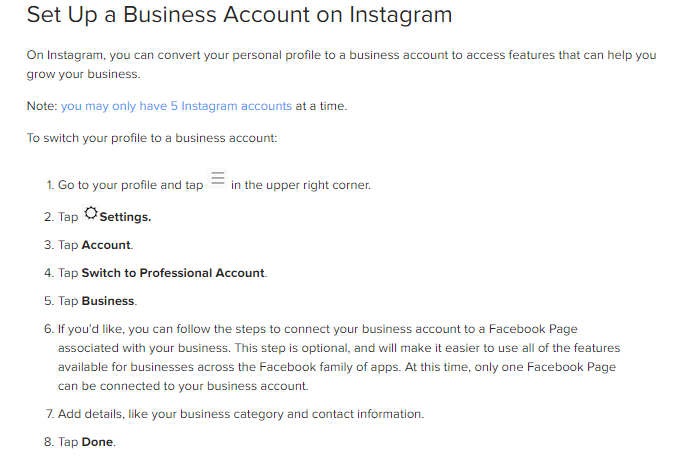
Sign up for an Instagram Business Account - Or Convert A Personal Account

If you have already signed up and have a normal personal user profile for your business, you can switch over to a Business account.

To do this, go to “Settings” then  “Account” then choose “Switch to Professional Account” and select “Business”.

It will also give you the option to link your Instagram account to a Facebook page associated with your business.

Update Your Business Account with the Most Recent Information

Once you have your business account all set up, make sure you have it up to date with the most recent and relevant contact information, as well as the correct business name and a description. It is important to have the same information across all platforms and places on the internet to help present your business as legit and to help boost your SEO ranking. 

Learn how to edit your Business Account Information

Optimize Your Images for Instagram

While any image size for your posts will technically work, be sure to pay attention to the size dimensions and quality of the picture you want to use! The ideal image size for a regular post to your Instagram page/feed is a 1:1 square, or 1080 by 1080 pixels. If you want to upload an image or a video to your Instagram Story, we recommend using a 9:16 vertical image, or 450 by 800 pixels. A 16:9 horizontal image, or 1000 by 650 pixels, would work as well. 

Canva is a great resource to use to easily edit images and create eye-catching graphics for social media and digital marketing!

Don't Over Edit Your Images

Customers like to see the real, authentic side of things — Not over-edited and filtered images that were the trend a few years ago. Your customers will appreciate it and will be more inclined to be open and trusting in return. 

You can see in the example, the “good” image has been edited just slightly, making the tone of the image a bit cooler with the foreground and background still being balanced. In the “bad” image, however, the flowers are too oversaturated and and background is too dark.

three differently edited images of flowers

Consider the Best Times to Post to Instagram

While there really is no right answer when it comes to posting on social media, there are better times than others. The best times to post vary between different industries and depend on when your audience is online. According to an article from Hubspot, the best time to post on Instagram is between 2 pm and 3 pm. However, the day of the week you post can also influence the level of engagement your post receives. According to the same HubSpot article, Thursday is the best day of the week to post, and not just at 3 pm, but also at 5 am, 11 am, and 4 pm.

We hope these five Instagram for business best practices help you to successfully market your business on Instagram!

If you need help getting started or just don’t have the time, we can help! Give us a call or visit us on our website to learn how to can help manage your social media marketing!

Connect With Us

Facebook
Twitter
YouTube
Pinterest
LinkedIn
Instagram

Categories

Recent Posts

Archives

5 Ways to Prepare & Optimize Your Website for the Holidays

optimize your website

5 Ways to Prepare & Optimize Your Website for the Holidays

The holidays aren’t over yet and it’s not too late to get your website in the mood for some holiday cheer. The holidays are a great time to freshen up your website for any newcomers and create a new fun look for your faithful and returning online visitors. The appearance of your website isn’t the only thing to worry about this holiday season, with the increase of traffic and online shopping, it’s important to optimize your website for the increase in traffic most businesses experience this time of year.

Decorate your website with some Christmas cheer

This is a fun way to showcase the more fun side of your business. Change out your main images or banners for something a little more festive. Add in some snow, Christmas trees, or ornaments to spice up the appearance of your website and give your visitors a little boost
optimize your website for the holidays

Optimize your site speed

This is one of the biggest ways you can optimize your website during the busy season. High site speed is an instant and easy way to lose your website visitors. Overall a good goal for most websites is to keep your average site speed load time at or under 3 seconds. This might sound easy but it’s harder than it seems. Utilize free resources such as Google Pagespeed Insights to see what improvements you can make to your website in order to keep pagespeed low in order to keep users on your site.

Keep or make your website as mobile friendly as possible

The holidays are a busy time for everyone which means that more and more people are utilizing mobile devices to order gifts and do all of their business. You have lots of people traveling to see family or spending the day out and about as they try to find their last-minute gifts. Don’t miss the opportunity for your website to be seen and to be seen well via a mobile device. Check your mobile usability and make sure that all of your pages are either mobile responsive or mobile friendly, both of which will help your customers browse your site whenever and wherever they are.

Emphasize your deals and discounts

With the holidays likely comes lots of deals and discounts, if your business functions in a retail capacity in any way you probably have thought about what ways you can increase your sales for the end of the year. Offering a holiday deal or discount is a great way to encourage sales to finish out the year – if your business has decided to implement some sort of discount or holiday special, be sure to feature those deals on your website. Put them on your homepage, create a pop-up announcement, and keep reminding your visitors of the deal they can take advantage of. Emphasize the deals for your consumers to see.

prepare your site for the holidays

Ramp up website security

The holidays are a big time for hackers to take advantage of a poorly secured site, so don’t let your website be one of them. If your company has a network administrator or someone who handles all of your IT matters, make sure that you talk with them about what ways you are keeping your security on high alert this season. If your team is a little less education on the topics of website security, invest the time for your team to learn the signs and signals of any type of attack on your site as well as ways to protect yourself against them. Not only will the information be valuable this year, but also for years to come.

The holidays are a busy time for everyone, including businesses and it’s important for everyone to prepare your company and optimize your website for the increase in activity and traffic that undoubtedly comes with this time of year. Each website and business will be different, but we encourage you to stay on top of your game and ring in the New Year strong with new goals and a website your proud of.

Do you need help getting your website refreshed and renewed for the upcoming New Year? Sometimes a simple website redesign is exactly what businesses need to keep things fresh and updated. Maybe Marketing or SEO more of the areas you need some assistance with, contact us today – our team has a wide variety of options to help your business prepare for everything coming this year.

Connect With Us

Facebook
Twitter
YouTube
Pinterest
LinkedIn
Instagram

Categories

Recent Posts

Archives

New Facebook Features and The Ones We Miss

facebook logo

New Facebook Features and The Ones We Miss

Facebook seems to be almost a necessity for businesses today. It opens up a wide gate to audiences you might not reach as well as options for simple and straightforward advertising. Because Facebook is so widely used in the world today by both normal everyday users as well as businesses, it seems to always be updating, changing, improving, and adding new features – not to mention taking away old features as well. Sometimes, it can be challenging to keep up with all the new changes and features that continue to show up. We want to walk with you through some of the newest Facebook features that have shown up over the last couple of years as well as the ones that we miss.

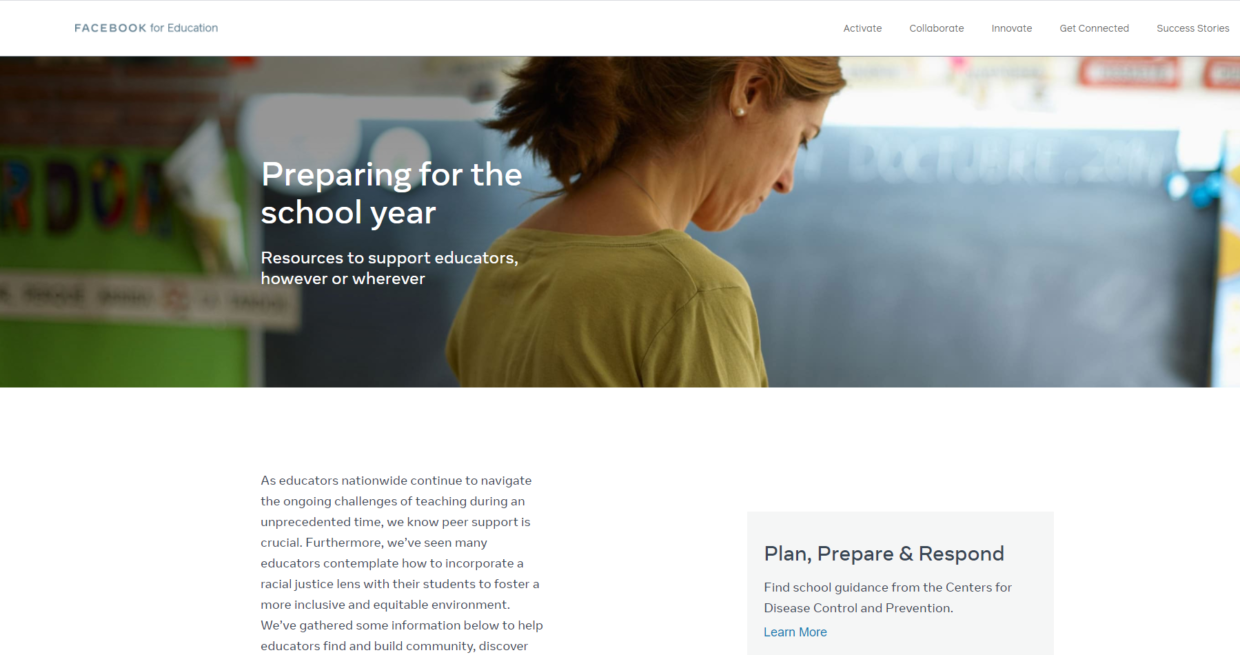
The Facebook Educator Hub

This new feature called the “Educator Hub” is a completely free online resource for anyone to use to help them become more educated about the things happening in today’s world. There are resources that cover topics about racism, self-care, and community wellness. Along with various resources for both teachers and students to stay connected in this unique time of COVID-19 that we are all experiencing.

Online Events

With the coronavirus still gripping the nation, the popularity and necessity of online events have grown exponentially. Facebook has now pushed out a new feature for businesses hosting events. The new feature allows businesses to create online events, promote them, sell tickets to the event, and even host them all from one specific area on your Facebook page. Talk about simple, right? To see if this is something your business page qualifies for, click here.

Music Videos Now in Watch

Now, in the US, you can find your very own “music” section within your Facebook Watch. This new feature shows off thousands of both new and old music videos as well as global music video premieres. No need to head over to Youtube to watch your favorite artist, just head over to the music tab and check out the latest releases as well as your classic favorites. Not only can you search for the music you want to watch, but now there are music video playlists available as well.

Updated Ad Preferences Coming

Facebook’s director of product management, Rob Leathern posted on twitter on August 18, stating an upcoming feature for Ad Preferences which will allow a more simple and straightforward approach to a user’s ad preferences allowing them to remove interest categories and see fewer ads or even remove advertisers specifically so you do not see their ads at all!

new facebook features and the ones we miss

Facebook Features We Miss...Or Don't

Facebook Notes

Facebook notes…does anyone remember those? A feature that was Facebook’s feeble attempt to start a blogging platform that never really caught on. I remember going into high school, and a bunch of my friends used it as a way to post their schedules to see who had classes with whom. It never really caught on as the blogging platform that Facebook wanted. Although Facebook notes are still technically “live,” they are quite hidden within the navigation.

Facebook Virtual Gifts

Facebook virtual gifts was a 3-year program that allowed you to pay and send virtual gifts to your friends. Keep in mind that it was just a picture of an item, maybe a soda or a cake. Believe it or not, Facebook was making money off of it too – but it did not last for too long. Discontinued in 2010, virtual gifts no longer exist and have been replaced with other ways to honor your friends. For birthdays, Facebook has recently implemented “stories” where you can write your well wishes to your friend, and it will post to their story.

The Facebook Poke

Oh yes, the Facebook Poke. The action to just nudge any of your Facebook friends. To this day we still aren’t too sure about what the purpose of the Facebook poke was, but many people got involved in various “poking wars” with their friends over the years.

Over the years Facebook has changed, transformed, adjusted, and adapted to the changing culture and people using the platform. There are features that we miss, and others that just seem a little too cringeworthy, that we’d rather forget – but all in all we love how Facebook continues to think about their users and continues to try and make their experience the best it can be.
Did you know that we offer Facebook advertising to people and businesses who are looking to grow? Our marketing team has extensive experience with social media marketing in both paid and organic settings. Contact us today to learn more.

Ready to Learn More About Social Media Marketing For your Business?

Connect With Us

Facebook
Twitter
YouTube
Pinterest
LinkedIn
Instagram

Categories

Recent Posts

Archives

What You Need To Know About Google’s Privacy Updates

google privacy updates

What You Need To Know About Google’s Privacy Updates

Keeping your business and your customers informed

Ever since the Cambridge Analytica Scandal, user privacy has been a high priority for companies and individuals alike. People are thinking a lot more about where the data they give so freely is going. Someone can easily hand out their email, birthday, credit card number, and location when shopping online, interacting on social media, or even just performing a general search. This information is valuable, and users want to make sure that their data is safe and isn’t being taken advantage of. Google is starting to roll out more features that focus on protecting user privacy. The biggest one? Phasing out third-party cookies.

Cookies are bits of code that track information as a user interacts with a website. The information the cookies gather is then used by companies to re-target users with relevant advertising to achieve higher conversions. By phasing out third-party cookies, Google will be limiting the number of groups collecting user information on Chrome. Eventually, Google will be the only group storing user data, allowing them to prioritize privacy and keep information safe. Companies looking to monitor user activity on their sites will use Google Analytics and other Google-based platforms moving forward.

User privacy is extremely important, and we think it’s great that Google is working to keep user information safe. What will be interesting to see is what happens next. If Google is the only entity with access to user data, it holds a lot of power without a system of checks and balances. While one wants to hope for the best and assume they won’t exploit this position, it’s hard to predict what might happen behind closed doors. This article from SEJ does a great job going into more detail about the control Google has over paid search as well as user data. 

So what does this mean for my company?

If you are already using Google Analytics to analyze your customer data and other metrics, you’re good to go! While Google will likely be rolling out some updates and additional platforms that you’ll have to learn, you shouldn’t need to worry about losing customer information.

If your website does use third-party cookies, you may start to see changes to the information that you can access for website visitors who are using Chrome. Additionally, users likely won’t be able to fully access 

Google analytics privacy

Your website. Don’t panic – this can be easily fixed. People can specify if they want to block third-party cookies in their browser settings. If they change their settings to allow for cookies, you should be able to receive your standard data and customers will have full access to your site.

Allowing For Third-Party Cookies

Here is a step-by-step guide you can share with your customers if they need to update their settings to fully interact with your site:

From the browser, click the three dots in the upper right-hand corner. Then click settings

Click into “Privacy and Security”

Then click “Cookies and other site data”

Make sure that “Block third-party cookies” is not selected

Your users should then be able to fully interact with your website, and you will be able to see your user data.

As Google moves forward with these privacy updates, we are sure that there will be more things to keep up with. If you have any questions about Google’s privacy updates feel free to contact us. Looking for more information about these updates? Check out the articles linked below.

Google releases new security and privacy controls for Chrome users
Privacy settings to change in your browser ASAP: Chrome, Firefox, Safari, Edge, and Brave
Google to ditch cookies in Chrome

Connect With Us

Facebook
Twitter
YouTube
Pinterest
LinkedIn
Instagram

Categories

Recent Posts

Archives

Utilizing Social Media For Your Small Business

utilize social media for small business

Utilizing Social Media For Your Small Business

Small businesses have a huge opportunity to utilize social media to connect with customers and build their brand. However, many companies struggle to define their online presence and will often put social media marketing on the back burner. This needs to change! Small businesses need to start taking advantage of social media to discover all that it can do for them. In this article we are diving into some tips for small businesses looking to expand their social media marketing efforts and grow their company. 

Know Your Capacity

As a small business you likely don’t have a full marketing staff that can organize, create, and run all of your social media platforms and campaigns. You probably have one or two people doing marketing – or maybe it’s just you! Step back and think about what is realistic for your company. Maybe you’ll be posting twice a week, or maybe you’ll be able to post once a day. You also need to determine if you have the budget for paid advertising, or if you should stick with organic campaigns. It’s important to check in with your team to make sure they have time in their schedules to do the work and understand that this is a priority for the company.

social media marketing

Promote Products

Trying to increase your product exposure? Use your social media to highlight your store and products! You can post weekly about any new products coming into your store, promote fan favorites, or just show interior shots of your business so that followers learn more about your brand. If it fits your industry, feature your customers with their purchase of your product/service. For example, you may have seen hair salons posting before and after photos. Not only does that show off the skill of the stylist, it also shows that the salon has customers, encouraging people to jump on the bandwagon and check out the company!

Increase Engagement

This is one of the most important things for a small business to do on social media. Because you are small it is important to connect with customers and other local companies to grow your digital presences as well as your brick and mortar business! Make sure to interact with other small businesses in your area by liking and commenting on their posts. Not only will they appreciate the engagement, it will make them more likely to interact with your content as well. Having a partnership with another small business can also help you reach customers that haven’t been exposed to your brand.

small business social media

Highlight User-Generated Content

Another great way to engage with your customers and promote your products or services? Use user-generated content! User-generated content is exactly what it sounds like – posts on social media that are made by your customers that highlight your brand, product, or service. Re-sharing customer content builds trust with users who aren’t familiar with your brand, since they are able to see other people’s opinions about the brand. User-based content ads authenticity. On the other hand, it helps past customers feel special that they were recognized and will increase their loyalty to your business. Not sure how to get user-generated content? Try running a giveaway that customers can enter by tagging your company in a photo of them using your product or service.

These are just a few things that small businesses can do to utilize social media. While it might take some time to start seeing results, if you put forth consistent effort into growing your social presence you will eventually see your hard work pay off. Of course, there is so much more to social media marketing than what we covered here. If you’re interested in learning more, check out some of our past blogs, or read up on some social media stats from Sprout Social to determine what platforms your small business should use. Need some help getting started with your business’s social media marketing? Contact us! We would love to help you grow your online presence.

Have Another Tip For Small Business Social Media Marketing?

Connect With Us

Facebook
Twitter
YouTube
Pinterest
LinkedIn
Instagram

Categories

Recent Posts

Archives

10 Reasons Why You Should Be Advertising on Facebook

10 reasons to advertise on facebook

10 Reasons Why You Should Be Advertising on Facebook

Reach More People Through Facebook

Over the last 7 years Facebook has swept the nation. It’s said that there are over 1.69 billion Facebook users in the world today, and 223 million of those users are based in the US. Facebook has become a great place for old friends to reconnect, for new friends to keep in touch, and for businesses to communicate with their customers. Not only does Facebook serve a wide variety of purposes, but it’s always changing and always improving, making it a great platform to be a part of. In the last few years pages, groups, advertising and have all continued to improve helping businesses and small companies make the most out of their online social presence. As a business owner, you might already have a Facebook page and possibly even have built up a little following over the years – but are you truly advertising your business on Facebook? Let’s dive into the many reasons that utilizing Facebook to advertise is important for your business.

What Does Advertising on Facebook Mean?

You have probably asked yourself, “should I advertise on Facebook?” and have then pondered, “what does advertising on Facebook actually mean?” Facebook advertising can be interpreted in a few different ways – which is ok! Advertising on Facebook can be anything from promoting your products and services by organic posts on your business page, to strategically planning out paid Facebook Ads to target your ideal audience. Our 10 reasons why you should be advertising on Facebook will cover you no matter where you are in your journey. It doesn’t matter if you have JUST created your business page, or if you already have built a following – we have something for you.

10 Reasons Why You Should Be Advertising on Facebook

-Build your following
If you are new to Facebook, it’s likely that you don’t have much of a following on your social profiles – but you’re in luck, because Facebook is the perfect place to build your following up simply by beginning to share about your business on your page. Many people find it beneficial to begin by sharing their business posts to their personal pages so that friends and family can follow along! Soon enough you’ll begin to see your followers grow.

-Expand Your Reach
As we stated at the beginning of this blog, Facebook has over 1.6 billion users, what better place to expand your businesses reach? It doesn’t matter where your business is physically located, when you put your business on Facebook, it allows you to reach a whole new group of people, ones that are located near and far!

-Connect with Your Audience
Because so many people use Facebook, it has become a great way for people to connect with other people, and the same goes for businesses. Facebook allows people to message your business and page directly and lets you connect back, helping you connect with your audience in a more simple and direct way.

-Target Your Ideal Customer
Targeting your ideal customer has never been easier. Facebook Ads walk you through the simple process of setting up each paid ad you run so that it is seen by the right people at the right time. It allows you to focus in on the customers that you WANT, not just the customers you already have.

-Save Ad Settings That Work
Once you know what gets the attention of your customers, Ads will also allow you to save settings for previous ads so that you can use them in the future when necessary. This makes it so easy to keep track of the ads that you want to replicate in the future!

target your ideal customer

-Become Accessible to Your Customers
Facebook offers so many great options for users and businesses to become more accessible to their customers. For example, Facebook live allows businesses to become much more “human” by simply coming to their audience live! Facebook messenger also makes it easy for clients and businesses to talk in a simple and straightforward way.

-Showcase Every Side of Your Business
Not only can you promote your products and services on Facebook, but Facebook also makes it easy to promote your company culture as well. Don’t be afraid to showcase all aspects of your business. People love to see what makes a company unique, and social media like Facebook makes that easier than ever.

increase your sales

-Measure Your Results & Find Areas for Improvement
Facebook Ads also provide easy and straightforward reporting features so that you can measure each paid ad’s results – finding places for improvement and things you might want to change in the future!

-Increase Your Sales
Newsflash…did you know that all of the things stated above, building your following, expanding your reach, targeting your ideal customer, and the other stuff too will help you increase your sales? Yes! Generally speaking, as you continue to grow your base your sales will continue to increase as well!

-Create a Lasting Imprint with Your Business
Lastly, another reason that you should use Facebook to advertise is to create a lasting imprint with your business. It seems that so often businesses open and close with not near the recognition that they deserve, and social media gives you the chance to change that! Facebook allows you to reach further and impact more people with your company and business.

So if you’ve asked yourself “should I advertise on Facebook?” you now have your answer! If you are not already advertising with Facebook in any capacity, now is the time to start! Start by making your business a page – and take the leap into paid advertising as well! Facebook can bring your business to the next level if you let it!
If you aren’t sure how to get started with Facebook, or need some direction and help getting started, contact us today! Our team is more than happy to help you get started.

Need Help With Your Facebook advertising?

If you enjoyed this article, please share it with your friends!

Connect With Us

Facebook
Twitter
YouTube
Pinterest
LinkedIn
Instagram

Categories

Recent Posts

Archives

What is an XML Sitemap and Why Should You Have One?

What is an XML Sitemap

What is an XML Sitemap and Why Should You Have One?

Getting to Know the Reasons & Benefits Behind an XML Sitemap

XML Sitemaps are something that have rapidly gained the attention of marketers over the last few years; you have probably heard of them. Especially if you have your website, you have likely been advised to implement an XML Sitemap into your website’s structure, but why? And what even is it? We want to answer all these questions and more in today’s blog – we understand that the technical side of your website can be overwhelming, some so many components and things working together, it can be hard to keep track of them all. So, let’s begin by talking about simply what an XML Sitemap is. An XML Sitemap is simply an outline of your website’s most important pages to assist search engines such as Google to crawl your website and allows them to find important pages of your website even if your internal linking structure isn’t perfect.

What is an XML Sitemap

Like we stated above, an XML Sitemap acts as an outline, and somewhat of a guide through your website’s important pages. This helps search engines like Google navigate through your website easily and quickly without having to have your internal linking in perfect shape. For example, many websites and companies use landing pages as a marketing technique – and it’s a great one at that. You create a page that is specific to a product or service so that you can target a more detailed audience, the audience that would be the most interested in said product or service. The catch with landing pages is that, generally speaking, they are not linked to your main menu, and sometimes they aren’t even linked anywhere, so that they cannot be found by just any John Doe that happens across your site. This allows you to measure your landing page’s effectiveness – long story short, that is an important page to be crawled and indexed by search engines, but if it isn’t linked within your website or maybe buried deeply, how will Google find it easily? The answer, your XML Sitemap of course!

Is a Sitemap Required?

Technically speaking, having an XML sitemap is not required for any website; a website will not look or function any differently with or without an XML sitemap. With that being said, though, why wouldn’t you want a sitemap? If having one will help Google and other search engines crawl and index your site more easily, then why not? In the past it has been said that only large websites with loads of content need an XML sitemap, but we believe that it is beneficial for a website of any size to have one – but it has been proven that having an XML sitemap is extremely crucial for websites that have a large and deep site structure, that use lots of landing pages that would be considered orphan pages, and websites that have poor or no internal linking.

Apple Email Support
What Content Should Be Included in My XML Sitemap & How Does Google Find It?

This is a great question, XML sitemaps support a variety of content, including photos, video, posts & pages. Generally speaking, all media, posts, and pages should be included in your sitemap to help Google keep up with any content that is continually being added. Yoast SEO is a great plugin that you can use if you have a WordPress Website. Yoast, among having many other valuable simple SEO abilities, will automatically generate your XML sitemap so you can easily submit it to Google. There are also setting adjustments within Yoast’s XML Sitemap to control what information is included in your sitemap so that you can customize your sitemap to be exactly how you want it to be. To have Google find and use your sitemap, you will have to utilize your Google Search Console account. Within your account, on the left-hand side underneath “Index,” you’ll see the sitemap option. Once you click into the Sitemap option, you’ll have the option to submit a new sitemap, which is where you’ll enter the URL for your XML sitemap. Once you submit it, Google will begin to utilize your XML sitemap as it crawls and indexes your site – it’s truly that easy!

We know that the technical side of SEO can be a little overwhelming with all of the various factors to think about, not even to mention how they all work together – but sitemaps really can be simple. We hope that this information helps you understand the importance of having an XML sitemap and the various benefits that it can hold for your website and SEO efforts. If you have any questions or need more information about how to create an XML sitemap in WordPress for your website, feel free to reach out to us today! Our marketing professionals would be happy to talk to you and help in any way that they can.

We know that Search Engine Optimization can be intimidating…but we are here to help! When it comes time to assess your website’s rankings, set up a consultation, and we would be happy to walk you through what improvements can be made for your website!

Need Help With Your Businesses Marketing?

If you enjoyed this article, please share it with your friends!

Connect With Us

Facebook
Twitter
YouTube
Pinterest
LinkedIn
Instagram

Categories

Recent Posts

Archives