Website Design Archives | Spectrum Net Designs

5 Signs It’s Time for A Website Redesign

Website redesign

5 Signs It's Time for A Website Redesign

A website is a great way to make a notable impression on users. A website gives people a way to navigate through the company and get a feel for the company’s presence, message, and offerings. However, if the user runs into problems on the way, then they are more likely to jump ship and move on to the next website. It’s important to know the signs and how you should know it’s time for a website redesign.

#1. Not Mobile Friendly

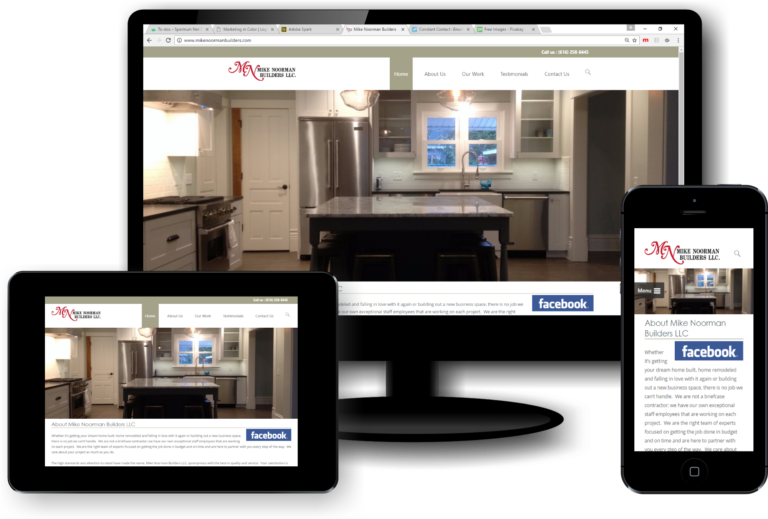
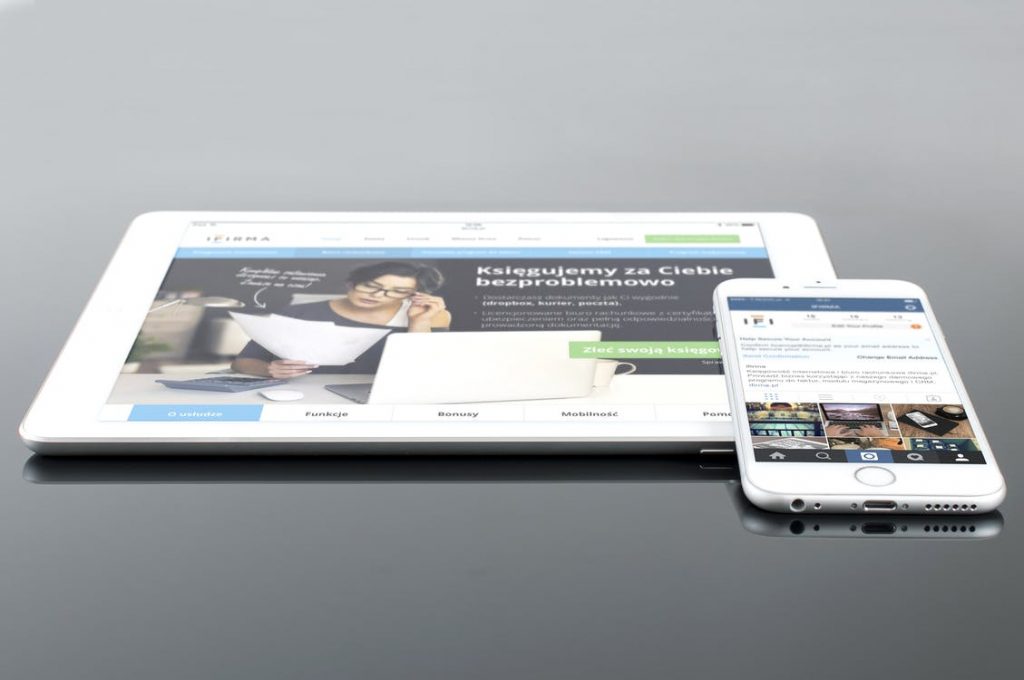
If your website has a poor mobile website appearance and navigation, then you are missing out on important traffic. Especially since Google will penalize you if your website is not mobile-friendly, which will lower your visibility on search engines. Mobile devices make up at least half of the global website traffic, meaning you should prioritize the mobile experience as much, if not more, than desktop performance. Having a mobile-friendly design doesn’t mean that you have to have a separate website; all you have to do is create a responsive web design, which will allow the site to scale and fit perfectly to mobile devices. Users are then able to have a perfect experience when using the mobile version. It will also make it easier when it comes to editing and updating content on the site, as it will adjust, making sure that it adjusts correctly for any device.

#2. Visuals Are Outdated or Unprofessional

The appearance of a website is essential to get viewers’ interest. Users often associate visuals and appearance with the quality of a business and the services it provides. So let’s make sure that first impression is a positive one. Outdated designs tend to make users think that you are behind, outdated, or not able to keep up with the trends. To come off as professional, you’ll need more than some text, hyperlinks, and images that are scaled improperly. Take a look at competitors and see what kind of design they have to offer. Check to see what kind of information they are providing, how modern their site is, and how they approach users. Don’t copy what your competitors have, but it’s a good idea to keep it in mind as an influence. When working on a redesign, gravitate towards designs that are modern and offer function, give users things to click on, read, and move through so that they don’t grow bored. You can also work with a web development and design agency to help bring your brand some new life. Spectrum Net Designs can help with that. We can help redesign your website to give it that new, modern, fresh feeling that will help you rank above your competitors.

#3. Business Goals Have Shifted

If your site is not helping to reach and accomplish your business goals by driving traffic or revenue, then it’s time for a redesign. Take a scroll through your website as you put yourself in the user’s shoes and see if it will answer the needs they have. No matter what kind of website you have, whether it’s informational, a non-profit, a business offering goods or services, always put goals ahead of design and functionality (not that you should ignore those aspects), so you can get your return on investment back. Make sure to keep everything consistent across different platforms. If your social media is presenting differently from the website, then it’s not sending a cohesive and consistent message, which can confuse current and potential users.

#4. Poor User Experience

Users are looking for sites that have quick loading times. If a website takes longer than 3 seconds, a little more than half of the users will leave and go find another site. This results in higher bounce rates, which affects traffic and visibility, ultimately affecting business and revenue. Slow load times can come from oversized images and videos, a large number of plugins on the site, and outdated hosting programs. Correcting these issues by optimizing images, removing or updating plugins, and changing or updating your host will help improve the user experience. If loading times are at an appropriate speed, the next step is to look at bounce rates from the site in general. If users are leaving the site after only seeing one page, then you might not be capturing the user’s attention enough, which leads them to bounce. Adding interactive elements and enticing users with attention-grabbing titles and content that is easy to navigate will help to improve the user experience.

#5. SEO Needs Improvements

If your website is not appearing at the top search results of search engines, that could mean that the site needs SEO improvements or that it isn’t optimized for SEO, meaning it isn’t at its full potential. SEO is necessary and the perfect way to reach current and potential customers. Without SEO, websites are practically invisible, and opportunities are being missed. Yet optimizing for keywords, making adjustments to site structure, improving site speed, and fixing broken links are all things that can turn it around. Although it can be explained simply, SEO is a long process to go through and requires research, analysis, and continuous adjustments. Instead of spending time on SEO responsibilities, Spectrum Net Designs can do it for you. We can take care of all marketing needs like content creation, web design, SEO services, and more! Give us a call today to learn more!

Website Redesign FAQ's

It’s suggested that you do one every 2-3 years to keep up with new technology, trends, competition, and user experience. It also depends on your brand and business, if you have changes or a shift within, then sooner would be better, since it’s a good idea to keep your users updated. If it is 5 years or more since you’ve had a redesign? You should take the time to redesign your website and create more opportunities for reaching users and ranking on Search Engines.

A refresh is making adjustments and updates to content, keywords, pictures, colors, etc. A redesign changes functions, structure, layout, and overall feel of the site. A redesign is a lot more intense and requires a lot more time than a refresh but it will leave you with a bigger more meaningful change.

If the redesign improved traffic, visibility, search engine rankings and decreased bounce rates then the redesign had a positive impact. Track your traffic so you can do a proper comparison and see where the changes were and specificall how much, this will help you continue growing and gaining.

Redesign FAQ's

Recent Blog Posts To Check Out!

Why Is No One Reading My Blog? 10 Tips to Get Your Blog Views

Why is No One Reading my Blog? 10 Tips on How to Get People to View your Blog!

As we have heard many times over the past few years, “Content is King”, meaning that content is key in growing your audience and helps you play the long game in marketing. A good way to create content for your website is to create a blog.  A blog is a fantastic addition to your site, as it lets you continually add content, with each blog bringing the chance of new eyes on your work or business. 

However, a blog without views doesn’t do very much for a website. So, you’ve got your blog up and running, but there are no views! Are you wondering why that is? Read on to hear our top ten tips on how to get people to view your blog!

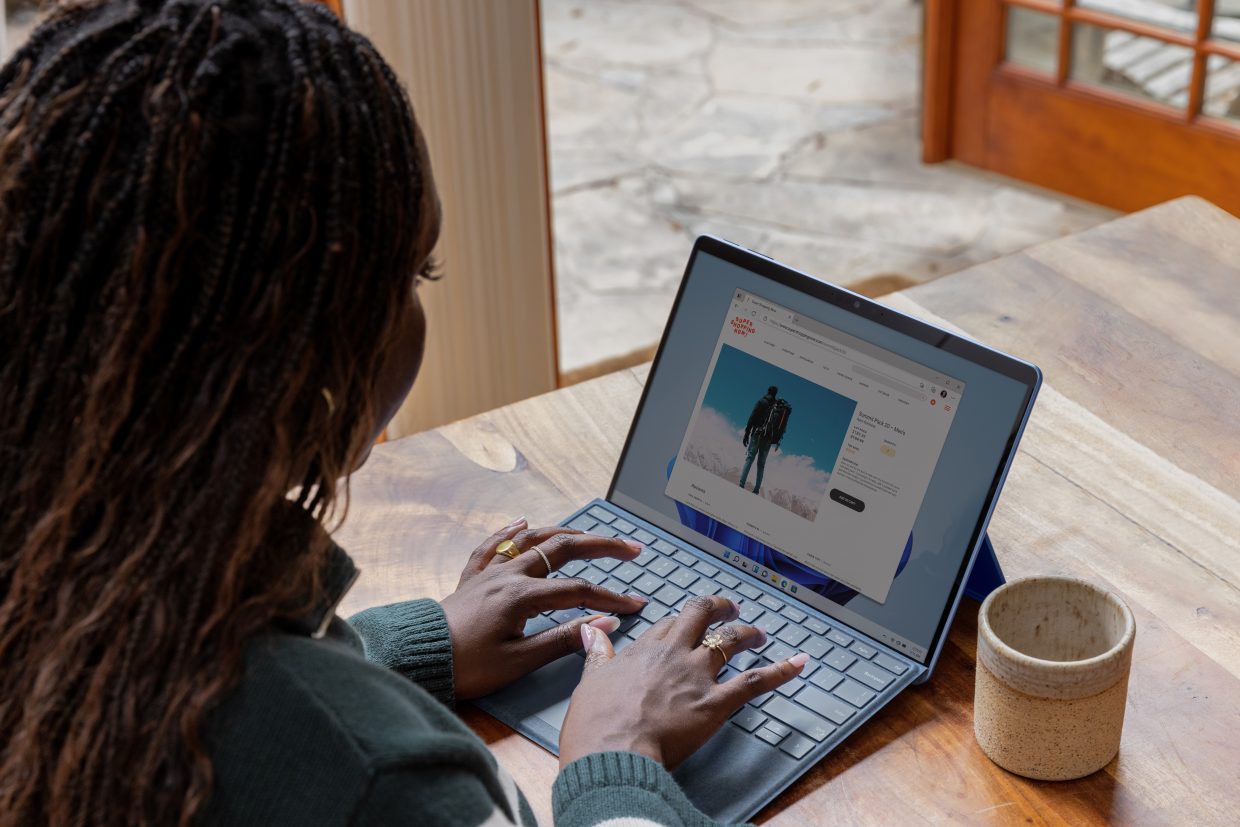
A woman seated at a desk working on a laptop with a mug of coffee beside it.

Tip #1: Have a Consistent Focus

Narrowing down the focus of your blog helps you target an audience directly.  The goal of your blog should be to establish yourself as a thought leader in your focus area.  While it may seem appealing to write about a variety of topics, readers may end up confused about your blog when you are writing about flowers one week and birds the next.  Targeting a specific topic, and in turn a specific audience, makes it easier for people to know that you’re the one to come to about your chosen topic. 

Not only does this help readers, but keeping your blog about one topic helps you rank on Google as well. Google combs through your site, following links and checking keywords that you may be using to learn what your blog is about.  Sticking to one topic helps Google show your site on the results page when people are searching for the topic you are writing about.  

Tip #2: Research SEO Before You Write

Research some relevant SEO keywords to include in your blog before you start writing, in order to build your content around those keywords.  You could even go a step further and use SEO to create a content strategy based on SEO and topical relevancy. To read more about this, check out our blog here

Tip #3: Use Hierarchal Formatting Correctly

Using hierarchical formatting, like H2s and H3s (in correct descending order). Not only helps your readers follow and possibly skim your content, but it also helps Google “read” your content, allowing your blogs to be indexed properly by Google.  

Tip #4: Utilize Backlinks and Internal Links

Backlinks:

Backlinks are links to your content from other sources.  Having backlinks increases your authority and gets more eyes on your content.  You can get these by reaching out to other bloggers and websites and getting them to link to your content!

Internal Links:

Linking to your own content within your own posts allows your readers to discover more of your content, and it also helps Google to crawl your content and learn about what your content is focusing on in order to show your site on Google.  

Tip #5: Add a Call to Action

Adding a call-to-action, such as a call to subscribe via email or check out another section of your site, can be a very effective way to encourage your readers to continue their descent into your content without sounding too salesy.  This is most likely done at the end of your blog post.  

Tip #6: Craft Good Headlines

A good, attention-grabbing headline is sure to get your audience to click on your blogs.  Keep them simple, but explanatory, and you’ll be set.  To learn more about how to craft a solid headline, check out this WordPress article.

Tip #7: Make Your Content User Focused

It can be said that readers are more likely to continue reading content that is more focused on them, and less about the author.  While it may be tempting to talk about yourself, it may be best to make sure your content is at the most useful as it can be to your readers, to keep them on your blog, and to keep them coming back.  If you keep it genuine, and not just about sales or yourself, it will draw readers in.  

Tip #8: Post Consistently

Being consistent keeps you at the forefront of your readers’ minds, as it is easy to forget about a blogger if they are inactive for some time.  Post regular content, and batch write your blogs to schedule ahead of time when you are feeling super inspired to avoid burnout.  

Tip #9 Promote on Social Media

Do you post your blogs to your social media? Do you have buttons for each social media site on your blog that make your content more sharable? Do you have an easily pinable image that readers can use to share this content on Pinterest?  Having all of these things in place helps you and your readers utilize social media to spread your content. 

Posting a blog is half the battle, the other half is promoting it on social media.  Doing things like making a cool graphic and posting links to your social media will greatly increase your chances of fresh eyes on your blog.  

Tip #10 Prioritize Helpful User Design

If your website is hard to navigate, readers may not want to stay on your site very long.  Make sure you have a good design and a good user interface to appeal to new and old readers.   

Another element to consider is that you will want to make sure your blog and site have a quick loading time; usually, about three seconds or less is ideal. If your site takes 9 seconds to load, it may deter your readers from staying on your blog.

Why Choose WordPress Over Other CMS Platforms?

Why WordPress

Why Choose WordPress Over Other CMS Platforms?

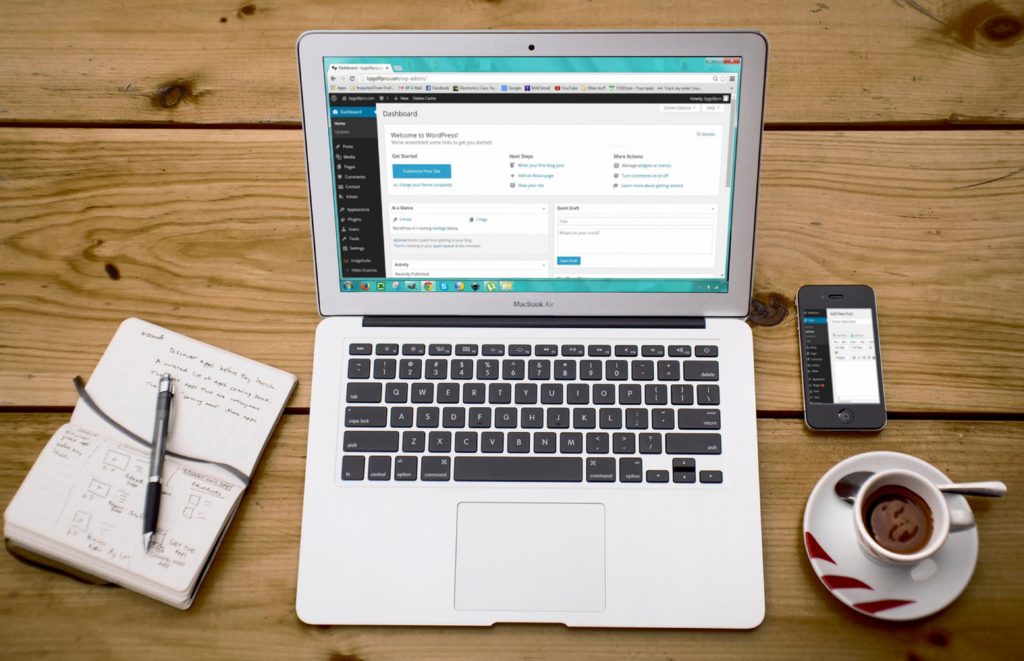
Beginning out, WordPress was a well-known blogging platform. Now, not only used for blogging, it is a great content management system (CMS) to consider for your business website. There are other free and paid CMS options out there, but WordPress solutions can help improve your users’ online experience while answering your company’s need for website control, flexibility, and ease of use.

We have created a list of reasons why WordPress is a great avenue for your website.

WordPress is free for anyone to download, and it is an open-source platform that has been around since 2003. Open-source platforms typically offer free services, with large communities. The users will take part in the community as beta testers or simple brand advocates, but there are no real requirements for participation if you don’t want to.

Keep in mind: even though the software is free, you will most likely have to spend some money on hosting and advanced plugins. Their hosting fee starts around $3/month, for the cheaper shared servers, and can go all the way to a couple of hundred/ month for those needing ultimate speed and performance.

You can find themes and plugins for free, but the premium (paid) ones will provide better features and quality support. Many users resort to paying for additional services, whether it be from freelancers or agencies. Ultimately, you can keep your WordPress costs to a minimum by using the free plugins and themes and going with their hosting program. 

Flexible to Make any Type of Website

I’m sure you have heard before that WordPress is mainly for building blogs, but this is not true. At one point in time, this was the case, but over the years and many releases, they have changed their offerings and web design solutions. WordPress is at a competitive advantage with its blogging history. It has one of the cleanest and fastest ways to write and publish pages and posts, and that’s all included from the start.

Websites that you can create with WordPress:

  • Blogs
  • Business Websites
  • Portfolios
  • Forums
  • Ecommerce Sites
  • Ratings Websites
  • Membership Sites
  • Personal Websites for Self-Promotion
  • Job Boards
  • Non-profit Websites for Collecting Donations
  • Auction and Coupon Sites

And the list goes on! The advantage of WordPress is that the functionality for features like forums and e-commerce websites is achieved with simple plugins and themes.

Supports a Variety of Media Types

Another advantage of WordPress sites is the long list of accepted file types, these are the primary categories that are all accepted:

  • Images
  • Documents
  • Audio
  • Video

You can upload common files like .jpg, .png, .gif, .pdf, .doc, .pptx, .mp3, .m4a, .mp4, .avi, and more. You will not have any problems with more obscure file types like .odt, .key, .ogg, and .3pg.

Keep in mind: WordPress does support pretty much any type of media. However, don’t forget to follow the rules and only use legal media that is either owned by you, has free downloads, or you can use when given credit. Some places to find legal photos and videos are:

Big Community & Easy to Learn

Since WordPress is open-source software, it can be used by anyone. Their user base is not limited by pricing, premium customer support, or even a user’s skill level. Since there aren’t many roadblocks to accessing the software. Users have made blogs, forums, online courses, seminars, webinars, and even books, all outlining aspects of the WordPress platform. And there is always the option of paying for more official dedicated support or working through those forums and online courses.

Why WordPress

Customizable Plugins & Themes to Scale Up and Expand Your Website

As mentioned before, WordPress themes and plugins make it easy to construct your website, but those elements are essential for scaling up your personalized site. For a blog, you will install a theme, adjust any design features you’d like, and then start writing your blog. The same goes for other business websites or portfolios. Your chosen themes will serve as your site’s foundation. The design work will become minimal besides color changes, adding your logo, and the creation of new pages and posts.

You will realize that additions to your site will need to be made. Maybe you want to include your social media profile streams in your footer or add a membership section to your site. Those will be successfully executed with a variety of plugins accessible to you. There are hundreds of plugins that are available to you. To learn more, check out our free eBook The Ultimate WordPress Guide to Relevant Plugins.  

Expanding your site isn’t solely accomplished with plugins, you might find yourself needing a new theme. Yes, plugins typically can run the show when it comes to adding functionality to your site. Most of the time, you’ll only need one theme once you launch your site. But as everything grows, you’ll notice you want different functionalities and needs, along with changes within the industry. An example of this was when Google started rewarding mobile responsive websites. Once that was enforced, many developers started offering mobile-friendly designs. Therefore, owners of websites needed to switch their themes to ones that offered mobile-friendly designs.

Other desired themes for growing websites are for the following reasons:

  • A needed switch from a free theme to a premium one
  • Wanting a fresher look
  • Wanting better customer support
  • A shift in product offering

Easy to Manage

WordPress is not all that difficult to manage if you learn the ropes and go through some training courses. Some website management typically involves a couple of things:

  • Checking and making sure your server is performing
  • Keeping up with your security
  • Running backups of your site
  • Keeping your plugins up to date and the WordPress software
  • Managing spam
  • Fixing broken links and testing the site’s functionality
  • Improving SEO and making page speed improvements

SEO Comes First

A great advantage of WordPress is that SEO is built into the platform. WordPress will automatically generate title tags and meta descriptions for your pages and posts. Implementing title tags and meta descriptions allows search engines to understand your content better, and will get your pages/posts indexed and ranking higher.

The Yost SEO Plugin is a favorite amongst SEO experts that helps them take their rankings and mobile responsiveness to the next level. The Yost analysis shares how effective you are at targeting your keyword. You’ll see insight on keyword density, where to add more keywords, SEO title mentions, page title suggestions, meta suggestions, and more. It’s a great checklist for you to make sure you are ticking all the boxes for SEO optimization.

dominate local seo

Joining WordPress doesn’t require users to sacrifice much to test the waters. It’s a free, open-source software that is easy to use and comes with numerous resources for insight on how to build a successful website. Tons of plugins allow you to create a website that functions for your specific audience, and not to mention make it mobile-friendly.

If you are looking for help with your website, contact Spectrum Net Designs today OR check out our WordPress portfolio to give you some inspiration!

Connect With Us

Facebook
Twitter
YouTube
Pinterest
LinkedIn
Instagram

Categories

Recent Posts

Archives

How to Create a Landing Page for Your Business

Landing Page

How to Create a Landing Page for Your Business

A landing page is a frequently used marketing term for the first page a user lands on when they click on a link from an external source, such as an advertisement or SERP listing. They click the link, and it will take them to a specifically created page with the intent of getting them to take action.

The main objective for any business is to get their online users to then make a conversion, such as purchasing a product or filling out an inquiry form.

A landing page should grab the users’ attention and be easy to navigate. It needs to encourage and tell the visitor exactly what they should do next and allow the call-to-action to be very obvious. Customers who are engaged with your message and want to contact you can still exit your page if the contact form is not easy to find or confusing with too many questions.

Elements for the perfect landing page

We will highlight some key elements to include and how to include them to create the perfect landing page that will increase the average session duration and maximize conversions! Creating a strategic landing page is such an advantageous way for any sized company to showcase their products/ services to users, faster!

Engaging Headers

One of the first things your users’ eyes will focus on is your header. Your landing page should have a clear and engaging header that is visible and legible. The header should be short but catchy and explain your unique selling point for the product or service you are offering. It is useful to include a sub-header to expand on your headline that provides more insight into what you intend to do on the landing page and more about your business.

landing page

Include Various Forms of Media

Many online users prefer to learn and interpret things visually in this modern day. No one wants to see a web page with just clumps of text and no visual elements. Therefore, when you are creating the perfect landing page, incorporating imagery or video into the design is a critical step. Allow your media to help tell your story and intrigue your users to convert.

If you use a video, it should be short, to the point, and engaging. It should represent what the landing page is about and tell a story from start to finish. Above anything else, the video should add value to your landing page. If the video is too long, it will deter the user’s attention span and could potentially affect your SEO if it does not load properly or put a strain on the web page loading time due to its size.

The same rules apply to the imagery you choose for your landing page. It needs to be relevant and look fitting wherever you place it. Place your images on the side of text or as a banner, that choice is up to you and what looks the most appealing to your eye. Images need to be clean, and the correct size, as larger images can affect your page load time.

Don’t forget to apply the correct image SEO practices as well! You will need to optimize these images by providing the proper file/image size, relevant names for your image, and alt tags and captions.

Logo, Branding, and Colors

Consistency throughout your web pages is an important element to remember. The web design should be similar in terms of your logo placement and branding. Especially with high traffic and high converting pages, you will want to place your logo somewhere very noticeable. This will help increase brand awareness for the future. Your logo should be placed strategically and branding should be consistent. This will aid in a more appealing page for visitors and more interesting to the eye.

When considering your target audience and who you want to create conversions and reach around for your landing page it Is important to consider color palettes and schemas along with text font.

Call-to-Actions and Conversion Points

CTAs are powerful tactics used for conversion rate optimization. They steer users in the right direction to perform a specific action. A call to action can be something as easy as, “Contact Us Today for a Free Audit.” Incorporating CTAs across your landing page and directing the visitor where to go to contact or purchase will maximize your conversion rate optimization. Just remember to not bombard your visitors with too many CTAs.

Conversion points are elements such as buttons and inquiry forms that a user can fill out or click to contact, buy, or inquire about your service/product. These conversion points should be big and visible on the landing page. How you integrate the conversion points is up to your personal preference and audience, but as long as they are visible and accessible that is all that matters.

landing page

These discussed elements are some of the most important things to consider when building a landing page. They will enhance encouragement to your visitors to take action and be even more interested in your business than before they landed on your page.

Looking to Create Your Very Own Business Website? Check Out Our Website Development Solutions!

Connect With Us

Facebook
Twitter
YouTube
Pinterest
LinkedIn
Instagram

Categories

Recent Posts

Archives

Graphic Design & Marketing: Why Good Graphic Design is Important

importance of graphic design blog post

Why Good Graphic Design is Important For Marketing

What do you think of when you hear the words “graphic design”? Is it an elaborate, artsy piece or something simple and abstract? Most people tend to think their businesses are too small for graphic design or that they cannot benefit from graphic design. Some only think that graphic design is for large companies with huge budgets. But the truth is, graphic design is for everyone. No matter if your business is big or small, with thousands of employees or just one, you can benefit from good graphic design. Read on to discover why graphic design is important and what good graphic design can do for your company!

Good graphic design = good first impressions

While the look of a company shouldn’t be the only thing that matters, it will strongly influence what a user or potential customer thinks the first time they look at your website or are introduced to your brand. The first look of your company could come in many different places at many different times: on a business card, on a paid ad, through a commercial or social media post, your product packaging, or even directly on your website. While your branding and website don’t have to be outrageous and over-the-top, they should be nice to look at and clear to read and understand.

two hands clasped in handshake

Users and potential customers will trust you more

It may seem silly, but if you have a brand and overall look that is put together and professional, potential customers will trust you more compared to a messy, unorganized-looking brand. In addition to just not looking great, poorly designed and visually unappealing websites are harder to read and glean information from, making the user less likely to come back to your site, as they are less likely to understand the information on it.

People remember brands that look better
Think of a logo of any company or organization. Picture it in your head. What does it look like? Does it look nice? Similar to how we can picture certain logos in our minds, people tend to remember better-looking brands over brands that don’t look as nice. People are also usually able to recall the image of a brand/logo in their head if they can’t remember the name. The better looking your brand is, the easier it will be to recall!

Check out this article about 50 Incredibly Creative Logos With Hidden Meanings

Good design will help your business stand out from the crowd

While many businesses and organizations sell similar products and services, how they portray and brand those products and services can make all the difference when it comes to a customer choosing one over the other. Looking good can also help when it comes to social media and digital marketing as well. On social media platforms, design and visuals play a large part in people’s decisions to interact with a post or a brand.

Long story short: if your brand looks good, you will feel good about your business, and your customers and potential customers will feel good as well. Your brand will be easier to remember, and consumers will trust you more.

Need more convincing? Let us show you how much of a difference graphic design can make for your business! Contact us today to get started! Or, see for yourself and check out some of our work!

Why Choose WordPress For Your New Website

10 REASONS TO CHOOSE WORDPRESS FOR YOUR NEW WEBSITE

So you’ve decided you need a new website, your old one is on its way out…or possibly already been out for months now, it doesn’t have the functionality you want & your current site just isn’t keeping up with your competitors…but where to begin? Most people generally do not get excited about the time, expense & research that goes into a website redesign. So, where do you begin? Generally, the first and foremost order of business is deciding with what platform are going to use for your new website, with so many “easy to use” website builders, such as WordPress, Wix, Gator, BigCommerce, Shopify, Webbly, Squarespace & more, we have laid out 10 reasons why we believe WordPress is the platform you should use for your new website, or website redesign.
Many people think of WordPress as a blogging platform only, this is how WordPress started out and got its reputation, but really, WordPress has drastically evolved throughout many years to be so much more than just a blogging platform, now you can host websites, build custom themes, and upload personal plugins to make sure your website is the best that it can be for your users. We decided it would be helpful for you to see why we support WordPress and why we suggest it for your new website, so here are 10 reasons why you should choose the WordPress platform for your new site…

content marketing ideas

1. Many people who are using WordPress for their website are not necessarily web developers or website designers. WordPress is a great option for these people, they have various already built “themes” and “plugins” that will help you build a professional website without needing prior web development or design knowledge. There are easy-to-use options for all of our non “tech savvy” folk out there.

2. WordPress is completely versatile. You can create anything from a blog to an e-commerce site, a product-based site, a membership website, and pretty much anything else you can think of. It’s customizable for your desires and wishes

3. WordPress is SEO friendly – SEO is an important part of marketing today. Making sure that your website is being found & indexed by search engines is important, and according to Google, WordPress is 99% SEO friendly. So, if you are looking to bring your SEO to the next level, WordPress is a great tool to use for your website.

4. WordPress is a FREE & Open Source- there’s got to be a catch, right? Well, in the spirit of all things out in the open, you will need to buy your domain and pay for hosting and various other costs, but the actual software, WordPress, is free.

5. Themes & Plugins give you complete customizable options – if you can dream it, you can bring it to completion. Not only does WordPress provide you with various pre-built themes & plugins, but you also have options to build your customized theme & plugins for whatever you could think of. To read about 24 WordPress plugins for your business website, check out this article: https://www.wpbeginner.com/showcase/24-must-have-wordpress-plugins-for-business-websites/

6. Safe & Secure – WordPress is supreme in the level of security measures that they take for their customers. They have staff that is updating CMS consistently, along with all the plugins that go hand in hand. Of course, to protect yourself, it’s best to only download plugins from WordPress itself or trusted sources. Read more about WordPress security here.


7. Mobile Friendly – This is a HUGE advantage today. In a world where most people have cell phones & surf the web constantly, your mobile online presence is crucial! You have to make sure that your website is not only available to your mobile users but also that they have a good mobile experience, that they can see the important pieces & parts, that images aren’t cut off or covering important text & so on & so forth. Being mobile-friendly is more important than ever. Read about it here: https://www.augustash.com/our-blog/mobile-friendly-websites-2019

8. Easy Social Media Integration – WordPress offers a simple way for your users & website visitors to interact with & be a part of your social media. This is especially great if you have a previously established online presence or a previously established social media presence. Feeding one off the other is a great way to build your company & business.

9. Scheduling makes blogging easy – not everyone has time to sit down 3 times a week to bust out a blog…we get it. So sit down for one day, bust out 3 blogs & schedule them for 3 different days! WordPress makes it easy to do that. You can schedule posts as far out in advance as you want to make sure you don’t fall behind in keeping your readers updated. Take a look at how to create the perfect blog schedule for your company here.

10. One of the BEST parts about WordPress is that it just keeps improving. With the community of users that are currently a part of WordPress, the site just keeps improving. It’s a great platform that only keeps getting better.

So you know why WordPress is great, but still don’t have the time, energy, or resources to make it happen? Spectrum Net Designs offers great custom WordPress development for your website. Contact us today to learn how you can update your website to make sure you are keeping up with your competitors.

Still Don't Want To Face A New Website - Much Less WordPress Alone? We Understand...

we also handle hosting & domain registration

Like this article?

Share on Facebook
Share on Twitter
Share on Linkdin
Share on Pinterest

6 Things To Consider While Updating Your Website

6 THINGS TO CONSIDER WHILE UPDATING YOUR WEBSITE

It’s time for an updated website…have you been noticing that your current site just isn’t keeping up with your competition; it’s outdated, clunky, too busy, or too plain. There’s no option for buying your products online, and your site just doesn’t reflect your business the way you want it to. Does this sound familiar? Keeping up with your online presence can be challenging, and now that you’ve realized your need for a change, you must begin the daunting task of beginning the updating process…
So, here are a few things to keep in mind as you begin searching for the right way to update your website so that you can make a statement as you jump into the 2019 world wide web with your new online presence for your company.

updating your website

First, take some time to check out your competition…they say imitation is the best form of flattery, but we are telling you, DON’T IMITATE YOUR COMPETITION! Take a look at your competition, check out what they are doing, then take the time to get a game plan going of how you can do it better. This will be the most beneficial thing in the long run. Secondly, think about your website layout & don’t be afraid to change it! Where do your current website viewers go? Where do they want to go? What are your hot products or pages? Use Google Analytics to help you investigate each of these things so that you can plan out & revamp your website in a way that is user friendly & specifically created for YOUR desired & current users. Third, more content is not always better content – keep your site clean & simple, modern & to the point. Too much text where it is not needed can ultimately hurt your user experience. Most of the time, people want a quick experience; they don’t want to sit on your site for 4 hours trying to sort through the information they need from the unnecessary fluff that happens to be in there. Keep your content as simple as possible. Fourth tip is to use the opportunity to re-evaluate your URL’s. If your websites been around for awhile, chances are you didn’t give much thought to your current web addresses & url’s on your site. Now is a great opportunity to change that. A page URL can affect various things, from user experience to search engine ranking. It’s helpful to get a plan together of what you want your URLs to portray as a website. The fifth thing to keep in mind is to secure your website(if it isn’t already). Making sure that your site is secure is important, not only to your users, but now, its even important to Google. Lastly, consider Search Engine Optimization – SEO is an increasingly important part of websites everywhere, and it’s no easy feat…seo has many moving parts that can make it tough to grasp. More power to the businesses, free lancers, bloggers, & other website owners who do SEO for themselves, but we also would advise that you consider hiring a Digital Marketing Agency that knows SEO well to assist you with the ins & outs of Search Engine Optimization.

These are our 6 quick topics to keep in the back of your mind as you consider a website update. Most importantly don’t be afraid to change up your website & take risks to make sure that you are providing something fresh for your audience.

Do You Need Help Getting Your New Website Up & Running? We Can Help

we also handle hosting & domain registration

Like this article?

Share on Facebook
Share on Twitter
Share on Linkdin
Share on Pinterest

How Can I Create A Logo For My Website?

Create a logo

Creating a Logo that Lasts...

Creating a logo is part of an important part of branding your business. Branding your business is one of the most important things that you will do in the life of your company. Branding is all about coming up with everything that will represent your company, your website presence, your logo, your social media interaction & so much more. Your product, website, and customer service should all reflect a specific, unique, and unified brand for your consumers. So, what ARE some things to consider as you begin the process of creating a logo for your website?

Number One:

A Logo is just one small part of this process and is something that takes a lot of time and thought – I mean, you want to be with your company for many years, right?
So, take the time, do some research & take a look at logos that have not only been successful but also stood the test of time for various companies. 

Number Two:

Less is more when it comes to your logo. Keep your design simple, as this will risk less as elements go out of style as the years pass, keeping it simple will lessen the number of things with the option to go out of style.

creating a lasting logo

Remember to keep your logo with correct sizing, your brand should be able to shrink for a business card all the way up to a billboard and not lose any of the crispness of the original, this is an important design aspect to getting your logo ready for use.

Number Three:

Many entrepreneurs decide that it’s a good idea to try and design a logo for themselves, but in the long run, this can end up costing more money than investing in a professional graphic designer from the get-go. Professional designers know what colors to use & how to execute a plan in order to make you a logo that will accurately not only represent your company but also in a way that will last & stand the test of time. Even if you have a vision for your logo, it is best to seek help from a professional to make sure that your logo is being created correctly & also in a way that will positively impact your business.

Number Four:

Make your logo a way to tell your story…sounds cliché, right? But your logo can be a representation of what your company is all about, the story that you want your consumers to see & hear when looking at your company. A story will help your consumer connect with your company & the people behind it!

Need to Share Your Logo Ideas With a Graphic Designer?

WE’RE HAPPY TO HELP!

Is Your Site Mobile Responsive for 2019 Web Traffic?

Why This Should Be A Priority....

Do you have a phone? How about a tablet? Nearly everyone in today’s day and age carry around a smart phone and have some sort of tablet. The mobile device is always near them throughout the whole day. This kind of lifestyle is predicted not to change. People use their mobile device for everything: communication, searches, social media, etc.  Maybe too much reliance on mobile devices will have irreversible affects, but for now website owners are recognizing this direction of technology, and are frantically trying to catch up. The new year is upon us and coming quickly, and we want you prepared for the new 2019 web traffic that will be coming your way.

So I just have one question, is your site mobile responsive?

What is a Mobile Responsive Site?

Today, phones, tablets, and desktops are all made in different sizes. Website designs need to change and adapt fluidly to whatever screen it is appearing on. A responsive website is one that changes based on the needs of the users and the device they are viewing the site on. For example, a website with a three-column layout would change to a single column display on a phone.

Some key features for a mobile responsive site include:

  1. Dynamic content that changes
  2. Navigation is condensed
  3. Optimized images
  4. Correct padding and spacing
  5. Relies on mobile operating systems to function
site mobile responsive

What is the difference between a Mobile Responsive Site and Mobile Friendly Site?

mobile friendly devices

A mobile friendly site is one that is designed to work the same exact way across all devices. It has no changes. Features are limited, and can be very difficult to use on mobile devices. A Mobile Responsive Site is a bit different, a mobile responsive site automatically adjusts sizing, layouts, and features based on the device it is being used on. This design provides a better user experience by providing easy-to-read text and easy-to-use features.

So, why should having a Mobile Responsive Site be a priority?

It has been proven over and over again by several different independent organizations through extensive testing that Google has updated their algorithm, but that is nothing new, but now Google favors websites that provide mobile users with a responsive and favorable experience.  This is huge to ranking factors and what business owners are currently implementing.  This should be a concern to businesses that thrive on selling products online. Mobile traffic in 2017 was 52.64%, meaning, more internet usage is through mobile devices than a desktop. By the end of 2018, it is predicted that mobile devices will reach 79% of internet usage over desktop. This is why it is so necessary for having a mobile responsive site.

If you do not have a mobile responsive site, you are losing website traffic, and therefore, potential customers and clients. 

site mobile responsive

Website Misconceptions 101

Web Design Mistakes & Misconceptions

Welcome to website Misconceptions 101, where what you think is really isn’t, and probably vice versa.  Did that make sense? Some website misconceptions are fairly cut and dry and have never been an actual method used but some think they are still effective. Many of the “old” techniques and methods that used to be “the only way” things were done are now actually misunderstood and no longer relevant. 

Below are the 18 most common website misconceptions in 2018, that all users should be aware of when building a website.  From end user design, functionality, formatting, and more you need to know!

1. But users don't scroll below the fold anymore..

False! Users scroll more than ever now. In this era of phones, tablets, and other mobile devices, people scroll constantly. It’s as simple as moving a finger or thumb over their screens. While this might have been a problem in the past, it is not as important now.

Nowadays, when someone talks about “above the fold,” it is more about the importance that whatever is up there is convincing enough to keep the visitor on the site. Even if it is just below the fold, you are fine. It’s more about keeping the important information at the top.  You want the user to scroll, click, and spend as much time on your site as possible for SEO purposes.


2. Anyone can make a website using generic "drag and drop" systems....

False! Sure, you can try, and it might work for smaller less technical websites. But it’s more relevant that you will run into issues such as formatting, cross browser compatibility, and more issues that can run from simple to super technical. Some features you may want will not be easily obtained, if you need custom form fields or other custom needs. Therefore, designing your own site would be difficult but not impossible when you don’t have a lot of tools and features available.


3. I can just go to Google for an image and take anything I find.....

False! You should assume any images on the web, including Google images or any images on a search engine, are protected by copyright law.  It is considered illegal to use an image that holds copyright without the owner’s permission or without purchasing a license that gives permission. What you want to use is royalty free images on sites such as www.istockphoto.com or www.shutterstock.com where you can purchase images with full or partial rights for your website and print needs.  Other images you can utilize are free creative common images such as Pexels or Pixabay.  But be aware that many people use those sites and the images can be used all over the place so they will not be unique to your site.

4. My site is only 12 years old and still like new...

False! Website design and development has changed dramatically in the past few years. Website development changes every year, so keeping up with the latest is like keeping up with the Kardashians.  There have been many advancements including responsive development and mobile design, website elements, structure, and formatting. Not to mention Search Engine Optimization, which constantly changes with Google standards and processes. If you do not update your site, your website will go stagnant and will be lost in the search engines.  A website that isn’t updated is similar to a blank piece of paper flying in the wind. So take care of that site with regular maintenance and fresh content every few months. 


5. Duplicate text doesn't matter, I'll just copy from my competition....

False! People used to be able to get away with this until Google and duplicate content standards came along. Now, there are a few reasons you cannot duplicate content or copy content from other sites.  You risk your site being considered spam and have the risk of getting a bad ranking and being penalized by the search engines for just a few reasons.  Google and other search engines use tools that measure sites for 100 different points, and they base ranking on it.  So be original and post unique content for the best outcome possible. 

6. The more empty space, the cleaner my site will be....

False!…well, kind of Let’s discuss this, if you have too much empty space, there won’t be enough data and content for users to find what they are looking for. Yet if you have too much data and content, your site can look cramped and you overload your clients with too much information. What you need to do is find the perfect balance of clean and yet still give important information so that the users want to stay. You can obtain this by adding new pages with specific content, organizing your information for easy to find content, and only posting useful information.


7. The bigger the better?​

This can go both ways.  The question is, where do you want customers to be directed to on the site? An over-sized logo can take the focus away from your content.  On your site, you need to have a clear focus on what you want your site to be about and where you want your customers to go.  For example, if you have an oversized logo, the proportions will be all out of balance. Try to make things big enough so your users can see what they are looking at, but keep the proportions even and balanced.

8. All browsers are the same, does it matter what one I use....

False! Make sure that your site can be viewed on all browsers.  Browser compatibility is the flexibility of a website to function on different web browsers. The benefit of creating a website with browser compatibility is that it improves the traffic flow on a website and cuts down on loss of performance. So how do you make your site compatible? Keeping it simple, validating your code, testing in as many browsers as possible, and more. 

Need help? Call Spectrum Net Designs today!

9. I don't need any optimization; the website is on the internet and it will do it's "thing" and we will get millions of visitors. Here comes the traffic!

False! Without proper search engine optimization, the website will be just loose paper in the wind. It needs structure and architecture. Having SEO on a website will help Google, Bing, and other search engines find your site and rank it. Using Google services like Google Maps, webmaster, and analytics will also help you be found and increase your traffic. Also, adding fresh content regularly will also help. But doing nothing and letting the internet just “do its thing” will get you nowhere. 

10. Once I buy my domain, it's mine forever....

False! When you purchase your domain, you have yearly options to choose from including 2 years, 5 years, and ten years options. An important note is to write down all your expirations for hosting, domains, certificates, etc. File them somewhere safe. If you would like, you can auto renew many items so you don’t lose them. If you are looking for a new domain you can visit Godaddy, Network Solutions, or Register.com to name a few. 

11. Designers don't know best - the customer is always right!

While the customer knows their business, the web designer knows websites and what works best. All the client has to do is trust us, and they will be very impressed with the result. Still, while the web designer gives direction to the project and website, we listen to the client to see what they want and need. Every website and customer is different, and that’s what makes the development of websites so challenging yet interesting.

12. I only launched a month ago, all of my changes should be free..

False! Once launched, the site is now completed from the original quoted project and cost. After the launch of your new website, all changes to the site will be billed hourly or will need to be quoted unless prior arrangements were made or maintenance was included in your original quote. We have to pay our developers and designers, and you have to pay for the changes.


13. My website should be all about me and my company, not my clients....

False! Your website is for your clients! It needs to be about your clients and their needs. What do your clients want to see when they open your website? That should be the main focus of your site. Yes, some of the site is dedicated to your company, such as the “About Us” page.

Many websites have staff pages with bios and company pages with newsletters. But remember, the website is for your client to learn more about you and use your services.

grand rapids seo
website misconceptions

14. The site is completed, and I'll never need maintenance...

False! Too many people think website maintenance is out of date. It is the complete opposite. Without website maintenance, your site will fall into the abyss. Many things on your site need to stay updated: pages, content, blogs, pictures, etc. for Google to keep ranking your website. 

Do you need help maintaining your website? Give us a call! We’d be happy to help!

15. I have 20+ pages of content so the more content the merrier....

True & False! This kind of depends on the industry, but in general this is not true. The content needs to be organized and categorized by page and sub-pages. There is such a thing as too much information. You want to give your customers enough information to understand but not too much that they won’t call you. Keep some information for PDFs, printables, emails, and phone conversations. It is good to keep the client inquiring about what you’re selling. If you give them too much information right away, they will skip it and move on.

16. I don't need this fancy layout - web design is cut and dry text....

False! Humans are visual beings. You don’t need a super fancy layout, but you do need visuals on your website.  As long as the layout is organized, has layout consistency, professional appearance, balance, simplicity, and more, the web design has a good structure to buildonf in the future. Some might call this fancy, but depending on your industry, this appeals to the values and motivations of your targets. By appealing to your targets, you can create a final design product that is appealing to a broader audience beyond what you find engaging. 


17. All of the whitespace on my site needs to be filled, otherwise it will look empty and no one will visit my site.....

False! The most profitable and overall successful web design decisions are those made with justifiable evidence of your target audience’s interests, tastes, and end goals. Don’t make assumptions as to what your target audience wants to see; rather, try creating target profiles, or fictional personas, to frame your website designs around. Sometimes less is more and the white-space will work in your favor. Again, a balance between content and images is key.

18. It's my site so I should get final say!

True! But we have seen the results of this event, and we do not recommend it. Flashy animation, crazy color pallets, loud music in the background, trust us, we have seen it all. While you know your industry, we know ours. We know what works and what doesn’t.

We know it’s a lot, and it can be hard to keep track of a website. 

Lucky for you we are here to help!

  Give us a call or contact us and we would be happy to help you!

Top New Website Elements Used in 2017

What are the top new elements in website design?

Here are 10 website elements that make your website pop and be different than all the other sites!

elements

Space was not seen long ago, but today it is used for flow and readability. Space is also used to create a focal point. Having a large amount of space around an object will make it seem bigger and important. Space doesn’t have to be white. Having a texture or even a picture as the background can have space.

Website Example: Harbr

website elements

Whether it’s a video, graphic, or picture, having them be HD is very important. Websites will look modern, up to date, and interesting if the pictures stand out and are clear. Don’t rely on stock images because your site will look like every other site out there.

Website Examples:

Transitions1020

Mikiya Kobayashi

website elements

These buttons done look like buttons until you hover over the selected area. The picture, words, or area will change color or stand out in a certain way that makes the user want to clink.

Website Examples:

Benoit Challand

Paul Von Excite

Transitions1020

elements

Letters today are never boring. Inserting them in front of pictures with a beautiful font can make the design beautiful. Creative and uniquely styled typography is what makes websites pop.

Website Examples: Brave People

elements

Ribbons, aka Navigation Menus, are not new. Practically every website has them. But, unique and odd ribbons are what grabs the user’s attention.

Website Examples:

Alex Buga  This website uses a ghost button to create a navigation menu, so the menu is only visible when you need it.

elements

People think background patterns look old and are out of style, but now they are coming back. Using them subtlety and having a careful design, they can make your website look beautiful and enhance the website.

Website Examples:

Fixate   This site goes bold and makes the background the focus of the site.

elements

Videos provide a rich user experience. It immediately captures the visitor’s attention and draws them deeper in the website. The video in the background usually is a small piece of the websites main message.

Website Examples:

Bradient This site uses the video as like a main navigation rotating picture banner.

Joe-San This site uses the video as the actual background. You can see the navigation menu in the middle of the page as well.

We Are Spry Again, this site has the video as the background, having few words in front to make the visitors focus on the video.

Salt Surf This site is all pictures on the background. It brings a modern touch to the plain main rotating picture banner.

elements

Simple page websites use this element to bring the website to life. Scrolling is preferred over clicking just because that it is much easier to see the content on one page.

Website Example:

Philosophie  This site is smooth with its scrolling and makes the visitor want to keep scrolling and see more.

website elements

Minimal Design is the design which emphasizes on what the user wants rather than what you want the user to see. There is limited information on the viewer screen. The story should unfold as the user interacts with the webpage. The screen though must always look clean and modern.

Website Examples:

http://www.anotherpony.com/ This site has the scrolling element as well. The more you scroll, the more you know, but it always looks clean.

Manuel-Rueda

ETQ Amsterdam Even e-commerce sites can be minimalistic and clean.

elements

While some might shy away from this, it actually makes one’s website look creative. Having illustrations will also keep your site unique and different from other sites.

Website Examples:

Education Ice and Sky This educational website gives history while keeping the site clean and simple. Having hand drawn illustrations can keep kids interested while still look modern and up to date.

Leg Work Studio This site shows their sense of style by their unique illustrations, keeping the audience interested.

Providing All The Services You Will Ever Need

Marketing Services

We Are Your All-In-One Service Provider in All Things Digital

Full-service, graphic identity and marketing collateral shop!

Spectrum Net Designs is your one-stop website development and creative firm that can start with your website design and development, then move
 on to provide all your printed graphics, from business cards, large yard signs, letterhead, brochures, and anything else you might need. Spectrum
can help you take the stress and time constraints out of website design with WordPress development and hundreds of plug-ins that can be customized for your business needs.

Top 16 SEO Website Design Tips That You Shouldn’t Ignore

Website Design Tips

Website Design Tips: How to Protect SEO During a Redesign

Shannan K. DuShane | March 2017 | Spectrum Net Designs, Inc

Why Does SEO Matter in a Website Redesign?

When you decide to take on the task of a website redesign, normally, SEO is the last thing you think of during that process.  This is the biggest mistake you will ever make when it comes to your online marketing strategy.  Because when you are ready to launch and push that site out live, you just lose all of your hard work ranking your website.  If you had great search results, you can probably kiss that goodbye and start over with your marketing and SEO tactics.

SEO is the art of ranking higher than other websites on search engines such as Google or Bing.  Google and Bing have algorithms or programs that search for and identify specific factors while probing through billions of web pages to provide the most relevant results again via their algorithm, for your search based on the architecture, metadata, and ranking of the webpage.

Search engine optimization has been a growing trend among business owners over the past 5 years. And there is an ever-growing need to understand how to rank at the top, knowledge is the key to optimizing your site.

The one question I always get is Why can you just put me at the top – Well, easier said than done, there are industry best practices that need to be followed. These results aren’t instant, and different search engines have different update policies and software algorithms. The first step is to research the best possible search phrase for each page, or what phrase you want to come up under the search for, then continue to optimize the page. You will need to analyze your site, see what the problem is, and correct it, including re-writing all of your content, new images, optimizing video, and more.

Don't Forget About SEO

This is an ongoing process.  Search engine optimization is never a one-and-done task that you can let go.  The largest piece is the research in the beginning, and the monitoring throughout.

What you don’t want to forget is that your current search engine optimization on your new site won’t transfer automatically from your old site.  And most of the time, when that time comes, it’s too late because you didn’t save anything.

"Great Design Doesn’t Assume Great SEO"

Here are my Top 16 SEO Tips to Watch During A Website Re-Design

1. Know Your Site

Know your URL, and if you have any subdomains that need to be directed to the new site. Set up your subdomains and make sure they are pointed properly with testing before launch. The worst thing you can do is to have someone contact you about broken pages. 

2. Replace & Optimize Your Images

You don’t want to launch your site with dummy images with no optimization. Ensure you have placed all alt tags and SEO titles for each image, to ensure the search engines will have the ability to identify those images. Also, make sure your images are compressed for fast loading for a good user experience. 

3. Install & Configure Plugin

This is primarily if you have a WordPress website. This is extremely important. While WordPress is well configured for SEO, the power plugins available, like Yoast or All in One SEO Pack, can take your site to the next level of SEO and marketing. 

4. Setup SEO Meta Data Before Launch

If this isn’t your first website, you probably have this all set up. Don’t throw it away – use it! Especially if you have excellent rankings on the search engines.  If you don’t, you will lose those precious rankings. 

5. Create Your Sitemap

As your re-design progresses, you will see pages move and new ones develop. Creating a new sitemap will help the search engines crawl your new site and index it properly. This will need to be done just before the launch, after the site is finalized. You can create your new sitemap here. 

6. Setup Permalinks & URL’s

Make sure the permalink/URL structure is set to your liking.  Each page URL contains its main keyword or keyphrase. This will support your SEO strategy and assist the search engines in finding appropriate searchable pages.  If you have specific pages that rank well or are important, make sure you set up redirects to promote a good user experience on your site. The worst thing you can do is ignore this task. 

7. URL Structure

Continuing from above, your URL structure is super important when it comes to directing your audience around your website. With a new design, it is a given that your URLs will change unless you transfer this information and let your developers know you need these to transfer to the new website. The other option is pre-setting up 301 redirects to the appropriate pages. Once you launch, it is harder to identify your old URLs until Google Search Console or a plug-in picks them up. Then it might be too late to get that audience back. If they know the pages don’t exist, they probably won’t return. 

8. Titles & Tags

If you are utilizing WordPress – your SEO plugin should take care of this. Just make sure you don’t launch with the dummy information – “This is a WordPress Site” 

9. Optional Tags

Check the meta and social RSS feeds and whether they are set up correctly.  Don’t forget to implement optional tags such as rel=”nofollow” for admin and login pages. There is no need for search engines to crawl these; it will just slow down the process.

10. Proofread & Proofread

No I didn’t accidentally duplicate that text.  But that is something you want to check in your content. Search engines do not like duplicate content, whether it is metadata, on-page, or blog posts. 

11. Link Strategy

How are you connected to the world? Your links play an important part in your SEO strategy. Check each link on your new site to guarantee that all work is directed to the appropriate location. This goes for all internal links, external links, and image links.   Broken links lead users around your site or to another site and then bring them to non-existent web pages. Multiple broken links negatively affect user experience and may worsen your search engine rankings because crawlers may think that your website is poorly maintained or coded. 

12. Robot.txt

If you don’t have a robot.txt file on your site or if it is poorly configured, it can lead to disastrous results. One mistake can damage your search rankings, ruining all your hard search engine efforts. Read more here…. 

13. Non-Secure Pages

This can trigger many errors throughout search engines and the general security of your website. If you have a login screen on your homepage or anywhere on your site, you will need to purchase an SSL certificate and implement HTTPS on your website. This is to protect users’ sensitive information as well as yourself from liability on your server.  Google Chrome will start informing users about the dangers of submitting their passwords on HTTP pages by labeling such pages as “non-secure” starting January 2017. This could hurt your bounce rate, as users will most likely feel uncomfortable and leave your page as quickly as possible.

14. Google Favors Secure Sites

Yes, you heard this correctly! Google is giving brownie points to those sites that use secure encryption to help stop the spread of hacked websites. You can read more about it here. Google considers a website’s security as a ranking factor. Websites that do not support HTTPS connections may be less prominent in Google’s search results, while HTTPS-protected sites will rank higher with its search algorithms. 

15. WWW Resolve Issue

Normally a webpage can be accessed with or without adding www to its domain name. If you haven’t specified which version should be prioritized, search engines will crawl both versions and the link juice will be split between them.  You can correct this by making sure you have a canonical link in your website and setting the site in your Google Search Console account. 

16. Mobile Friendly/ Responsive Design

Everyone is on the move these days, and your website needs to be as well.  Mobile-friendly is fairly new within the past year or so, and the emphasis is on the importance of having a mobile-friendly website.  Don’t forget to include the viewport meta tag. It is an HTML tag that allows you to control a page’s viewport size and scale on mobile devices. This tag is indispensable if you want to make your website accessible and optimized for mobile devices. Check out the Complete Mobile SEO Guide.

Your Top 9 Website & SEO Tips Before You Start A New Website with Data Migration

SEO Tips Before You Start A New Website Redesign

Shannan K. DuShane | March 2017 | Spectrum Net Designs, Inc

SEO is an important factor that needs to be part of the preliminary planning process of a website. It takes time to use the best proven practices to get to the front pages of your most popular search engines, such as Google, Yahoo, Bing/MSN, and a few others. Traffic does not just find your site, it takes work. Look at seo like this, imagine a piece of paper suspended by a single string blowing in the wind, same concept in that, you need a plan to find it and secure a solid position in the search engines.

Most companies that I work with think that search engine optimization is just another way for a company to take their hard-earned money from them.  What they don’t know or understand is how the search engines’ inner workings and algorithms work.  Merely having a domain, website, and content doesn’t guarantee your website will get to the top or even appear on the search engines.

9 Website SEO Tips

The first question you should ask yourself or your team: Why are you considering a new website?

Well, there are many factors that can come out of this.  First, you have a lot to lose if you are ranking high, but there is more to gain, too.  Due to this, there are specific procedures that you want to make sure you execute.

Here are my Top 9 SEO Tips Before You Start a Redesign

1. Audit

First things first, audit your current website. What’s missing, what would you like to change? Discuss this with your team and make a list to discuss with the development company. Take a min and check out SEM Rush audit report of your website now. Check your site’s health, and prioritize seo issues and warnings.

2. Data Migration

Back up your current website, data, images, and especially your metadata and URL structure currently in place. Once it’s gone, there is no retrieving it. Having your current URL structure will assist the development company in ensuring that your old URLs will point to your new URLs to keep a user-friendly environment and experience for your audience. While 404 errors are fatal to user experience, they are easily corrected. Take the time to do this in the beginning, and your audience will thank you.

3. Navigation

What does your current navigation look like? Is it text-based or images? Does your audience have to click more than 3 times to get to the content they are looking for? These are items that should be considered and have a lot to do with your search engine rankings. Crawl depth is very important and Googlebot looks at this as one of its ranking factors.  The rule is 3 clicks or less, your users should be able to find information. Your navigation should be all text-based and not images. Search engines can’t read images unless they are text-based or have alt tags on them, so this is very important and can help with keywords in your website.

4. Design

Well above the fold design to be specific. Now days everyone scrolls so this isn’t always the best practice. If you have a website that sells a service then this could work for you, but if you have a product, e-commerce, or other type of website, there isn’t a standard other than my next point of user experience (ux). Analyze other sites in your industry across the map and see what the upward trends are to see what is gaining popularity.

5. User Experience

What does your audience have to say about your website? Do you get any feedback, or do you have a high bounce rate that never seems to drop? Items that can help your search engine optimization are friendly buttons, size-appropriate text, and common use of fonts in your navigation, buttons, and content. These factors can be the reason for a drop in visitors to your site and a drop in the search engines.  Google can measure the text size and mobile-friendly attributes and more, and rank you based on user experience. Keep an eye on these and correct what you can to help you rank better. You can check to see if your website is mobile-friendly with Google’s mobile-friendly test!

6. Readability

The content of your website tells a story about your company. It also helps Google read your site properly and rank it accordingly. How well that content is understood, verbiage, context, grammar, and punctuation, is how the audience will perceive the readability. This doesn’t mean that you need to dumb down the content for a kindergartner, it means don’t use words no one has heard of or can’t pronounce – use your natural language. The content within your site will promote itself to get your message across to your audience if your readability is in order.

7. Responsive Design

Mobile friendly design is probably the biggest feature for a business website. Make sure you talk to your development company about ensuring your new site is mobile friendly and responsive design. This not the same as having a mobile website, that is a separate website that is strictly for mobile users. Having a responsive design is built into your website without the distraction of having multiple sites to manage. Another large benefit is Google Mobile First Indexing. You can read more about it on the Google Webmaster Central Blog.

8. Security

Over the past few years Google has been taking into account whether sites use secure, encrypted connections as a signal in search ranking algorithms. They have started to use HTTPS as a ranking signal in your search engine optimization. This doesn’t mean you have to run out and purchase the best of the best SSL (security certificate) for your website, there are minimal certificates that will do the job without spending hundreds of dollars.  Check with your development company about your options.

9. Speed

Does your site take forever to load right now? Did you know that it can affect how the search engine perceives your website? Check your site. Heavy loading sites rank lower due to the poor user experience. You are looking for your website to load under 3-4 seconds, no matter how large it is. Make sure you have Java and CSS compressed, watch your HTTP requests, and browser caching. These factors and more can greatly affect your site’s ranking on search engines. HubSpot offers a free website grader free of charge. Check it out.

SEO Tips Wrap Up

SEO is an ongoing monthly process from analysis, changes, monitoring, testing, strategy, and fresh monthly content. SEO also includes technical changes in the back end from the architecture to crawl depth and page speed. Making sure best practices are being used with optimized images, and updated meta data is present.  I always tell our clients, the average time to see changes is normally 4-6 months of active and ongoing changes to the site. In the past customers have come to me after 3 months and tell me they can’t justify the cost with no results to show, that tells me they were never in it for the long haul and had no realistic expectations of the plan we outlined in the beginning, if you can’t budget your seo campaign for a 12-month time frame you shouldn’t invest at all, search engine optimization is a long term marketing tactic that needs time and patience to build not a month to month marketing plan.

Perceived Performance & What Users Really Think

perceived performance

Perceived Performance Is a Measure of How Quickly a User Thinks Your Site Is, and That’s Often More Important Than Its True Speed

Introduction to Perceived Performance | Matt West | Original Article 2014

Performance is important.

It can mean the difference between making a sale and losing a customer to the competition. Your website needs to respond quickly to requests from users, and this means optimizing your site with performance in mind. I’ve written about performance optimization in the past, but from the viewpoint of you, the developer. Examining network timelines and Page-Speed scores is all well and good, but there’s a whole area of performance optimization that this technical stuff doesn’t cover.

Perceived performance

Refers to how fast a user thinks your website is, not necessarily how fast your technical stats say it is. When it comes to optimizing your websites, it’s what the user thinks that matters, not the technical wizardry that’s going on behind the scenes.

In this post, you’re going to learn about a few key concepts of perceived performance and some techniques you can use to make your websites feel faster.

Note: Using the techniques outlined in this post is in no way a substitute for good (traditional) performance optimizations. Instead, you should use these techniques to complement your existing optimization strategies and further enhance the overall user experience


0.1 Seconds – Operations that are completed in 100 ms or fewer will feel instantaneous to the user. This is the gold standard that you should aim for when optimizing your websites.

1-3 seconds –  Operations that take 1-3 seconds to finish are generally OK, but the user will feel the pause. If all of your operations take 1 second to complete, your website may feel a little sluggish.

5-10 Seconds – If an operation takes 10 seconds or more to complete, you’ll struggle to maintain the user’s attention. They may switch over to a new tab, or give up on your website completely.


If you cannot use progress bars, another option is to mask the loading time by using animations. Research has shown that you can significantly reduce the feeling of waiting by keeping a user’s attention occupied. Say that you’re loading some content from the server that is going to take 1 second. You could mask this loading time by applying a 1-second animation that slides out the current content and then slides in the new content loaded from the server. If the content loads before the animation has completed, the user may be none the wiser that the new content had to be fetched from the server. If the animation completes before the content is loaded, you can fall back to displaying a loading spinner. In this case, users will still feel as though they are waiting for a shorter amount of time, as they will have been distracted by the animation.

Monthly Website Maintenance, What You Need to Know

Website maintenance

Is a monthly website maintenance plan essential each month?

The answer to that is yes! There is so much more to the monthly maintenance of your website than text changes. Which is why it’s helpful to create a website maintenance plan to help keep changes organized. It isn’t necessarily enough to read through and change the website text each month; it is more than that.  Your brand includes all media and channels through which you are represented.  It makes sense that if you update one, you are more likely to have updates to more than just your website.  Your channels can include, but are not limited to, social media, blogs, newsletters, and email blasts. These are just as important as your monthly website maintenance.

Have You...

Don't Let Outdated Info Hurt Your Business

There are many reasons that you would want to include monthly maintenance in your normal website development.  If you have recently moved, added, or even shut down locations, then you could have the wrong location information.  You will want to update the business address and phone number that are inaccurate across the web.  That information needs to be changed on all websites that you have your website is listed as well.  If you have a local website and a corporate website, remember to change the information on both.  Plus, your social media channels and email newsletters as well.

Now, Google services are an entirely different ball of changes. But the beauty is that there is only one place you need to go to make those changes. There is no longer a need to find 5 different places where your business is listed. You have to log into your business account and go to the MyBusiness page to change any company details, phone number, hours of operation, services, etc. It’s that easy!

Don’t forget all of the directory sites that your company has a profile under, such as Manta, Angie’s List, Yelp, Houzz, etc. Those directory sites normally rank higher and are listed first most of the time, so they are powerful channels of information you want to keep up-to-date.

Website Maintenance Plan

Now, those examples might not be needed every month for maintenance, but here are a few things that might come up that you will need to have a website maintenance plan in place.

New addition to the portfolio/gallery at the completion of a project

Spelling errors that weren’t seen or proofed earlier

Page corrections and updates to previous content corrections

New products you are now offering or discontinuing

New service you are now offering or discontinuing

Recognition of an employee in the company or removal of one who has left

E-commerce Shopping Cart: if you have product and pricing updates

When you do have corrections, what are the chances that you will only have to deal with the website? Not likely, most content, images, links, etc. They are linked together in one way or another.  Especially, if the change involves a product or service you offer or are discontinuing. New employees have left, or are for other circumstances that arise.   Your social media channels are linked everywhere, and you wouldn’t want bad or incorrect information supplied to your clients.

Always include the following in your monthly maintenance….

  • Blog management
  • Email newsletters
  • Social media management
  • Google servicesfacebook google instagram linkedin pinterest Snapchat twitter YoutubeTumblr
  • Client Testimonials
  • Portfolio / Gallery
  • Company Page
  • Online directory’s
  • Online Shopping Cart / E-commerce

Can you think of anything else?

Website maintenance isn’t meant to be just another checklist every month. It is a lifeline for your brand and the business image. It is what you worked on to get your business to where it is today.  Monthly maintenance is an important factor if you are taking on an online approach to your business. Make sure you include everything that ensures that your website evolves with the changing demands of your audience.  Remember to not leave it at monthly maintenance, plan an annual strategic plan as well.

One last thought for you to think about. When you are changing content in your website and performing monthly maintenance, be sure to recognize that your search engine optimization or seo can be dramatically affected, so get with the professional who performs this service and ensure your changes aren’t messing up any of the business search results.

Custom Web Solution Made for Your Custom Brand

Customized Web Solutions Made to Order

Website development is one important aspect of your business. It is sometimes the first glimpse of what you have to offer as a business to your prospective clients. Let us assist you with your first impression and marketing services. Spectrum Net Designs can design your company an amazing and dynamic website design that is mobile responsive and search engine optimized.

Spectrum - Mants 2017 -Solutions Customized