Content Management System (CMS) Archives | Spectrum Net Designs

How To Start A Blog 101

how to start a blog

How To Start A Blog 101

Blogging Tips To Get Started...

Blogging popularity really begin in the early 2000s when individuals from around the US began to put their own commentary online along with links and other content.
Over the years, blogging has changed so much and has even become a way for many people to bring in a steady income with just their brain & computer. Starting a blog can seem overwhelming and intimidating to many people, so we want to help you with 5 steps to start blogging as we go into this new year.

NUMBER ONE:  Passion for your topic of interest: If you decide to begin a blog, the first and foremost thing that you need is a passion for what you’re writing about. The purpose of your blog is to connect with like-minded people about a topic that is interesting to both of you. You can share mutual experiences & opinions. The good & bad sides of whatever it might be, to help one another along.

how to start a blog 101

NUMBER TWO:  Choosing a theme: Choosing a theme and design for your blog is one of the next things you can do to improve your user experience. 

A good blog reader is going to absolutely be drawn to your content, but humans, being as visual as we are, will judge a website within the first 2 minutes of being on it based on design, layout, and other visual aspects. Many of these judgements are in our subconscious and we don’t even know that they are going on.
“Good design builds trust.”

NUMBER THREE: Keep your blog simple…and mobile-friendly! Simplicity is key when it comes to your audience….and remember, you can ALWAYS re-expand on a blog topic later…which can also help with your organic SEO & also give your dedicated readers something to look forward to. On top of that, keeping your blog responsive & making sure that your readers can read anywhere will benefit you & your readers greatly! https://search.google.com/test/mobile-friendly Check out Google’s mobile-friendly test to make sure that your blog can be accessed anywhere!

NUMBER FOUR: Let your readers get to know you- It’s important to create your about me, contact me, & other pages…and that goes for your blogs too! Share some personal information about your life…readers, as they fall in love with your ideas, wit, and personality, will want to genuinely get to know you better as the person behind the blogs. Providing the basic info for your readers will provide a much more personal connection from them to you, and allow them to invest more in what you do.

NUMBER FIVE: Lastly, but not least, start writing! Start getting good, quality, unique content out there for people to read. Make sure that’s content that is unique to YOU, make sure it shares who you are, and why your opinion & words are not only valuable but different than everyone else’s.

Need Help Starting Or Maintaining Your Blog?

WE’RE HAPPY TO HELP!

Connect With Us

Facebook
Twitter
YouTube
Pinterest
LinkedIn
Instagram

Categories

Recent Posts

Archives

Fact vs. Myth in Content Management Systems

content management systems

What is Fact & What is Myth in Content Management Systems?

What is the most believable myth about Content Management Systems (CMS)? 

Can you tell the difference between Facts and Myths when it comes to your website? What about the following statements:

  1. Content Management Systems manage actual content.
  2. Content Management Systems make creating content more efficient.
  3. Content Management Systems enhance the chances of ranking.
  4. Only large companies and Fortune 500 companies use cms systems.
  5. CMS Systems are 100% free.
  6. Content Management Systems aren’t secure.

Content Management System manages actual content?

People who desire CMS seem to think that this software manages the content and creates it for you. Sadly, not one CMS does that.

What is the Fact of CMS, then? Content Management Systems provide sets of tools and processes that you can use to help you manage content. But you are the one who must do the work of actually managing the content. This means that you should learn the tools and understand the processes the CMS gives. Content Management Systems do make creating content more efficient because after you are trained on the software, you can make the changes yourself, and there is less need for a developer.

The best Content Management Systems in the world does nothing to create content.

Content Management Systems make creating content more efficient?

Another convincing myth about Content Management Systems is that only large companies use these systems and that anyone can provide content since CMS lets you give the author free rights to anyone and everyone. The compelling want behind this myth is: if your employees provide content, then you are receiving “free” content.

This myth ignores these three important facts:

  • Nothing is truly free- everything has a price.
    • In this case, you are taking the employee’s time from other skilled activities and tasks.
    • You will need a developer and designer initially to get everything set up.
    • Monthly hosting isn’t included and isn’t free either.
  • Every business can utilize content management systems, such as WordPress or other open source applications. You do initially need a developer to get started but, these systems are accessible to everyone.
  • You assume when your employees write the content that it matches your specific voice and is appropriate for the web, since writing for the web and print are two very different things.

Content Management Systems aren't secure?

The security myth can be debunked by Google.  When we talk about website security, people think of e-commerce systems and SSL certificates.  There is a whole other sector of security on your website that has nothing to do with e-commerce services.  Search engines, specifically Google, favor secure sites and, in turn, give you a boost in rank when you have a secure site, utilizing https://.  This phase of your website is a flow towards a positive end user experience and interaction with knowing they can’t be hacked while on your website and have their information stolen.

Want some advice on how to move forward if you are interested in buying/using CMS?

  • Get an expert to administrate the system. This might mean paying to train current employees or hire new ones to become the experts.
  • Avoid extreme customization of the CMS. If you over customize, then you have a long-term documentation and maintenance of the custom code.
    • One exception to this is WordPress. WordPress is a CMS but it is very customizable. It helps though to have experts do the customizing, and here at Spectrum Net Designs can help you with that!
  • If your content is very important, then treat it as such. Maintain an editorial schedule.
  • Hire professional developers, designers, and writers.
  • Expand your budget and timeline because you will probably underestimate the cost and time involved. This is a part of your business reaching where other methods cannot so don’t skimp.

Before you start on a project that you will be utilizing cms, be sure to research it beforehand.  Many times, there are more costs than previously thought, such as maintenance, upgrades, or if it won’t be supported in the future, and you have to change to a different system in only a few short years.  Content Management Systems can seem like they will fix and solve all of your problems, and depending on your problems, they might be able to, but what can solve your problems are the people involved. Having good people, a good process, good training, and a good plan can make your CMS a success.

WordPress or Not? What’s My Best Option?

WordPress: Best Option?

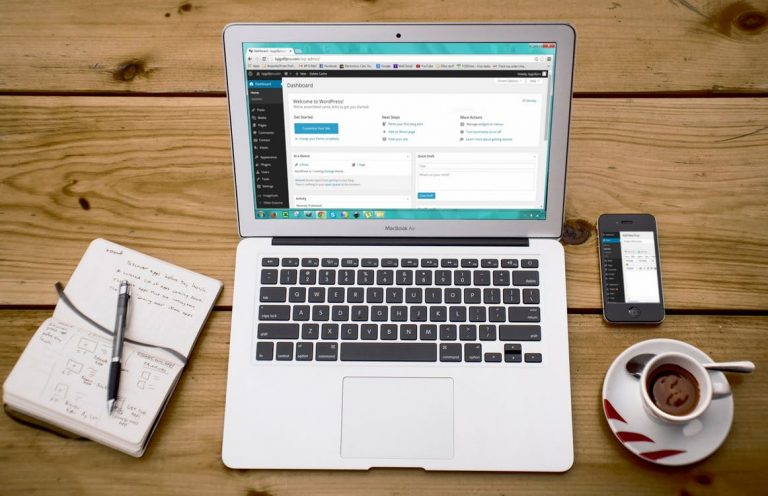
WordPress is a CMS website platform that lets a developer create websites online, whether for personal use or a business. It is used for over 50 million websites, and it has many pros and maybe an equal number of cons, but what is the right option for you?  Let’s discuss!

One is able to create a powerful, modern, polished website by using WordPress without knowing the details of coding. WordPress provides a multitude of tools for building and managing amazing websites. Some of the best uses of this CMS system are blogs, brochures, portfolios, e-commerce sites, job boards, social networks, and other custom sites. WordPress is also easy and free to use! The plugins in this system can handle features like blogs, basic sites, slideshows, contact forms, and more no problem!

So why not use WordPress? Many are against it… why? Well, those people created their website or blog by themselves, and not through a company, such as Spectrum Net Designs or other professionals. People who use WordPress by themselves are subject to bugs and security problems. They complain about the daily, constant updates, lack of custom themes, and the constant fear of being hacked.

wordpress

But don’t run away yet!  There is a solution.

Spectrum Net Designs is able to fix these problems!

We have the knowledge and experience to fix bugs and security problems. We can create custom themes to resolve your personal needs and wants. No more unoriginal websites that look the same as everyone else’s! We update our website daily and also have a backup handy for that rare occasion that things don’t update properly. We have fine control over the website that you wouldn’t receive by using WordPress yourself. With this fine control, having a full search engine optimization is possible. We give your website the personal attention that it needs so that your website is the best that it can be. You will want to utilize a professional company that can manage your website and keep it up-to-date!

By using WordPress through Spectrum Net Designs, there are no cons!

need a website?

To Have or Not To Have…A Content Management System

Do I Need A Content Management System?

I’m a small business…so do I really need to have a

Content Management System (CMS)?

Does a Small Business Owner Need a Content Management System?

As a small business owner, you’ve weighed the decision To Have or Not To Have…A Website. After considering all the options, you decided that even though you’re small, you don’t want to stay that way. You really do want…

  • …to be noticed.
  • …to grow into something bigger…
  • …to make your brand known.
  • …to service your customers 24/7.
  • …to expand beyond your physical store.
  • …to attract more customers.

In other words, even though you’re small now…you’ve decided you want to grow. And if this is so, you don’t want your website to stay small, either.

CMS

So as you grow, your website has to grow with you. But how? Where do you start?

It’s been established that “Content is King” and that Google’s main goal (as is yours) is the best possible user experience for those searching their search engine. So you know that the best way to grow your website is to add content: whether it’s articles, videos, infographics, blog posts, charts, tables, testimonials, reviews, or whatever else you think might be of particular value to your customers.

But…do you have to have your website developer make all the changes?

Are they the best or only answer to adding content to your website?

What Is a Content Management System (CMS)?

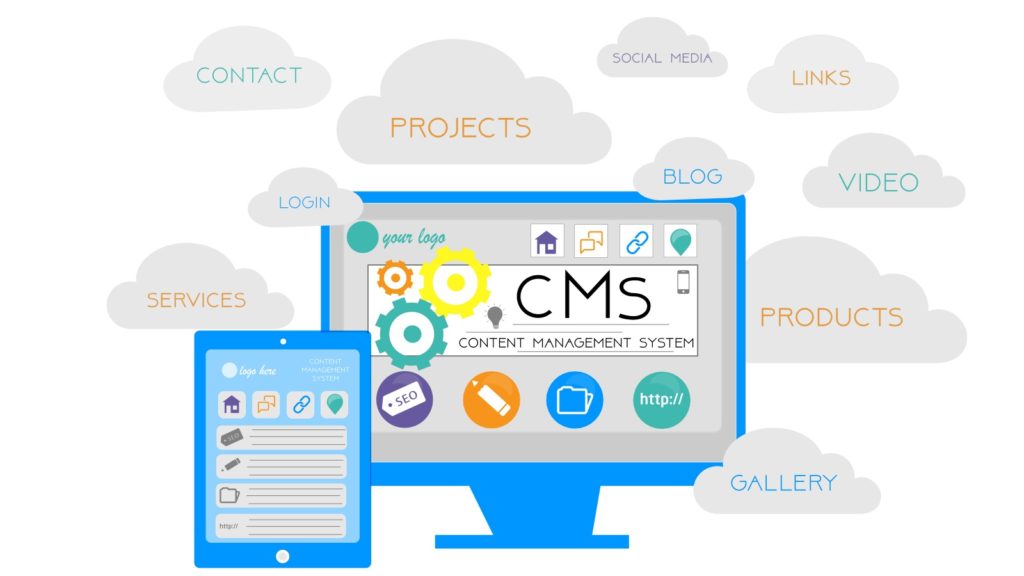
In simple terms, a Content Management System, or CMS, is a web application that is designed to make it easy for non-technical users to add, edit, and manage their websites on their own. These software products can range from being simple and quite reasonably priced to those that are complicated and quite expensive.

In other words, the right CMS system makes it possible for you to learn to edit, add images and blog posts, and even add or delete pages without having technical or programming experience. In fact…

If you learned how to email…you can learn how to use a CMS.

So if you need or want to put the following on your website yourself…

  • Articles
  • Blog posts
  • Charts
  • Tables
  • Testimonials
  • Reviews
  • Infographics
  • Images
  • Videos
  • Press releases
  • New products
  • New services

you can! And, if you plan on making updates more than once a week or have updates that are time sensitive and need to be published immediately without having to wait for your web development company to find time to post them:

Then, you definitely should consider a Content Management System.

What Must the CMS Include?

In addition to being simple to use – the whole reason for you being able to do it yourself – the CMS should also have the following features:

  • Design templates
  • Editing tools
  • Multiple user management
  • Available upgrades
  • Versioning system
  • SEO-friendly components

The design templates make adding your content easy to create as well as keep them consistent with your website. The editing tools help create, edit, and publish new web pages, blog posts, articles, press releases, etc. Multiple user management is essential if you want to have several different people have access and the ability to add or change different parts of your website. The program should also have access to upgrading by easily adding new plugins or functionality to the CMS. A versioning system provides the history of all changes made to a page, so if a mistake has been made during updating, you can “roll back” to the previous correct version. Finally, the CMS must also be search engine optimization-friendly so that you can easily optimize your site. If your newly added content is optimized correctly, the search engines will be able to index your website.

How Must the Right CMS Support SEO?

Since starting his company, Bruce Clay, Inc., on his dining room table over 20 years ago, Bruce Clay has become one of the biggest names in Search Engine Optimization. He’s even been credited as having created the term, though he prefers to refer to himself as the “Grandfather of SEO”. In a webinar presented on August 24, 2016, entitled 10 Tips to Improve Your SEO with a Web CMS, Clay points out that the priority of SEO is to get searchers to your website to convert, while the power of the CMS is to “improve your site’s ranking signals.”

Jessica Lee, a member of Clay’s staff, states the following in Back to Basics: SEO-Friendly Web Development – How Silos and the CMS Can Make or Break Your Site:

“Many people don’t realize just how important the right content management system (CMS) can be to an SEO campaign. A good CMS allows the search engines to crawl and index a site with ease, as well as gives the Web marketing team full control over key elements in SEO, such as Meta information, HTML code, and URLs.”

Lee goes on to explain some of the key elements the CMS must allow you or your marketing team to have full control over:

  • Meta information
  • HTML code
  • URL structure
  • Title and heading tags
  • ALT attributes

According to Brent D. Payne, another member of  Bruce Clay, Inc., some other essential SEO elements to be controlled include:

  • SEO key phrase
  • Breadcrumbs
  • Body text
  • Canonical tags
  • 301 direct
  • Meta no follow/follow

Choosing the right Content Management System must include the ability to control crucial elements that will positively affect your site’s SEO. If not, the search engines will have difficulty indexing your site, and you’ll have lost the advantage of having a CMS in the first place.

What Are Some of the CMS Options?

As a small business owner, you have several Content Management Systems available depending on your design specifications, budget, and long term plans. Some of the more popular are as follows:

  • WIX
  • Squarespace
  • WordPress
  • Joomia
  • Drupal
  • Magneto
  • Blogger
  • TYPO3
  • Shopify
  • vBulletin
  • Liferay

However, if you want to find out what Content Management System we recommend for our clients, read on.

What CMS Option Do We Recommend?

So, given all of the information cited above, what Content Management System do we recommend?

WordPress

Why?

In addition to WordPress being the most popular CMS in use today, it meets all of the qualifications discussed above. You do not need to be a web developer or tech-savvy to use it. It fits almost any budget from free features to paying for more customized features and plugins.  The thousands of available plugins and features as well as its hundreds of available themes make it appropriate for small businesses of all types and all sizes of websites.

And…is it SEO-friendly?

WordPress offers several reliable SEO plugins that give you control over the essential key elements needed for optimizing your site so that search engines can find you. The most popular SEO plugin is Yoast, which gives options from optimizing Meta titles and descriptions to page content and image titles and more. Another plugin is the All In One SEO Pack, which also supports Google Analytics integration, customization of page titles and Meta descriptions, as well as supporting advanced canonical URLs. Other available SEO plugins include Google XML Sitemaps, Google Analytics by Yoast, SEO Friendly Images, and Squirrly SEO, which even provides SEO advice as you’re writing your blog posts, articles, or page content.

So the answer is, yes, WordPress more than adequately meets the standards for qualifying as an SEO-friendly Content Management System.

Benefits of WordPress

  • Simple to use
  • Affordable
  • Secure
  • Reliable
  • SEO-friendly
  • Mobile-friendly
  • Hundreds of themes
  • Thousands of plugins and features
  • An almost infinite customization options
  • Suitable for simple and complex websites
  • Appropriate for all types of small businesses

Conclusion

At Spectrum we recommend that you write and add your content since no one knows your business better than you do. Both your audience and the search engines are looking for good, quality content that satisfies the queries that are made by your users. And most importantly, your content is what sets you apart from your competitors and can turn your website viewers into paying customers.

“Great things are done by a series of small things brought together.”   

– Vincent Van Gogh

The right Content Management System such as WordPress makes it possible for a small business owner to bring together a “series of small things” (blogs, videos, images, tables, infographics, etc.) to make a “great thing” (your website) that will match your growing business.

Sources:

https://demo.spectrumnetdesigns.com/2013/10/does-my-business-need-to-have-a-website/

https://demo.spectrumnetdesigns.com/2014/08/1-reason-content-king/

http://www.bruceclay.com/blog/seo-for-content-management-systems-smx-sydney-brent-d-payne/

http://www.bruceclay.com/newsletter/volume95/seo-friendly-web-development.htm

http://www.dnnsoftware.com/resources/webinars/10-tips-to-improve-your-seo-with-a-web-cms/view/webinar

https://colorlib.com/wp/most-popular-content-management-systems/

http://www.htmlgoodies.com/beyond/webmaster/toolbox/article.php/3887866/I-Want-To-Build-A-Website-Do-I-Need-a-Content-Management-System-CMS.htm